

You've got the launch monitor on the grass, the phone in your hand, and a screen full of numbers that all look important. Carry is one number, spin is another, launch angle looks close enough, and the club path seems to say something, but not enough to change the next swing with confidence. That's the problem with a golf swing tracker, capture is easy, trust is hard.
A tracker only helps when you know which numbers are telling the truth, which ones are just background noise, and which ones should change what you do at the range. That distinction matters whether you're using a radar-based unit, a camera system, or a small clip-on sensor. It matters even more when you export a session into a spreadsheet and have to decide what the data means without a coach standing next to you.
A better way to use a golf swing tracker is to treat it like a decision system, not a scoreboard. The numbers tell you what happened, but the useful part is figuring out what caused it, how stable that reading is across sessions, and what one adjustment deserves your attention next. If you can read that loop well, the tracker stops being a gadget and starts becoming a practice tool.
Table of Contents
- Why a Golf Swing Tracker Is Only Useful If You Trust the Numbers
- What a Golf Swing Tracker Is
- The Core Metrics a Tracker Produces
- Comparing the Main Types of Trackers
- How to Read a Single Session Like a Coach
- Accuracy Limits and How Much Noise Is Normal
- Turning Tracker Data Into Decisions With Dialed Golf
- Building a Weekly Practice Routine Around Your Tracker
Why a Golf Swing Tracker Is Only Useful If You Trust the Numbers
A golfer hits three shots off a grass tee, checks the monitor, and sees one carry number that feels short, one spin number that looks too high, and one face angle that seems to explain everything. The next ball produces a different answer, and the player starts guessing instead of improving. That is the trap. A golf swing tracker gives you more information, but it does not automatically give you a better decision.
Data without context turns into noise
The modern habit of measuring shots traces back to the PGA Tour's ShotLink system, which began with the start of the 2004 season and helped move shot-level golf analytics into the mainstream Golf Digest. By 2016, strokes gained had evolved into four parts, Off the Tee, Approach the Green, Around the Green, and Putting, which shows how the sport moved from simple totals to a much more granular model.
That shift matters for everyday golfers because the same logic applies at the range. A total score or a single average carry number tells you very little about why the ball behaved the way it did. A more useful tracker asks what changed in the swing or strike, then shows what that change did to the ball.
One analysis of top-40 players from 2004 to 2012 attributed 40% of scoring advantage to approach shots, 28% to driving, 17% to the short game, and 15% to putting. That is a strong reminder that ball flight and delivery matter early in the chain, not just the final result.
Practical rule: if a reading does not help you choose the next drill, it is probably not the number to chase first.
Trust comes from repeatability
A good tracker is not the one that looks the fanciest on one perfect shot. It is the one that behaves consistently enough that you can compare one session to the next and make a sane adjustment. That is why golfers get into trouble when they read every data point as if it were equally important.
Some numbers are stable enough to build practice around. Others drift with strike quality, device setup, or the kind of shot you just hit. Once you learn that difference, the screen gets quieter and your practice gets more focused.
What a Golf Swing Tracker Is
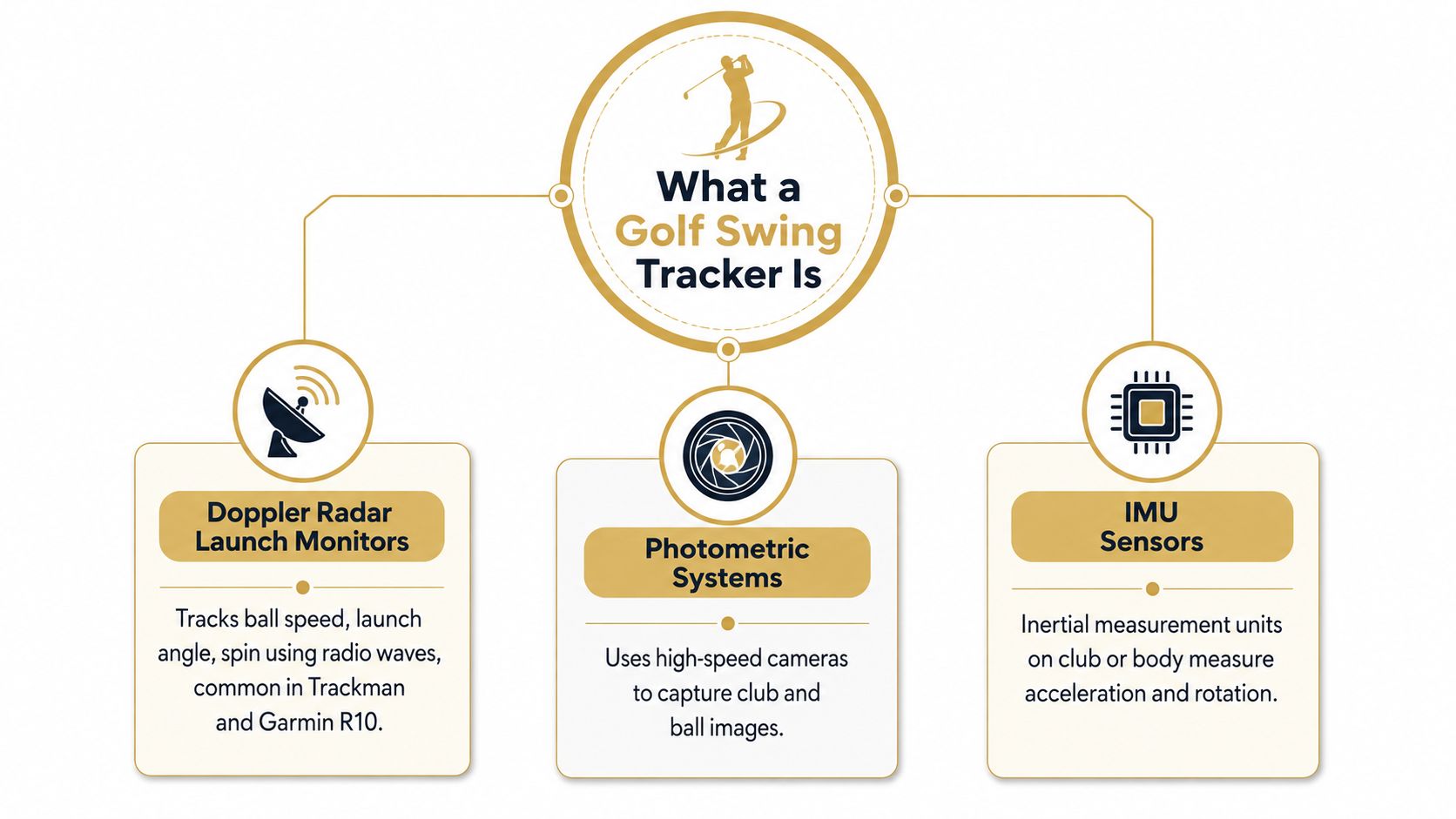
A golf swing tracker is any system that captures what the club and ball did during the swing, then turns that into usable feedback. The key question is the sensor family underneath it. Once you know that, you know what kind of truth the device is best at showing, whether it is ball flight, contact conditions, or club motion.
Radar systems listen for the ball and club
Doppler radar launch monitors send out radio waves and read the return signal, a bit like listening for an echo. That makes these systems strong at tracking ball flight outdoors and at connecting launch data to real gapping decisions. Their main strength is that they are built to follow movement through space, not just capture a single frame.
This category includes the style of device many golfers associate with Trackman or a Garmin R10 type of setup. The important point is the method. Radar is often the better fit when you want to understand how the ball behaved after impact and how that relates to carry, spin, and dispersion. If you want a simple reference for how those carry numbers fit together, a carry distance chart can help frame the discussion without guessing.
Camera systems watch impact frame by frame
Photometric or high-speed camera systems work more like film analysis. They capture the moment of impact and the early ball flight in very fine detail, then derive the shot numbers from the image sequence. That makes them especially useful indoors, where the environment is controlled and the camera can see the ball clearly.
These systems are strong when you want to inspect contact conditions and launch details in a repeatable space. They also fit well in simulator setups where space and lighting are managed carefully, because the camera can gather reliable visual information without needing a large outdoor flight window.
IMU analyzers track motion in the club or body
An IMU, or inertial measurement unit, is a tiny sensor that measures acceleration and rotation. In golf, that often means a clip-on analyzer or smart sensor attached to the club, wrist, or body. It does not watch the ball the way a launch monitor does. It studies the motion that produced the shot.
That makes IMU tools especially useful for swing mechanics, tempo cues, and movement patterns. They are usually the most portable option, and they are often the fastest to bring out on a range session. The tradeoff is that they do not always measure ball flight directly, so you have to treat inferred data differently from measured ball data.
The Core Metrics a Tracker Produces
A serious tracker usually breaks each shot into three questions, what the ball did, what the club did, and how efficiently one became the other. That structure is more useful than dumping every metric into the same bucket. It lets you separate cause from result before you start changing your swing.
The launch-monitor example in the verified data gives a good reference set, because it includes 16 club-and-ball data points such as carry distance, club speed, ball speed, spin rate, spin axis, attack angle, launch angle, face angle, club path, and smash factor Trackman tech specs.
Ball numbers tell you the result
The ball-side numbers are the easiest to understand because they describe what happened after impact. Carry distance tells you how far the ball flew in the air, ball speed tells you how fast it left the face, spin rate tells you how much it rotated, and spin axis shows the tilt that helps explain curve. Launch angle sits in the same group because it describes the initial window the ball left through.
Those numbers are valuable, but they're not the full story. A good carry number can come from decent strike quality, a healthy launch window, or just a helpful strike on the face. A bad carry number doesn't tell you why until you connect it to club delivery and contact.
Club numbers explain the cause
The club-side metrics are where diagnosis starts. Club speed sets the speed ceiling, attack angle describes whether the club is traveling up or down at impact, face angle shows where the face is pointed, and club path shows the direction the club was moving through the strike.
That group matters because it explains the shot before the ball leaves the club. If the ball started right, curved right, and came up short, the answer could be a face issue, a path issue, or both. If you only look at carry, you're just describing the outcome.
Efficiency connects the two
Smash factor is the bridge between club and ball. It helps you see how efficiently club speed became ball speed, which makes it one of the cleanest indicators of strike quality. If the smash factor is weak, adding more speed won't solve the core problem very well.
Coach's shortcut: fix the number that causes the others, not the number that only reports the damage.
A lot of dashboards also make secondary metrics look urgent because they're visually interesting. In practice, those extra numbers are often context-dependent. The fields that usually drive action are still the ones that describe delivery, efficiency, and the shot window.
Use this carry-distance chart tool to compare yardages clearly
Comparing the Main Types of Trackers
The right tracker depends on where you practice and what question you want answered. A radar unit, a camera-based system, and an IMU analyzer can all be useful, but they don't solve the same problem. A buyer who wants better gapping and on-course decision-making needs a different tool than a player who mainly wants swing-motion feedback.
| Tracker Type | What It Measures | Best Environment | Data Output |
|---|---|---|---|
| Doppler radar launch monitor | Ball flight and club-ball relationships | Outdoor range, simulator bay, open space | Carry, ball speed, spin, launch, club data |
| Photometric system | Impact and early ball flight from camera capture | Indoor sim room, controlled lighting | Ball and club metrics derived from images |
| IMU swing analyzer | Club or body motion | Range, practice area, home drills | Tempo, rotation, motion cues, swing patterns |
Radar and camera units answer the ball-flight question
Radar and camera launch monitors are the strongest choice when your main goal is to understand the ball. They're the most useful for gapping, shot windows, and identifying whether a poor result came from speed, strike, face angle, or spin behavior. They also tend to be the systems that golfers and fitters rely on when ball-flight truth matters.
The tradeoff is practical. They usually need more space, more setup discipline, and a bigger budget commitment than a small sensor app. If you won't use the data regularly, the extra capability won't help much.
IMU tools answer the motion question
IMU analyzers shine when you care about movement quality, sequencing, or a specific club change. They're portable, quick to use, and often easier to bring into a casual range session or a home drill block. The downside is that they're not giving you the same direct view of the ball as a launch monitor.
That means they're excellent for feedback, but they're not the whole answer if you're trying to build a reliable bag map or understand real carry windows. You can absolutely use them well, just don't ask them to do a job they weren't built for.
The best tracker is the one you'll review
A lot of golfers buy for capability and then practice for convenience. The better filter is whether the device fits your actual routine, because a tool that stays in the bag produces no insight at all. The best tracker is the one whose data you'll open again next week and act on.
How to Read a Single Session Like a Coach
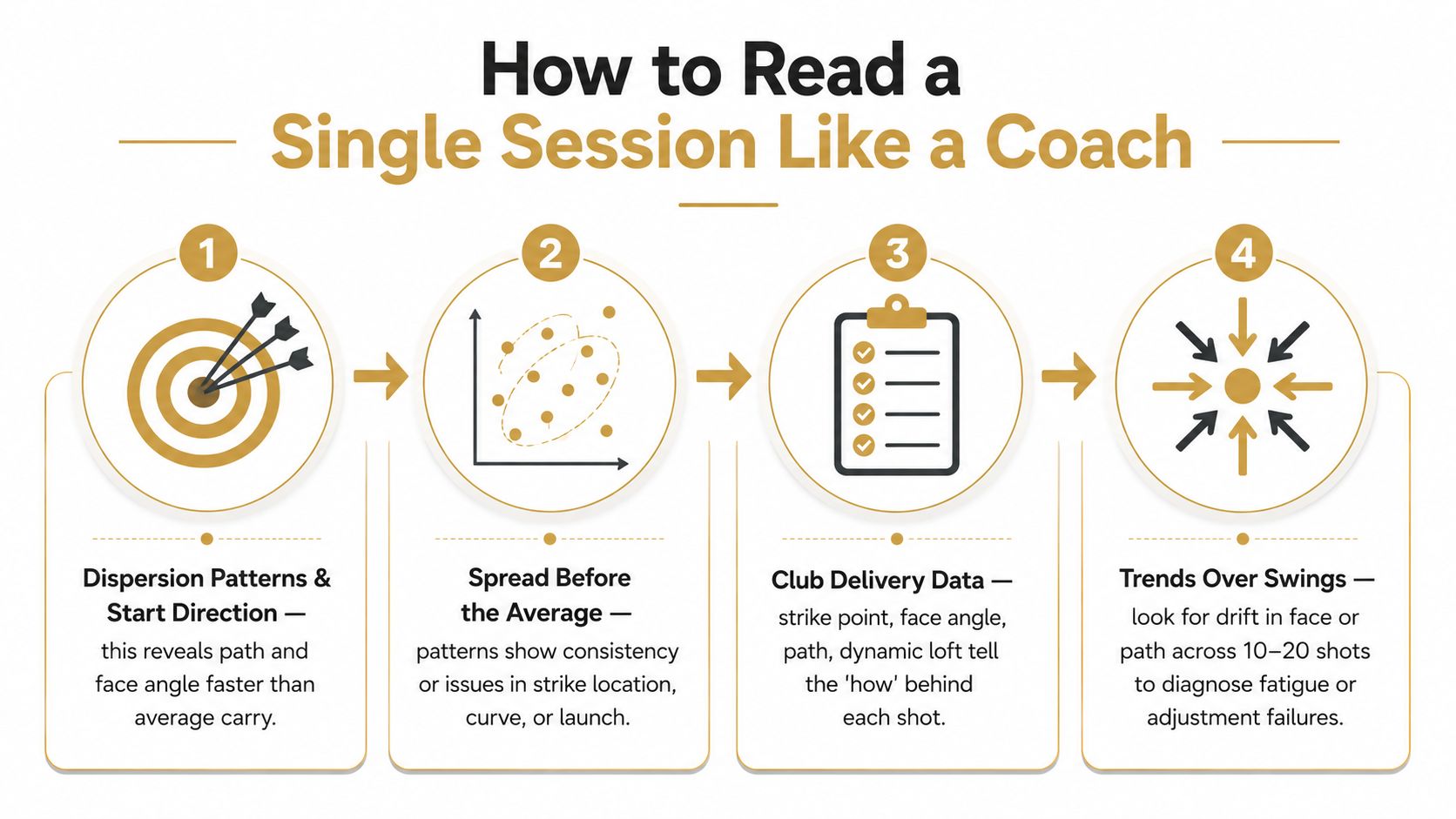
A good session review starts with the miss pattern, not the average. If the ball starts right, curves more than you wanted, or clusters in one side of the range, that story is more useful than the mean carry number sitting at the top of the screen. Coaches look for the spread first because spread tells you how the ball is behaving under pressure.
Start with where the ball goes
If the session shows a consistent start direction, that narrows the diagnosis quickly. Start direction points you toward face angle and path relationship before you even get lost in spin numbers. Dispersion then tells you whether the issue is small and manageable or broad enough that the pattern itself needs work.
The useful question is simple, are the misses random or are they all telling the same story? Random misses usually mean strike inconsistency, timing noise, or setup variation. Repeating misses usually mean the delivery is saying something specific.
Then separate ball result from club cause
A 7-iron session can look “fine” on average while still hiding a problem. Say the carry distance is acceptable, but the ball keeps leaking right and the club delivery shows a face-to-path mismatch. That player doesn't need a pure distance session, they need to clean up the relationship between face and path.
That's the coach's logic in plain language, ball speed sets the ceiling, launch and spin shape the window, and face-to-path shapes the curve. If the curve is the thing costing shots, fixing swing speed won't solve it first. The session priority should match the biggest source of scoring damage.
Turn one reading into one drill
A tracker session becomes useful when you leave with a single practice focus. One priority is enough for one block of balls. If the data says the right miss is coming from the face, spend the next 15 minutes on face control, not on trying to improve every number in the display.
Read the spread, then the cause, then the fix. Anything else turns practice into a guessing contest.
That habit also makes CSV exports more valuable, because you can compare the same pattern across multiple sessions without trying to hold every metric in your head. Over time, that's how a tracker stops feeling like a screen of numbers and starts behaving like a coaching log.
Accuracy Limits and How Much Noise Is Normal
No tracker is perfect in every setup, and that's not a flaw unique to golf tech. The important thing is understanding what can distort a reading, so you don't treat a messy setup like a swing problem. The best devices are the ones that stay consistent in the conditions you practice in.
The technical benchmark from the verified data is a consumer-grade analyzer that uses dual 9-axis IMUs, samples at 100 Hz, reports <20 ms latency, and lists an accuracy of ±2° with an angular-rate range of ±2,000 dps Moxi SwingMotion specs. That kind of sampling and latency matters because swing changes happen in milliseconds. If a system smooths too much, you can lose the transition or release detail you were trying to study.
Setup conditions change what the device sees
Device placement affects radar and camera alignment, and ball type can change how the data looks from one session to another. Ambient light matters more for camera-based tools, while temperature and range environment can make outdoor sessions feel different even when your swing hasn't changed much. None of that means the tracker is broken, it means the system is only as clean as the setup around it.
A useful practice habit is to compare like with like. Same environment, same ball type, same device position, same shot type. If you change all four at once, the data gets harder to interpret.
Separate real trends from ordinary drift
Not every change is a swing change. Some sessions will look a little different because of contact, fatigue, or setup differences. A true trend is the one that keeps showing up when the environment and shot type stay similar.
The simplest filter is this. If one number moved once, assume noise. If the same pattern keeps showing up across multiple shots and more than one session, it's probably worth acting on. Accuracy is less about a perfect spec sheet and more about whether the system stays believable in your routine.
Turning Tracker Data Into Decisions With Dialed Golf
A lot of golfers end up with exports from different platforms, then open a spreadsheet and still can't answer the important question, what should I work on next? That's where the workflow has to change. The useful end point is not a file full of rows, it's a session that points to one decision.
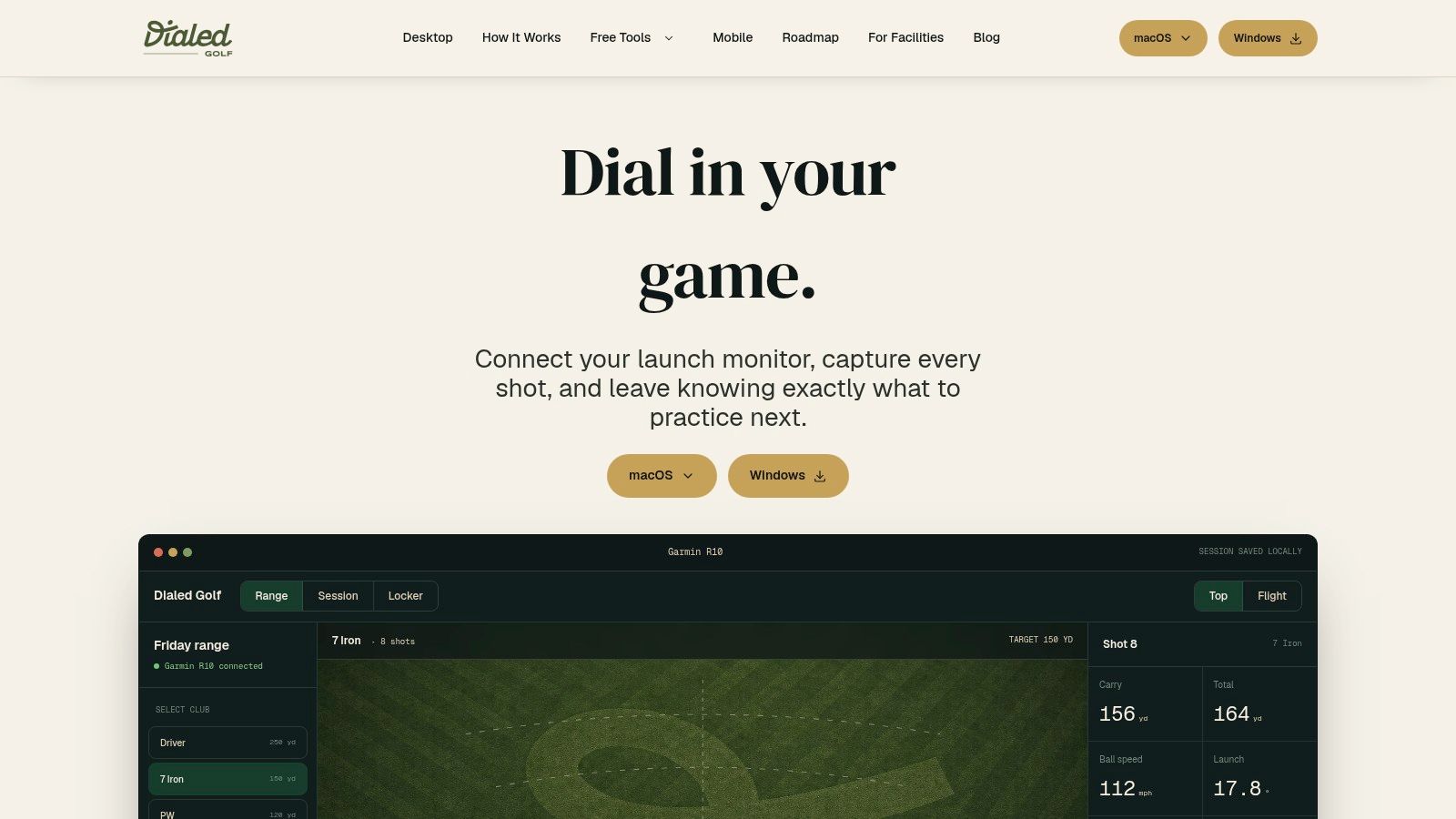
Dialed Golf is one option for that handoff. It can ingest CSV exports from supported sources such as Garmin, Rapsodo, SkyTrak, FlightScope, and Uneekor, then normalize the session so carry, total distance, ball speed, spin, launch, and club speed sit in one view. It also organizes a locker of clubs, surfaces carry windows, dispersion, and start direction, then pushes the review toward a single next practice priority.
From export to useful session history
The big advantage of a CSV-first workflow is that the data doesn't stay trapped in one device. A player can take a range session from one platform, import it, and compare it with a later session on the same terms. That makes trends easier to see, especially when the original dashboard isn't built for long-term review.
The practice value comes from organization. When your shots are grouped by club and the key numbers live in one place, you spend less time cleaning data and more time deciding what changed.
Gapping becomes a decision, not a guess
The bag gap analyzer turns session data into a carry chart you can use during fitting or practice. That matters because overlap and missing yardages are easiest to spot when the numbers are laid out consistently. Instead of arguing with memory, you can compare the clubs directly.
Open the bag gap analyzer here
The practical result is a clearer answer to the question every data-driven golfer asks, which clubs overlap, and which yardage is missing? That's a much better use of tracker data than staring at a dashboard and hoping the answer jumps out.
Building a Weekly Practice Routine Around Your Tracker
A tracker works best when it lives inside a rhythm you can keep. One session should check gapping, one should fix a pattern, and one should just be about striking the ball without overthinking the numbers. That mix keeps the data honest, because you're not turning every range visit into a lab test.
For many golfers, that means one gapping session each month, one pattern-fix session each week, and one free-swing session to make sure the data still reflects real golf. If every bucket is measured the same way, the tracker can start to distort your intention. A little variety keeps the feedback useful.
The free tools can help before you upload anything. The Ball Fitter helps you think through equipment and distance questions, while the carry and bag tools make it easier to organize what your shots are saying before you commit to a full review.
Simple habit: log the session you're most likely to compare later, not the one that merely felt best.
A few questions come up again and again after golfers buy a tracker. How often should you log sessions? Enough to compare patterns, not just isolated swings. Should range balls and real balls be tracked separately? Yes, if you care about carry and gapping. Which metrics can you ignore? The ones that don't change your next drill. How do you avoid dashboard fatigue? Focus on one practice priority and leave the rest alone for that session.
If you want a clearer way to turn launch-monitor data into practice decisions, try Dialed Golf. It helps golfers organize sessions, compare carry windows, and make gapping decisions without living inside a spreadsheet. Start with one round of data, then use the next range visit to test a single priority with purpose.