


Most golfers still shop for a launch monitor the wrong way. They compare a few accuracy claims, chase the longest feature list, and assume the device with the biggest spec sheet is the best launch monitor. That's a shallow way to buy, because the true value shows up after the session, when you need to turn shot data into gapping decisions, dispersion checks, and a practice plan you'll truly follow.
| Model | Price | Metrics | Technology | Best For |
|---|---|---|---|---|
| Garmin Approach R10 | Around $599 comparison source | About 14 metrics comparison source | Doppler radar comparison source | Outdoor range work and portability |
| Rapsodo MLM2PRO | Noted as a hybrid with two cameras + Doppler radar comparison source | Metrics include carry, total distance, club speed, smash factor, launch direction, launch angle, spin rate, descent angle, spin axis, apex, shot type, club path, and angle of attack comparison source | Camera-assisted hybrid comparison source | Golfers who want richer shot-shape feedback |
| Bushnell Launch Pro | Premium camera-based system | Broad ball and club data, with very tight reproduction in testing | Photometric camera | Indoor precision and fitters who want accuracy |
| SkyTrak+ | Around $1,995 comparison source | About 18 metrics comparison source | Photometric camera comparison source | Indoor simulator golfers |
| FlightScope Mevo+ | Shown with 27 metrics and no subscription requirement in some listings comparison source | Deep metric coverage comparison source | Radar comparison source | Serious data users and outdoor versatility |
The hidden question is simple. What happens after the ball leaves the clubface, and how easily can you use that session next week? If a monitor produces clean numbers but leaves them trapped in a disconnected app, you're still guessing. If it fits your workflow, the same shot data becomes a practice record, a gapping reference, and a trend line.
Table of Contents
- Why Accuracy Alone Does Not Define the Best Launch Monitor
- Core Evaluation Criteria for Launch Monitors
- Top Launch Monitors Compared by Performance and Price
- Matching Launch Monitors to Real-World Use Cases
- Turning Launch Monitor Data into Practice Decisions
- How to Choose the Right Launch Monitor for Your Game
- Final Recommendations by Golfer Profile
Why Accuracy Alone Does Not Define the Best Launch Monitor
A launch monitor can post clean numbers and still miss the mark for your practice. The reason is simple. An outdoor player needs portability and consistent shot capture. An indoor simulator owner needs dependable spin and short-game detail. Those are different use cases, even if the spec sheet looks similar.
What the numbers really tell you
Independent testing by MyGolfSpy testing found the Bushnell Launch Pro posted a total indoor average deviation of just 1.14%. The same test reported indoor variance of 0.36% for ball speed, 2.82% for backspin (92.3 rpm), and 0.23% for carry distance (0.2 yards). Outdoors, it still showed 0.19% variance in ball speed, 1.27% in backspin (46.5 rpm), and 3.29% in carry distance (6.0 yards). Those figures are useful, but they do not settle the buying decision by themselves.
Practical rule: buy for the environment you practice in most often, not the test setup that looks best on a spreadsheet.
The better framework starts after the swing. If your shots live only inside one app, the monitor ends when the session ends. If your data exports cleanly, or the device connects to a tool that organizes sessions across time, you can compare carry windows, spot dispersion patterns, and decide what to work on next. A golfer using Dialed Golf's ball fitting and gapping tool can turn raw launch numbers into carry trends and club-by-club decisions instead of leaving the session as a pile of isolated shots.
Why workflow beats raw spec chasing
Modern units commonly report ball speed, club speed, launch angle, spin rate, carry distance, total distance, smash factor, club path, and face angle, and some premium models now measure 25+ data points feature coverage source. That broader measurement set matters because launch monitors are no longer just distance readers, they are swing-analysis tools feature coverage source.
More data still does not guarantee better practice. A golfer who cannot interpret the numbers will keep hitting balls without a plan. A golfer who can review shot patterns later, compare sessions, and keep a club-by-club history will get more from a slightly less polished device.
Some buyers should weight accuracy lower than the buying guides suggest. Range regulars need reliability in messy conditions. Indoor golfers need spin fidelity and short-game usefulness. Data-driven players need export and comparison tools, because raw capture is only half the job.
Core Evaluation Criteria for Launch Monitors
The best launch monitor is not the one with the longest spec sheet. It is the one that produces numbers you can trust, measures the shots you care about, works in your practice space, and lets you review those shots later without rebuilding the session by hand. Those criteria separate a useful purchase from an expensive novelty.
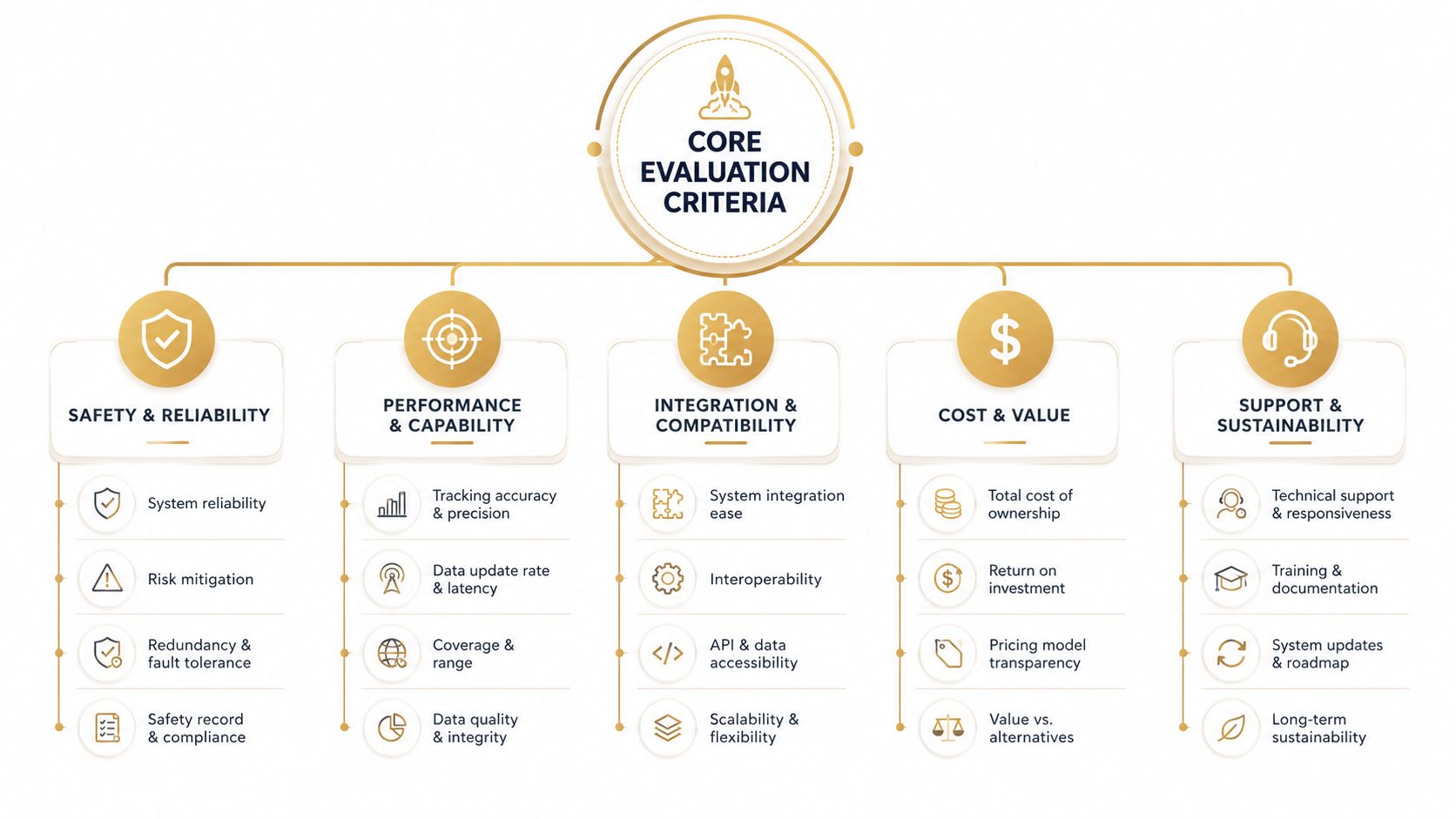
Accuracy and measurement method
For a best-launch-monitor decision, the first technical split is between Doppler radar and photometric camera systems. Radar units usually fit outdoor range work and portable setups better, while photometric units are often stronger for indoor spin and short-game feedback because they measure impact data directly rather than estimating it comparison source. That distinction matters more than brand loyalty or marketing claims.
Radar makes sense for golfers who practice outside and move their setup often. Camera systems usually suit players who stay in one indoor bay and want closer reads on ball behavior, especially with wedges and putting. If your practice is split across both environments, hybrids deserve careful comparison because they try to cover both use cases without being perfect at either.
Metric coverage and data quality
The metric list should match the decisions you want to make. Carry distance, club speed, launch angle, spin rate, and club path are the numbers most golfers will use regularly. Extras like apex, descent angle, or angle of attack matter more when you are diagnosing shot shape or checking a fitting recommendation, but they are not equally useful for every player. A more detailed 2026 launch monitor feature comparison shows how quickly the list grows once a model starts chasing both fitting and simulator use cases 2026 launch monitor feature comparison.
That extra coverage only helps when the readings are believable and repeatable enough to guide a real change. A monitor can report more fields than you need and still miss the one number that changes a club decision.
Connectivity and export
Many buying guides stop at shot capture. A monitor stays useful after the session only if the data moves cleanly into a broader workflow. Dialed Golf's desktop app supports CSV import from compatible launch-monitor and simulator exports, including Garmin, Rapsodo, SkyTrak, FlightScope, and Uneekor, and it organizes sessions into club lockers, shot history, and practice trends. That is the difference between a pile of shots and a record you can compare across weeks.
Dialed Golf's ball fitting tool shows why portability matters. If you can test assumptions, compare carry windows, and revisit gapping later, the launch monitor becomes part of an ongoing practice system instead of a one-off data dump.
Indoor versus outdoor reliability
Outdoor players care about setup friction, shot capture, and how the unit behaves on uneven range days. Indoor players care about room depth, spin fidelity, and whether the monitor works cleanly with simulator software. A device that performs well in one environment can still be frustrating in the other, and that trade-off is normal.
A practical review should also ask what happens after the session. If the numbers cannot be exported, sorted, or compared against earlier rounds, the monitor may still feel accurate, but it will not improve decisions over time. The models that hold value are the ones that let you move from raw readings to patterns, then from patterns to specific practice work.
Top Launch Monitors Compared by Performance and Price
The category splits into clear tiers, but those tiers do not map neatly to value. Some lower-cost units win because they are easy to carry, pair well with simulator software, or fit a practice routine without much setup friction. Some premium units justify their price by holding shot data tighter and giving fitter-level feedback that carries into better club decisions later.
The question is not which monitor captures a single swing well. It is which one gives you a record you can revisit after the session, compare against earlier work, and turn into better gapping decisions. A unit that exports cleanly and keeps your numbers organized can matter more over time than one that only looks impressive on a launch screen. That is also why a tool like Dialed Golf's gap analyzer matters once the range session is over, because raw carry and spin numbers only become useful when you can compare them across clubs and trends.
Budget-friendly radar options
The Garmin Approach R10 remains one of the cleanest entry points. It is often listed around $599 with about 14 metrics, which makes it appealing for golfers who want a compact radar monitor and broad simulator compatibility without a large upfront commitment. The strength here is accessibility, not overbuilt detail.
The FlightScope Mevo+ sits in a different lane. Some listings show it with 27 metrics and no subscription requirement, which gives it a stronger case for players who want deeper data without moving into premium camera pricing. It is still a radar unit, so the value is in how much usable feedback it gives relative to the space and budget you have available.
The Rapsodo MLM2PRO belongs in the hybrid category rather than a pure budget box. It combines two cameras + Doppler radar, and published comparison material lists a long metric set that includes carry, total distance, club speed, smash factor, launch direction, launch angle, spin rate, descent angle, spin axis, apex, shot type, club path, and angle of attack. In side-by-side review matrices, it scores 8/10 for data and 8/10 for accuracy, while the Garmin Approach R10 scores 9/10 for data but 7.5/10 for accuracy. That difference matters in practice. The cheapest radar option can be fine for quick range checks, but the hybrid format often gives more reliable feedback when you care about how a swing changes across sessions.
Premium photometric systems
The Bushnell Launch Pro stands out because independent testing showed very tight indoor numbers, including 1.14% total indoor average deviation MyGolfSpy testing. That kind of accuracy profile matters for indoor players, fitters, and anyone trying to trust small shot-to-shot differences. If you are comparing wedge spin, launch windows, or gapping between adjacent irons, the tighter read gives you more confidence in the pattern you are seeing.
The SkyTrak+ is listed near $1,995 with 18 metrics. That pricing places it in a category where buyers are paying for indoor confidence and a more polished simulator experience, not just raw measurement. It fits golfers who want a camera-based unit that can support both practice and simulation without forcing them to accept the compromises of a lower-priced radar model.
Premium does not automatically mean practical for every golfer. The better question is whether the monitor gives you numbers you can trust, then carry into the next session without rebuilding the whole setup from scratch. For players who track progression over time, that after-session continuity is where the value shows up.
Matching Launch Monitors to Real-World Use Cases
The right choice changes fast once you stop imagining the ideal buyer and start looking at actual golfers. A weekend player, a simulator owner, a fitter, and a stat-tracking amateur all need different things from the same category. Many buyers pick for the golfer they wish they were instead of the routine they actually keep.
The outdoor range golfer
A player who practices at an outdoor range twice a week usually gets the most value from a portable radar unit. Range work rewards quick setup, a stable connection, and a monitor that stays usable when conditions are not perfect. A unit like the Garmin Approach R10 fits that profile because it is compact and easy to bring along.
The trade-off is straightforward. Outdoor users often care less about perfect spin capture than about repeatable carry numbers and direction data that holds up from session to session. If your goal is to compare 7-iron carry from month to month, you do not need the most elaborate device on the market. You need one you will take to the range.
The indoor simulator golfer
An apartment or garage simulator changes the equation. Shorter rooms usually favor camera-based systems because they do not need the same room depth as radar, which makes indoor planning easier. The SkyTrak+ and Bushnell Launch Pro are stronger fits here, especially if you want ball-flight feedback that stays stable indoors.
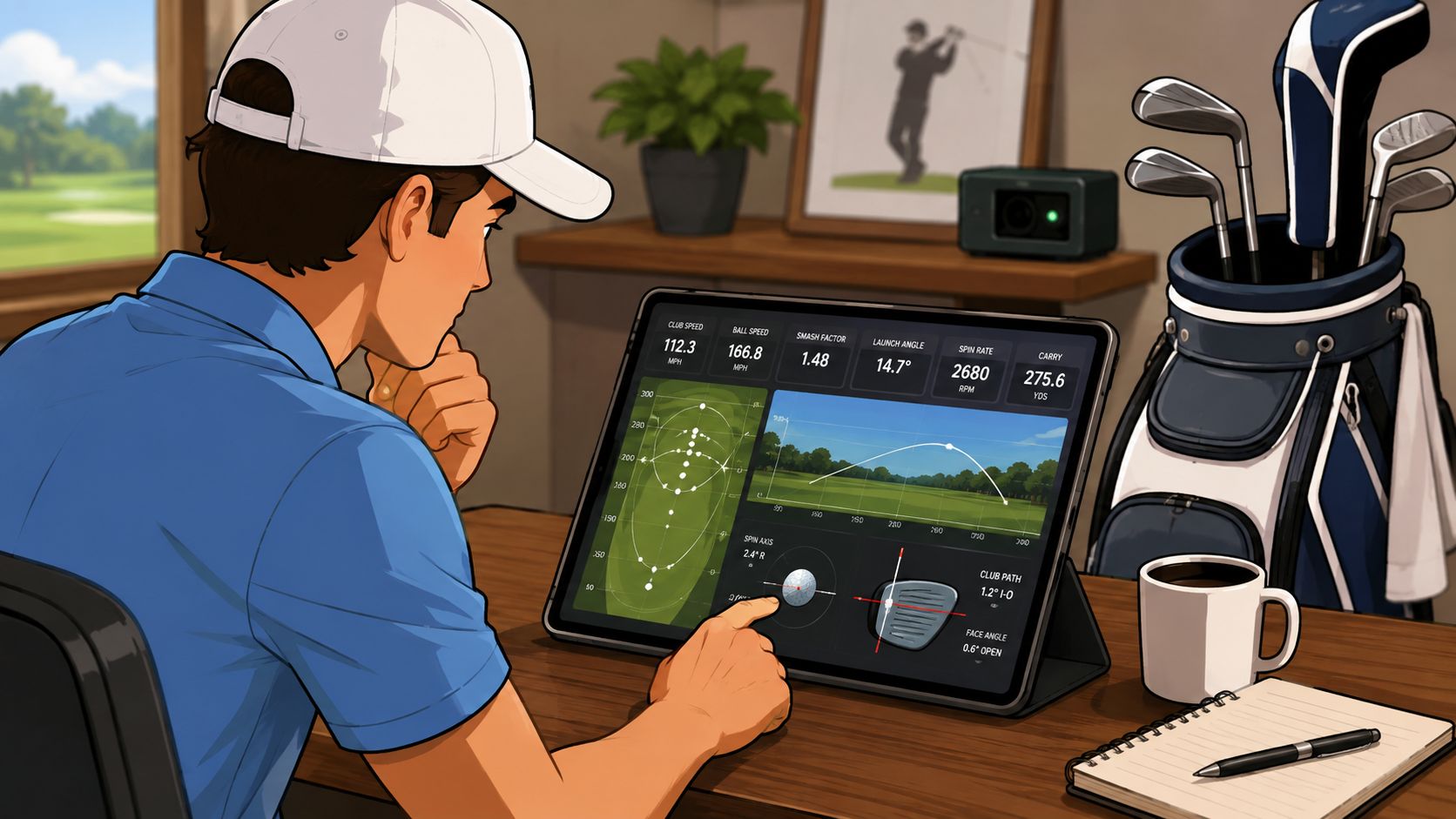
A simulator golfer who also uses software should care less about raw portability and more about repeatability, setup confidence, and how the numbers turn into practice games or course play.
The software side becomes the separator later in the session. The ability to organize sessions by club, compare trends, and keep a consistent record matters more than whether the box felt premium on day one. That is also why many indoor golfers end up caring about storage and analysis tools as much as launch conditions.
The fitter or serious data nerd
Fitters and technically minded players need a monitor that holds up when the details matter. The Launch Pro's tight testing numbers make it a natural candidate here, and the Mevo+ is attractive when you want more radar-driven breadth. For this group, a device that measures well enough is not enough. The question is whether it isolates the variable you are trying to test.
A good fitting session depends on confidence in small changes. If the monitor wobbles too much on spin or carry, it muddies the whole discussion. That is why the premium end of the market still has a place.
The trend tracker
Some golfers do not care about a simulator at all. They want to know whether their 5-iron gap is drifting, whether their carry windows are tightening, and whether a swing change is doing anything after three sessions. That player benefits from a tool that can store, compare, and organize shot history over time.
Dialed Golf's gap analyzer matters here because it addresses a problem launch monitors usually leave unsolved. It helps translate club-by-club carry data into a clearer bag picture, which is the point of all the ball-striking in the first place.
The portability question matters after the session too. A monitor that can export clean data, or work with tools such as MLM2PRO vs R10 accuracy comparison and golf launch monitor comparisons, gives the player a record that can be reviewed later instead of left inside one app. That is where practice starts to compound, because the next range session can start from known gaps and known misses instead of a fresh guess.
Turning Launch Monitor Data into Practice Decisions
Raw shot capture is easy compared with turning those numbers into a plan. Most golfers end up with scattered exports, screenshots, and app clips that never become a decision. The gap is what happens after the session, because data that cannot be revisited usually dies in the app where it was recorded.
From session dump to repeatable insight
Dialed Golf is built for the part most launch-monitor guides skip. It connects to supported devices or ingests CSV exports, then organizes shots into gapping, trends, and comparisons so the next session starts with context instead of guesswork. It also keeps a locker of clubs and shot history, which helps when you are comparing carry windows across multiple sessions. For golfers building a carry benchmark, the Carry Distance Chart Generator gives that process a clearer reference point before the next range session.
The practical value shows up when you stop asking, “What did I hit today?” and start asking, “What changed?” A player who sees the same 8-iron carry window three times in a row has a cleaner baseline than someone staring at one isolated range session. That is how practice becomes cumulative, and why a stable history matters more than a one-off screenshot.
If a device captures data but does not help you revisit it, you are buying a recorder rather than a practice system.
Why portability matters after the range
Dialed Golf also supports CSV import from launch-monitor and simulator exports when the fields can be mapped, including Garmin, Rapsodo, SkyTrak, FlightScope, and Uneekor. That matters because many golfers already own data trapped in different apps and spreadsheets. The goal is to keep the shot history usable, especially when you want to compare one session against the next without rebuilding the file from scratch.
The platform's automated session insights can surface carry windows, dispersion, and start direction, then generate a single next practice priority. That is a big deal for golfers who finish range sessions with too many possible fixes and no filter. The right recommendation narrows focus instead of adding more noise, which is usually what good practice needs.
Free tools that fill the gaps
The public tools are useful before and after a purchase. The Golf Bag Gap Analyzer and the Carry Distance Chart Generator help golfers translate shot data into a cleaner yardage framework, and they work without an account. That is especially useful if you are testing clubs, building a home setup, or trying to make sense of range notes before you buy anything.
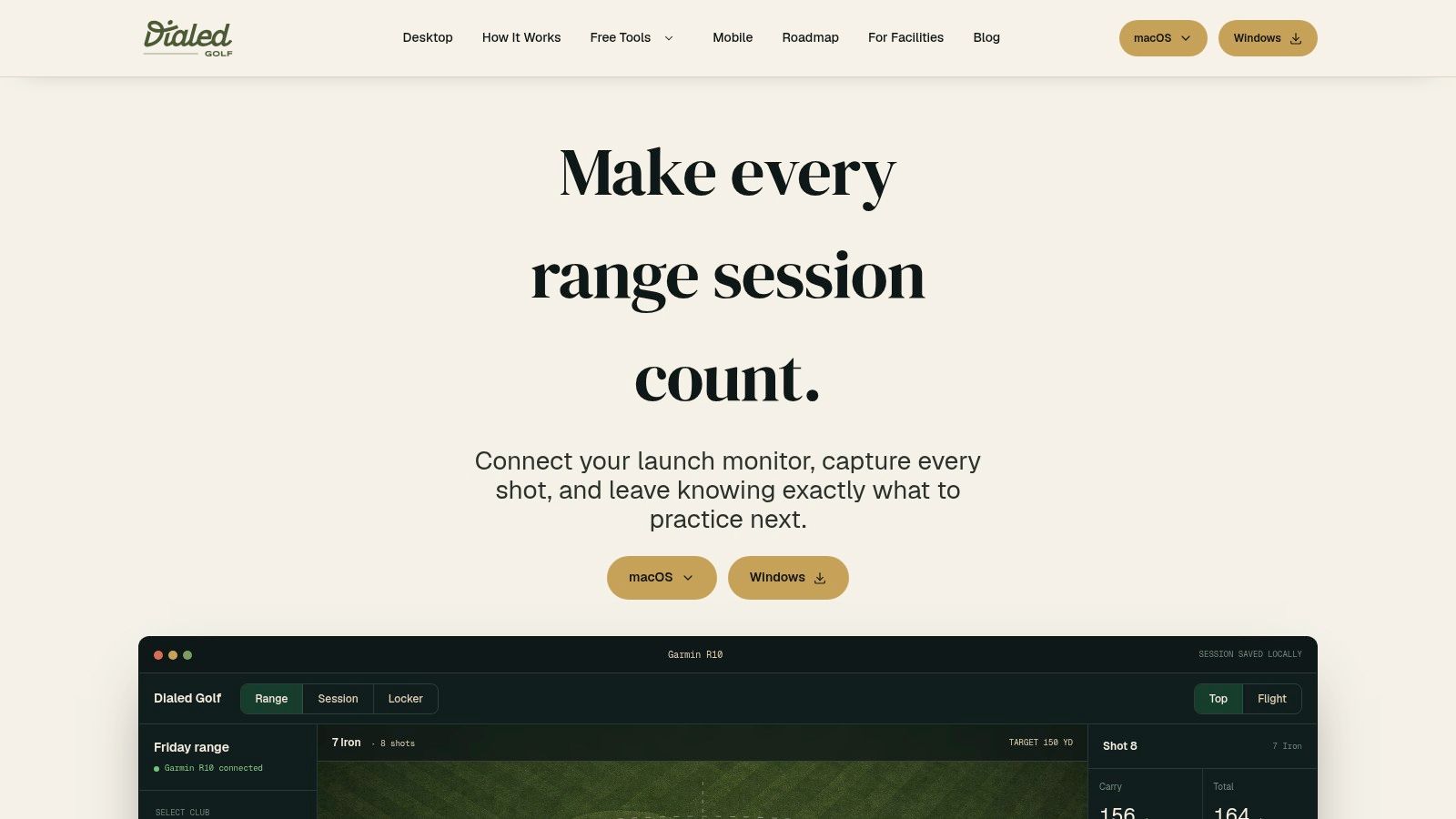
A launch monitor is only half the improvement loop. The other half is making the numbers visible enough to act on next week, not just admire today.
How to Choose the Right Launch Monitor for Your Game
The cleanest way to choose is to work backward from how you practice and what you need to learn from each session. Budget matters, but it comes after environment and data goals. If those three variables pull in different directions, the setup that matches your practice space usually wins.
Start with where you'll use it most
If most sessions happen outdoors, radar stays attractive because it is portable and built for range work. If most sessions happen indoors, photometric or hybrid systems deserve more weight because they handle tight spaces and short-game feedback better. That is the first filter.
The same logic applies to simulator owners. If your room is tight, a camera-based unit is usually the safer fit. If your room is generous and you want flexible placement, radar becomes easier to justify.
Then define which data points matter for your game
Some golfers only need ball speed, carry, and total distance, and that is enough to guide weekly practice. Others need spin, club path, and angle of attack because they are trying to understand contact quality or shot shape. The published comparison of the Rapsodo MLM2PRO shows why that split matters, since its hybrid build exposes the kind of extra club data that makes diagnosis easier.
That difference matters most after the session ends.
If the unit gives you numbers that you never review, it is just a short-lived novelty. If it exports cleanly into a system that tracks carry windows, gapping, and trends, the same session becomes useful next week as well.
Finally, think beyond month one
Subscription fees matter, but so does whether the device still fits your workflow after the first few sessions. A unit with strong export options, stable app support, or a pathway into wider analysis software is easier to keep in your practice loop. That is where the hidden value lives.
- Choose radar first if you want portability, outdoor range use, or broad simulator flexibility.
- Choose camera first if you practice indoors, care about spin and short-game detail, or have limited room depth.
- Choose hybrid first if you want more complete feedback and plan to use the monitor for both practice and analysis.
- Choose analysis tooling first if you already have a monitor and need a cleaner way to organize sessions, compare clubs, and track changes over time.
The best purchase is the one that still fits your life six months later.
Final Recommendations by Golfer Profile
If you mostly hit balls outdoors and want a straightforward, compact buy, the Garmin Approach R10 still makes sense. If you want more complete feedback from a portable unit and don't mind paying for that upgrade path, the Rapsodo MLM2PRO is the stronger data play.
For indoor simulator golfers, the Bushnell Launch Pro is the accuracy-first choice, while the SkyTrak+ fits players who want a polished premium indoor setup. If you care more about long-term practice continuity than another shiny box, choose the launch monitor that exports cleanly and pair it with a tracking layer that keeps your sessions organized.
For golfers who already own a monitor and keep losing the thread between sessions, use a system that turns raw shot files into carry windows, gapping checks, and trend lines. That's where the practice gains become repeatable, not random.
If you want a cleaner way to turn launch-monitor sessions into decisions, Dialed Golf connects shot data, club gapping, and trend tracking in one workflow. It's built for golfers who don't just want numbers, they want a practical way to use those numbers the next time they practice.