

A Garmin R10 or similar launch monitor can end a range session with a screen full of carry distances, launch angles, spin estimates, and club data. The golfer saves the session, closes the laptop, and still doesn't know whether the next practice should focus on distance control, dispersion, contact, or club selection. A launch monitor golf app earns its place by turning that noisy record into a decision the golfer can use on the course.
The need is growing beyond traditional practice. National Golf Foundation research recorded 8.1 million simulator and screen-golf users in the United States in 2024, compared with 3.8 million in 2015, an increase of approximately 113% over nine years. The same research found that 51% of simulator users hadn't played on a golf course during the prior 12 months, compared with 42% a decade earlier. National Golf Foundation research shows why launch-monitor environments now serve both regular golfers and people entering the game away from the course.
Table of Contents
- What a Launch Monitor Golf App Is For
- How a Launch Monitor App Fits Around the Device
- Key Features That Matter
- Device Compatibility and How Data Gets In
- Trustworthy Numbers vs Noise
- Turning Practice Into On-Course Decisions
- Privacy, Offline Use, and Operator Workflows
- Choosing a Launch Monitor Golf App You Will Keep Using
What a Launch Monitor Golf App Is For
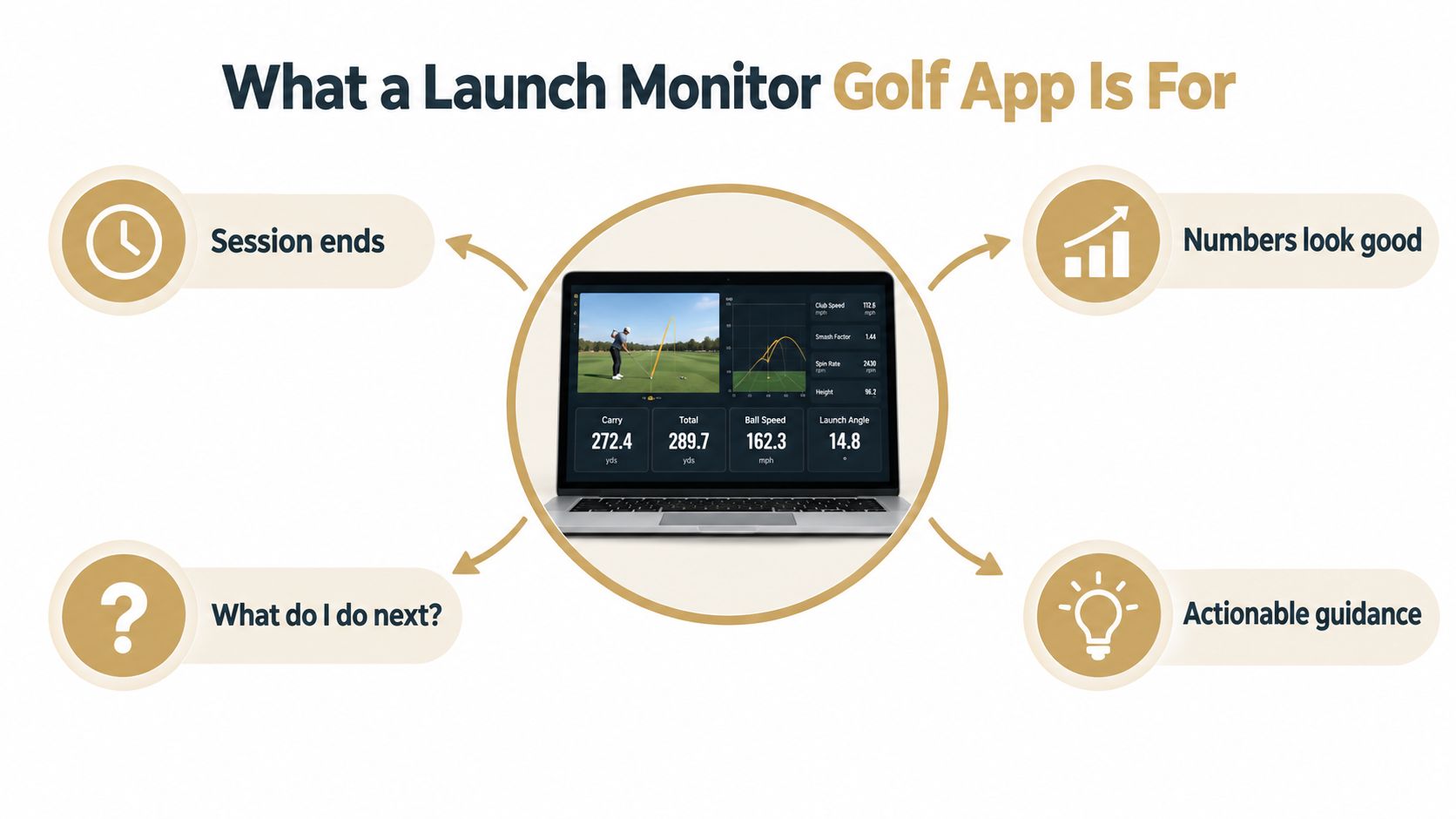
A launch monitor measures a shot. It doesn't automatically explain what the shot means, whether the reading is dependable, or what the golfer should practice next. That interpretive layer is the purpose of a launch monitor golf app.
Consider a golfer who hits a series of seven-irons. The session produces a pleasing average carry, but the individual shots vary widely. A dashboard might celebrate the average while hiding the dispersion that makes club selection difficult on the course. Another golfer sees a faster ball speed after changing equipment, but the new shots launch inconsistently and create a less useful pattern.
The app should help answer practical questions:
- What happened? Show the shot outcome and the pattern around it.
- Can the number be trusted? Distinguish measured results from uncertain estimates.
- What changed? Compare sessions, clubs, targets, and conditions over time.
- What should happen next? Turn the pattern into a practice task or course rule.
The distinction matters because simulator use isn't always a warm-up for an on-course golfer. For many people, it is an independent way to learn the game, build confidence, and practice without the logistics of a full round. An app that preserves their history can show progress across range sessions, garage practice, lessons, and eventual course play.
Practical rule: A useful session ends with a clear next action, not just a larger collection of numbers.
The rest of the buying decision follows that principle. Compatibility determines how data enters the system, reliability determines which readings deserve attention, and practice design determines whether the results transfer to the course. The strongest workflow connects all three without pretending that every metric is equally precise.
How a Launch Monitor App Fits Around the Device
A golfer finishes a range session with dozens of readings, yet the next practice question remains unclear. The launch monitor records what happened. The app sorts those observations, shows which ones deserve confidence, and connects them to a decision the golfer can use later.
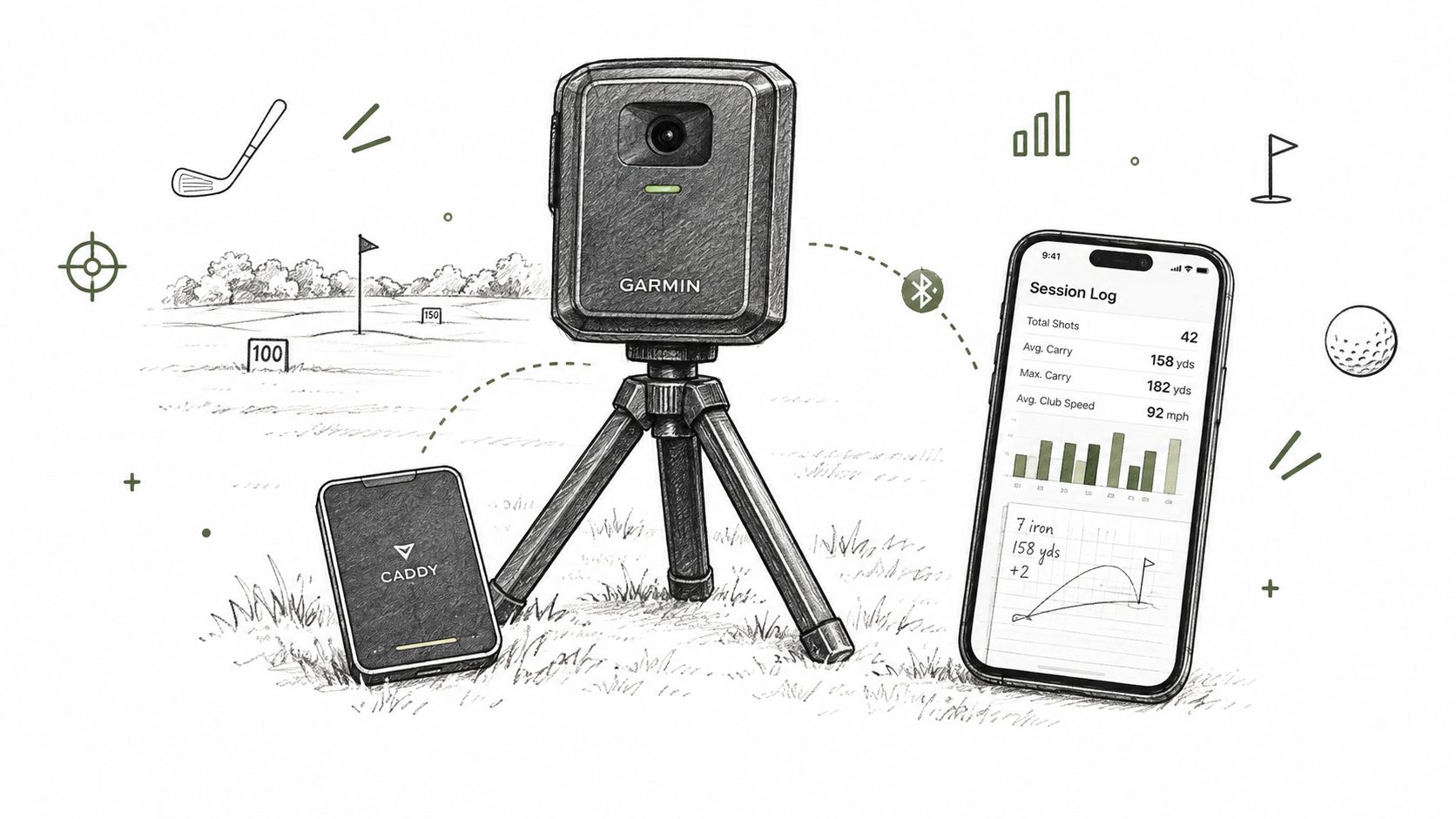
The launch monitor is the witness; the app is the case file it feeds. The hardware observes each shot through radar, cameras, or another sensing method. The software preserves the record and explains what the readings may mean.
The two layers have distinct jobs:
- The device captures the shot. It measures or estimates ball and club behavior from the signals available to it.
- The practice app receives the record. It groups shots by club, session, target, and practice setting, so one unusual strike does not define the whole session.
- The interpretation layer gives context. It identifies patterns, marks uncertain estimates, and supports choices such as stock carry or club gapping.
- The course companion applies the learning. It helps the golfer choose a target, club, or miss pattern during play instead of sending them back to a statistics screen.
A launch monitor golf app is not the sensing device itself, and it is not just a swing-video viewer. The device supplies observations, while the app maintains the golfer record and turns observations into usable context. Readers comparing equipment can use this guide to launch monitors for driving-range practice while keeping the sensor and interpretation layers separate.
Three connected jobs
The on-course consumer app carries the golfer's record into play. Its iOS companion is currently distributed through TestFlight and is not generally available in the App Store. The desktop practice app manages launch-monitor work at a range or in a garage simulator, with live pairing beginning on desktop and using the first supported radar device.
The third layer is Dialed Academy, an operator product for ranges and clubs. It handles memberships and front-desk activity rather than serving as a golfer's launch monitor or hardware accessory. Separating these jobs clarifies which screen belongs to practice, play, or facility operations.
Dialed Golf describes the structure as three products, one golfer record, and one Pro plan. That record keeps a carry trend available as the golfer moves from range practice to simulator work and then to an on-course decision. The app becomes the long-term journal, while the device remains the capture point.
Key Features That Matter
A feature earns its place when it helps a golfer turn a shot into a decision. The app should interpret noisy launch data, preserve the situation around each shot, and connect practice findings to choices on the course.
Live pairing for immediate feedback
Live pairing suits a range or simulator session where feedback needs to arrive while the golfer is still working. The desktop workflow should connect to the supported device, receive shots without unnecessary file handling, and keep the session organized as practice changes from one club or target to another.
That timing matters during a target-window exercise or a club sequence. The app can retain the surrounding context, rather than leaving a loose export that requires reconstruction later. Live pairing begins on desktop with the first supported device, while mobile live pairing is a later capability.
Club gapping and bag auditing
A distance table becomes useful when it supports a club choice. The golfer needs to know the dependable carry of each club, the overlap between clubs, and the shape of misses around those carries.
One outstanding shot is an anecdote, not a reliable yardage. A gapping workflow should separate typical outcomes from outliers, preserve session history, and show whether two clubs serve different jobs. The goal is a bag with usable options, not a list built around isolated personal bests.
Imports for mixed-device golfers
Practice records often begin in more than one capture system. A practical app therefore needs dependable CSV and file imports alongside any live connection. Useful import handling includes field mapping, duplicate control, session labels, and a clear explanation when a file contains incomplete or inconsistent data.
The import screen is part of the interpretation layer. If a value arrives under the wrong field or two sessions merge, the resulting trend can look precise while describing the wrong situation.
Trends that survive a single session
A single-session average can be misleading. Repeated practice gives stronger grounds for deciding whether a swing change, equipment test, or practice constraint produced a lasting result.
The best dashboard may be the one that hides a number until the evidence is strong enough to matter.
Use this checklist to judge the workflow:
- Capture: Can the app receive live data from the golfer's setup?
- Organization: Can the golfer find a session again with its original context?
- Interpretation: Does the app distinguish measured outcomes from uncertain estimates?
- Action: Does it turn a pattern into a practice task or course decision?
- Continuity: Does one golfer record span the relevant products and practice settings?
A short product demonstration can show how capture and reporting fit together. The stronger test is whether the workflow helps a golfer choose a dependable club, target a useful practice task, or adjust a course decision instead of displaying another attractive screen.
Device Compatibility and How Data Gets In
A golfer finishes a range session with one question: can the app read the information already produced by the setup, or must the session be entered later? Compatibility has two distinct paths. Live pair sends readings into the app during practice. Import brings in a file after the session. Treating those paths as interchangeable creates confusion.
The right choice depends on the golfer's situation. Someone seeking immediate range feedback needs a live connection supported by the current computer or mobile setup. Someone with an archive of exported sessions may gain more from dependable file handling and consistent field mapping. A simulator user also needs session labels that separate simulated rounds, structured practice, and range-style hitting.
| Source category | Live Pair path | CSV or Import path |
|---|---|---|
| Radar launch monitors | Depends on the device and capture setup | Exported files or CSV where the format is supported |
| Camera-based simulators | Depends on the capture setup | Session files or CSV import |
| Simulator software platforms | Often separate from the initial live-pair path | Session or file import where available |
| Generic CSV exports | Not applicable unless a live connection is provided | CSV import with field mapping |
| Other supported sources | Check the specific connection method | File import where the format is supported |
A compatible source does not automatically provide live capture in every environment. Desktop pairing, mobile pairing, and post-session import can have different requirements. The app should make that distinction visible before the golfer starts practice, not after a session fails to appear.
Choosing the right path
Use a simple sequence:
- Start with the current equipment. The app should accept the data the golfer already creates.
- Choose live pairing for immediate feedback. This suits practice where the golfer wants readings while hitting.
- Choose import for historical continuity. Existing files may preserve months of useful practice and make trends easier to interpret.
- Label each session by context. Range work, simulator play, and on-course records answer different questions.
A clean CSV import workflow should preserve the original session context while placing values in the correct fields. That mapping step matters because an imported column in the wrong place can make a neat chart describe the wrong event.
The useful test is not the size of an integration list. It is whether the app receives the right fields, keeps sessions distinct, and gives the golfer enough context to connect practice data with a later club, target, or course decision.
Trustworthy Numbers vs Noise
Golfers often assume that more metrics produce better coaching. In practice, more metrics can create false confidence when the app doesn't communicate uncertainty.
Independent validation work comparing commercial launch-monitor systems with a benchmark across 240 shots found stronger agreement for many ball parameters than for several clubhead parameters. The study concluded that most ball parameters were sufficiently accurate for coaching and club fitting, while warning against treating clubhead measurements as research-grade readings. The validation study supports a cautious hierarchy.
Start with the ball flight
The primary trend variables should usually include:
- Carry distance: A practical basis for club selection and gapping.
- Ball speed: A useful output for strike and energy trends.
- Launch angle: Helpful for understanding trajectory when the setup is consistent.
- Spin-related outputs: Useful in context, but they deserve more caution than basic distance and speed.
- Dispersion: Often more relevant to scoring than a single maximum distance.
The app should give these outputs priority because they describe what the ball did. A golfer comparing equipment can aggregate repeated shots rather than reacting to one unusual reading.
Treat club delivery as an estimate
Face angle, attack angle, dynamic loft, and club path can help explain ball flight, but they shouldn't automatically be treated as absolute truth. Device type, setup, lighting, indoor or outdoor conditions, and the difference between measured and calculated values can all affect interpretation.
A broader review of launch-monitor reliability reported that clubhead speed, ball speed, and carry distance were among the more reliable measures, while spin rate, launch angle, and dynamic loft showed less reliability across sessions. The reliability research reinforces the need for confidence labels, outlier handling, and minimum-sample thresholds.
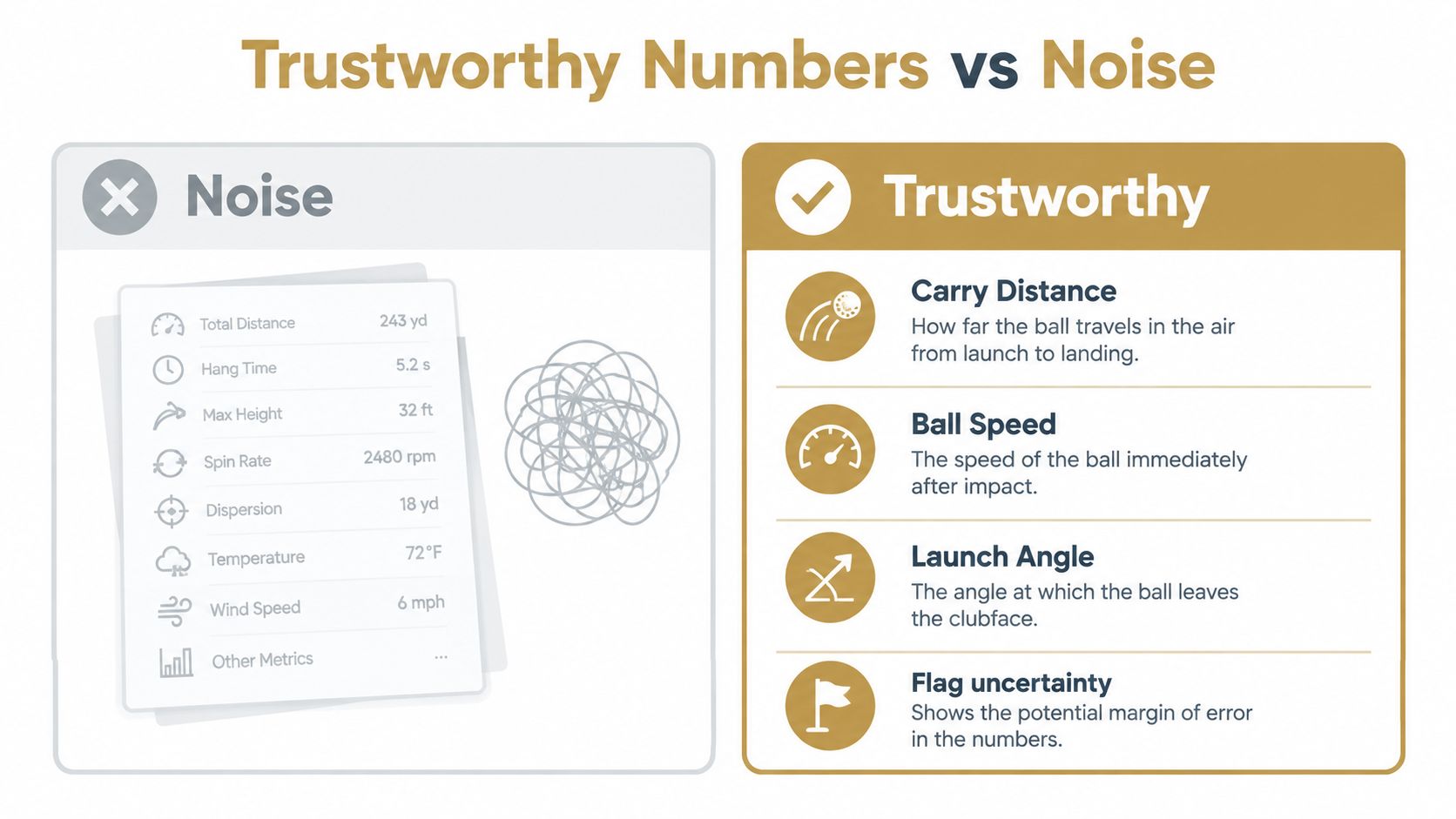
An app that displays a club-path value without a confidence signal invites the golfer to overreact. A better interface might show the result, the confidence range, the number of shots behind it, and whether the change is large enough to justify an equipment or swing decision.
A number earns attention only when the golfer knows how dependable it is.
That principle changes the product design. The app shouldn't add dashboards merely because the device can produce more fields. It should suppress weak signals when doing so protects the golfer from a bad conclusion.
Turning Practice Into On-Course Decisions
Range data becomes valuable when it produces a small set of rules a golfer can remember under pressure. The target isn't a perfect dashboard. It's a practical decision about club, carry, miss, and routine.
Build the decision set
A structured practice session can produce five course-ready outputs:
- Stock carry: The distance the golfer can reasonably expect from a repeatable strike.
- Realistic dispersion: The area where ordinary shots finish, not the tightest group from a short sample.
- Miss pattern: The direction and severity that should influence target selection.
- Usable gapping: The separation between clubs under comparable conditions.
- Pre-shot process: A repeatable sequence for choosing the target and committing to the shot.
For example, a golfer can use repeated shots to create a printable carry chart. The chart should favor a conservative number from the distribution rather than the longest total distance, especially when a hazard or front edge makes short misses costly.
Train for transfer
Blocked practice feels productive because the golfer repeats the same club and target. Variable or random practice can feel worse during the session because the golfer must repeatedly adapt. A systematic review of golf motor-learning research found that random practice may reduce immediate acquisition performance while improving later retention and transfer, the tests that more closely represent on-course learning. The motor-learning review supports a more patient view of practice scores.
A useful session might alternate clubs, carry windows, targets, and shot shapes. The app should separate execution quality now from learning quality over time, so a temporary score drop doesn't automatically appear as failure.
Test the decision, not just the number
After measuring a club, the golfer should hide or reduce the metrics and test the same decision under changing targets. A seven-iron carry number matters more when the golfer can select it, commit to it, and accept its normal miss pattern without reopening the dashboard.
The gap-analysis framework can support that process, but the result should remain simple. The golfer needs to know which club to choose, how far to carry it, where the miss may finish, and what pre-shot routine makes that choice repeatable.
Privacy, Offline Use, and Operator Workflows
A practice journal contains more than distances. It can include swing changes, equipment tests, coaching notes, player identifiers, and years of performance history. Golfers should understand which records stay on the device, which data synchronizes to a cloud account, and whether they can export or remove their information.
The answer matters in ordinary situations. A range may have poor signal, a garage simulator may be temporarily offline, and a coach may work with several players who don't want every lesson record leaving the bay immediately. Offline capture can preserve the session, but the app should explain what remains local and what happens when synchronization resumes.
Questions worth asking
- Local storage: Can the golfer review a session without an active connection?
- Cloud sync: Which records travel to an account or shared workspace?
- Export control: Can the golfer retrieve the underlying practice history?
- Account separation: Can a coach keep different players' records distinct?
- Deletion: Is there a clear way to remove stored sessions?
Cloud synchronization offers convenience across devices, but convenience isn't the same as transparency. A good privacy posture gives the golfer a clear record of the tradeoff instead of burying it in general settings.
The operator layer
Ranges and clubs may need membership and front-desk workflows in addition to golfer practice records. Dialed Academy combines those functions at a platform fee of $99.99 per month or $999.99 per year, with the club keeping its own dues, as described on the Academy product page.
That operator pricing is separate from golfer-facing Pro pricing and shouldn't be confused with launch-monitor hardware. It also serves a different user: the facility manager who needs member administration and front-desk activity alongside a broader golf workflow.
Choosing a Launch Monitor Golf App You Will Keep Using
A durable launch monitor golf app should keep one golfer record across connected products, provide a desktop live-pair path beginning with the first supported radar device, and accept imports from devices and simulator sources already in use. It should separate dependable readings from noisy ones, show uncertainty where it matters, and turn practice results into decisions a golfer can use on the course.
Dialed Golf connects three products: an on-course companion, a desktop launch-monitor practice app, and Dialed Academy for range and club operations. The golfer-facing Pro plan covers the app and desktop at $9.99 per week, $29.99 per month, $149.99 for six months, or $249.99 per year, while free web tools introduce the workflow. The offering is software, not hardware, a swing-analyzer camera, or a ranked list of golf apps.
Choose the app you will still open after live numbers lose their novelty. A consistent record helps you compare sessions, while cautious interpretation keeps one impressive shot from becoming a false conclusion. The useful test is simple: can the app act as a course companion that turns a session file into a club decision?
Dialed Golf connects on-course practice with desktop launch-monitor sessions, live pairing from the first supported radar device, and imports for existing session files. Visit Dialed Golf to explore its golfer and operator products and build a practice record for better course decisions.