


At the range, the problem usually shows up in plain sight. A golfer finishes a bucket with a launch monitor on a tripod, checks the phone in a pocket for on-course notes, then gets home and wants the same session to appear on a desktop without re-entering anything by hand. That gap between devices is where data synchronization tools earn their keep, because the hard part isn't collecting swing data, it's keeping one believable golfer record across places, formats, and time.
For golfers who own a launch monitor, coaches who review sessions, club fitters who compare numbers, and range operators who need a front desk view, the question is simple. How does one shot, one lesson, or one membership event stay consistent when it starts on a phone, lands in a desktop workflow, and later needs to be visible somewhere else without turning into a duplicate, a conflict, or a mystery? The answer depends on the sync path, not on buzzwords.
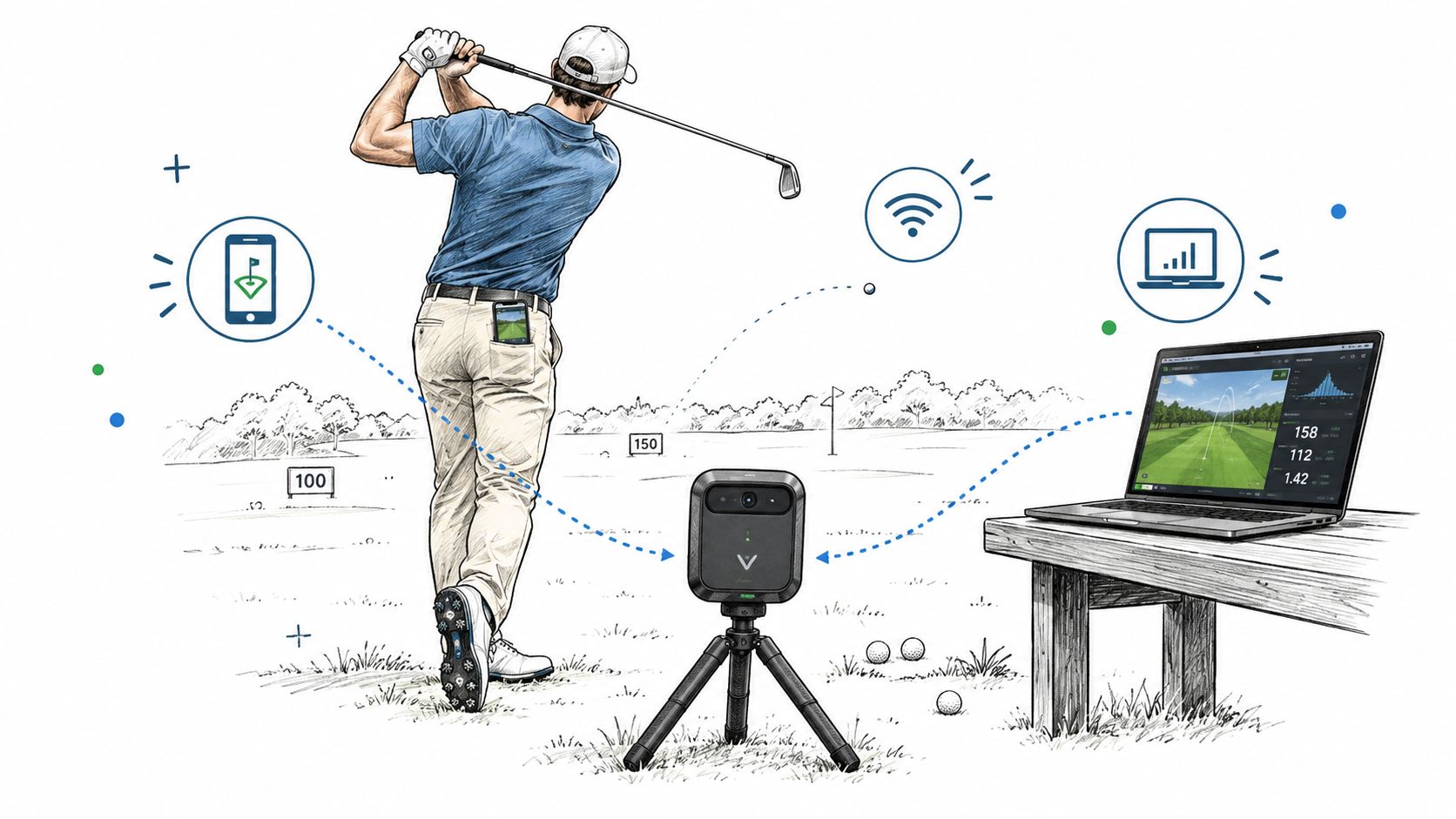
Table of Contents
- Three Devices, One Golfer
- What a Data Synchronization Tool Actually Does
- Formats and Protocols Worth Knowing
- How Dialed Golf Pulls Practice Data In
- Pitfalls Most Sync Tools Don't Talk About
- Live Pairing versus CSV Imports
- Beyond the Player the Range and Academy Need It Too
- A Practical Checklist Before You Trust the Sync
Three Devices, One Golfer
A golfer can generate three versions of a record before lunch. A launch-monitor session begins at the range, the pocket caddy app stores course notes and round context, and a desktop at home holds trend reviews, comparisons, and older sessions. The sync problem here is concrete: do those three surfaces point back to the same history, or drift into separate copies?
The bottleneck is identity, not import
A shot may arrive through a live stream, a CSV file, or a membership record. The software still has to determine what that entry represents. Is it the same golfer, session, club, or date, or merely a similar row with matching numbers? Good data synchronization tools preserve that identity across systems, so a source change does not split one history into several records.
A single golfer record has to span more than practice metrics. It may connect a consumer app, a desktop practice workflow, and a range or club membership layer. Each surface can add useful context, but each may use different identifiers, field names, and update timing. Synchronization has to connect those contributions without allowing every system to overwrite the others blindly.
That matters for a product stack like Dialed Golf. The app is currently distributed through TestFlight, rather than as a general App Store release. Apple's TestFlight system allows up to 10,000 external testers per app and a build life of up to 90 days (Apple TestFlight overview). That beta context puts attention on identity handoffs: the same golfer record must survive movement between devices and workflows without creating duplicates.
Practical rule: if the same golfer can appear on a phone, a desktop, and a front desk, establish a canonical record before polishing the dashboard.
Golf data is distributed by design
Golf produces a chain of inputs. A session can start on a launch monitor, receive notes on a phone, then be reviewed on a desktop or shared with a coach. Each device should add context while preserving the original shot history. A durable record matters more than forcing every source into one device.
The same structure extends to range operations. A membership desk, lesson notes, and shot history may refer to one person, while ownership of each field remains separate. The membership system can manage access, the practice workflow can manage performance data, and the golfer's notes can preserve context.
When those boundaries are clear, the golfer sees continuity and staff spend less time merging records. When they are unclear, similar entries multiply, edits overwrite useful context, and nobody can tell which version reflects the latest session.
What a Data Synchronization Tool Actually Does
A sync tool does three jobs that sound similar but are not. It moves records between systems, it keeps those records consistent when multiple sources change them, and it reconciles differences when schemas, definitions, or edit timing don't line up. The first job is transport. The second is freshness. The third is meaning.
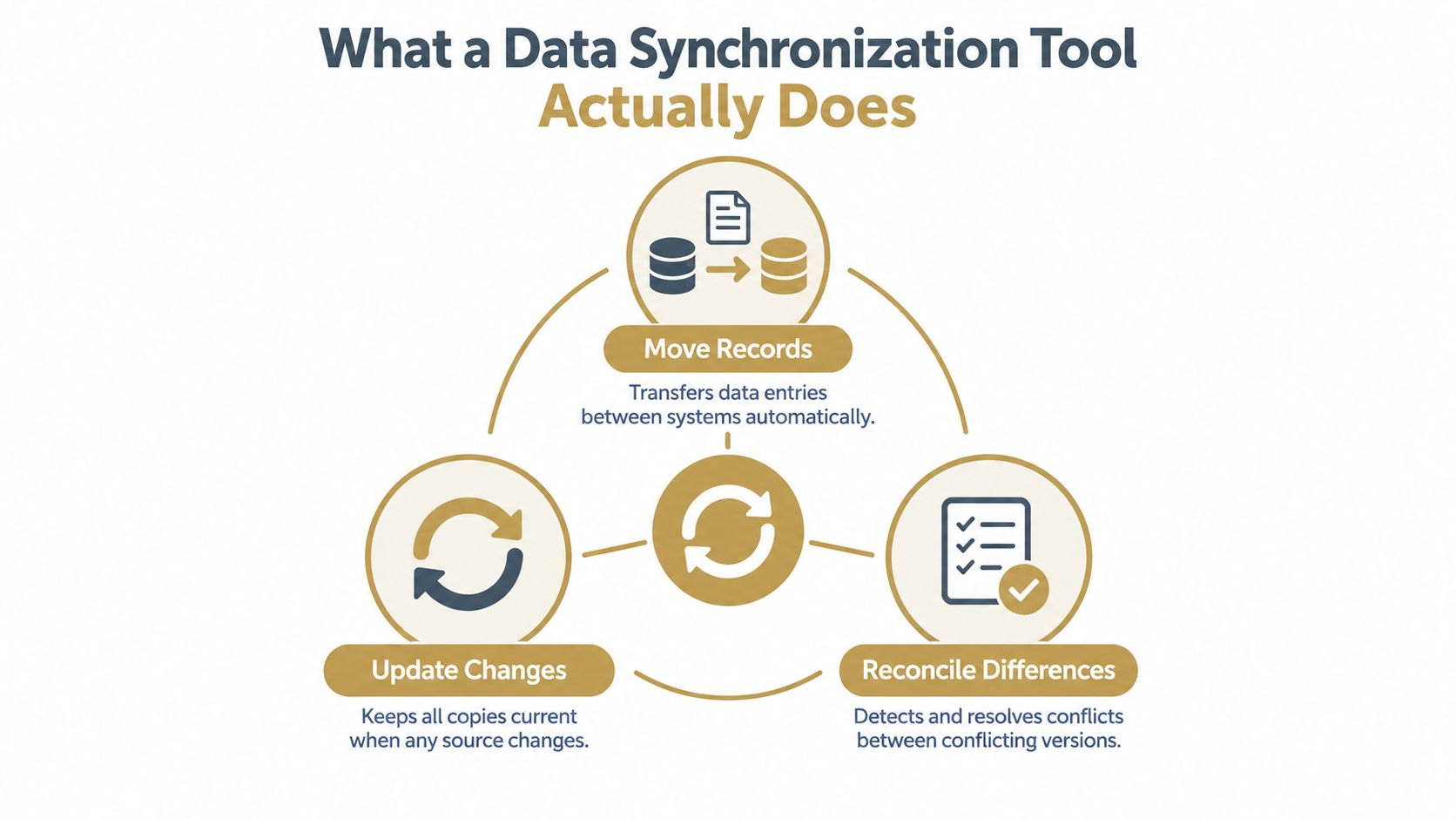
Movement, freshness, meaning
A file transfer can move a spreadsheet from one folder to another, but that doesn't make it a synchronization system. Sync also has to decide what happens when the source changes after the first copy lands, whether the destination should overwrite, merge, or preserve both versions, and how to keep those decisions understandable later. That's the difference between moving a file and maintaining a living record.
In a golf context, this shows up immediately. A desktop session imported from a monitor, a phone note about a course setup, and a membership record at a range can all belong to one golfer, but they may arrive with different field names, different units, or different completeness. A sync tool has to preserve the relationship between them without pretending that every source speaks the same language.
A clean sync layer should make the data more trustworthy, not just more visible.
Dialed Golf as the concrete example
Dialed Golf is a useful example because its stack reflects how sync behaves in the wild. The consumer app lives in TestFlight today, the desktop product handles launch-monitor practice with live pair first on Garmin R10 and expanding support, and desktop imports also accept CSV data from Garmin, Rapsodo, SkyTrak, FlightScope, Uneekor, GSPro, Awesome Golf, and more. Dialed Academy adds memberships and front desk workflows for ranges and clubs at $99.99/mo or $999.99/yr, while free web tools stay free and Golfer Pro spans app and desktop at $9.99/week, $29.99/month, $149.99/6 months, and $249.99/year.
That structure only works if synchronization is treated as plumbing, not decoration. The app, desktop, and club layer each touch the same golfer record in different ways, so the sync logic has to preserve continuity across devices, formats, and access levels. For a deeper product view, the launch-monitor app workflow is documented in Dialed Golf's launch monitor app overview.
Formats and Protocols Worth Knowing
One golfer can produce a single record across a phone app, a desktop launch-monitor session, and a range membership. The synchronization method determines whether those records arrive as a portable file, a live request, an event, or a database change. Each option trades speed against control, implementation effort, and recovery when fields or devices change. The market for this category remains large because teams often need several patterns. One market estimate places data synchronization software at about $5.8 billion in 2025, with projected growth to $14.9 billion by 2034 at a 12.3% CAGR. It also reports faster annual growth for cloud deployment than for on-premises systems, 14.8% versus 9.1%.
CSV files still matter because golfers already have them
CSV is a plain table that can be exported, archived, checked, and imported without keeping a device connection open. That makes it useful when a golfer recorded a session elsewhere and wants to add it to a desktop record later. It also gives the user a visible file that can be retained or moved between systems.
Golf software benefits from this portability when the source already offers a CSV export. An Approach R10 session, for example, can follow a phone-to-file path before entering another desktop workflow, as described in the Garmin CSV export path. The method does not provide live pairing, but it supports archived sessions, device changes, and recovery when a monitor is not supported by a direct connection.
CSV also exposes a practical limitation: field names and units may differ between systems. An importer must map shot data consistently, identify missing values, and avoid creating duplicate rounds when the same file is uploaded twice.
APIs and webhooks help when timing matters
An API lets one system request data from another when it needs it. That suits an interactive desktop session where the application requests new shots, account details, or updated session fields. The connection can feel immediate, but both systems must agree on authentication, field structure, error handling, and rate limits.
A webhook reverses the direction. The source sends an event after a change, such as a completed session, a lesson update, or a membership action. This reduces repeated polling and can shorten the time between an event at the range and its appearance elsewhere. The trade-off is operational: delivery failures, retries, duplicate events, and changed payloads all need explicit handling.
Change Data Capture belongs behind the scenes
Change Data Capture, or CDC, usually fits backend records rather than a golfer's phone. It reads inserts, updates, and deletes from database logs, then forwards only those changes. That reduces repeated full-table scans and supports near-real-time propagation between internal systems. A general ETL tools list including CDC options places CDC among the approaches used for moving changing records.
CDC handles movement and freshness. It does not decide what two differently named fields mean, which update wins, or whether a deleted shot should disappear from a player history. Teams still need ordering rules, deduplication, delete handling, and conflict resolution. For golf software, CDC can connect internal records while CSV remains the clearer choice when a golfer needs control over export and import.
| Format | Best for | Latency | Typical golf use |
|---|---|---|---|
| CSV files | Portable one-time transfers | Batch | Exported practice sessions, archived rounds |
| REST APIs | On-demand record fetch and update | Low to moderate | Live desktop pairing, account lookup |
| Webhooks | Event notifications | Low | Session complete, membership update |
| Change Data Capture | Backend replication of record changes | Very low | Internal sync across databases |
How Dialed Golf Pulls Practice Data In
A golfer's record can start on a phone, continue in a desktop launch-monitor session, and later include activity tied to a range membership. Dialed Golf's desktop workflow supports two ways to bring practice data into that record. Live pairing suits a connected monitor and a session that should appear as it happens. File import suits an older session, a device paired elsewhere, or a monitor that exports practice data as CSV.
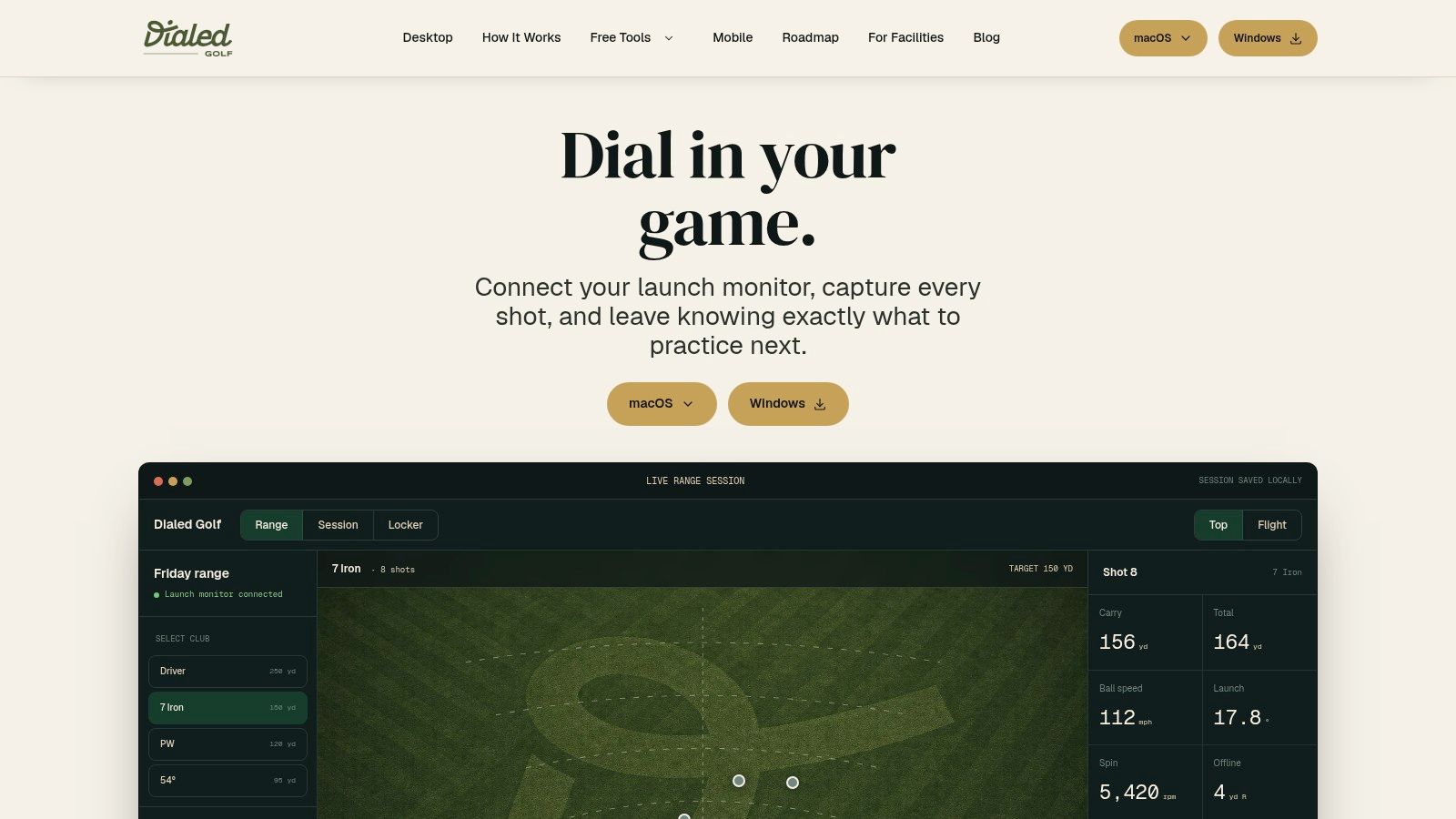
Live pair first, import when the source demands it
Live pairing works best at the range. The golfer sees each shot on the desktop as it arrives, and the session does not depend on remembering a later export after leaving. That reduces the gap between the launch monitor's edge data and the player's durable history. It also keeps the original session context closer to the time it was created.
The source determines whether that path is available. A golfer may already have records in another ecosystem, use a device that does not support live pairing, or need to bring in an archived block of practice. CSV import is the correct sync path in these cases because it preserves portability and lets the golfer choose when the records enter the history.
The protocol matters because it changes who controls timing. A live API connection can reduce delay, but it depends on device support, account access, and a stable connection during practice. A CSV file adds a manual step, yet it gives the golfer a portable artifact that can be stored, reviewed, and imported later. For shot data, that trade-off is often more useful than choosing a protocol by technical fashion.
The same desktop accepts both without changing the mental model
Both routes should produce one understandable golfer record. Imported shots need the same treatment as live shots for timestamps, labels, and source visibility. If the desktop makes imported data feel secondary, confidence drops as soon as a golfer combines phone activity, launch-monitor sessions, and range records.
The broader market also reflects this edge-to-central-record pattern. Edge data synchronization platforms were valued at $2.36 billion in 2025 and are projected to reach $6.25 billion by 2030, a 21.4% CAGR (edge synchronization estimate). Golf presents a practical version of that problem: shot data begins on a range or in a garage, then reconciles with a central history that may also contain phone and membership activity.
The key design choice is giving each source an appropriate path while keeping the resulting record coherent.
Pitfalls Most Sync Tools Don't Talk About
The easiest mistake is assuming that more connectors mean better synchronization. A long list of sources looks impressive, but the hard work starts after the data arrives, when the system has to map columns, normalize units, preserve provenance, and decide what to do when two edits disagree. A connector only gets the data to the door.
The bad merge is usually invisible
Last-write-wins, version history, and deterministic merging become practical choices here, not just theory. Last-write-wins is fast and simple, but it can discard a valid concurrent update without notice. Version vectors preserve more history, and CRDT-style merging can converge reliably, but both bring metadata and processing overhead that simpler workflows don't need.
The important point is that a sync system should match the shape of the record. Simple scalar preferences can tolerate a blunt overwrite rule, while cumulative or independently edited shot records usually need field-level reconciliation or richer conflict handling. If a system cannot explain how a conflict was resolved, it is too easy for a clean dashboard to hide a bad merge.
Metadata is the difference between confidence and guesswork
A 2025 University of Pennsylvania survey of 37 state and local data-integration efforts found that only about one-third used a standard data-quality framework and only one in five made integration metadata publicly available (survey on data integration metadata). That is a useful warning for golf software because imported shots can look precise while still being incomparable across devices.
The hard questions are usually about meaning, not movement:
- What counts as carry? Some systems define it one way, others another way.
- Which unit is canonical? A value needs a single home before trends are trustworthy.
- Is the raw value preserved? If a merge goes wrong, the original should still exist.
- Can the source be traced? A golfer should know where each shot came from.
A polished interface can make bad data feel official. The safer system keeps the raw value, the transformed value, and the reason for the transformation visible enough that a coach can audit it later.
Live Pairing versus CSV Imports
Live pairing earns its place during an active practice session. A golfer hits a shot, the desktop receives it, and the session is ready for analysis without an export step. CSV import serves a different need: it carries records across systems, devices, and time, including sessions captured while the source was offline.
Two different jobs for two different sessions
A reliable sync workflow supports both paths. Golfers change launch monitors, move between practice setups, and return to older sessions. Live pairing handles the session happening now. CSV import brings in the longer tail of shots recorded elsewhere. For the file-based path in detail, see Dialed Golf's CSV import walkthrough.
Desktop-first live pairing also follows the way launch-monitor practice usually works. The desktop is where the session, analysis, and record reconciliation meet, so it is the sensible place to establish the strongest connection first. Mobile pairing can follow without changing the underlying golfer record.
The practical trade-off is control versus convenience
Live pairing removes manual handling during practice, but it relies on compatible hardware and an active connection. CSV import adds a deliberate file step, while giving the golfer control over when records enter the system. It also brings archived or third-party sessions into the same history.
The right choice depends on the session:
- Use live pairing when the source is available and the golfer needs immediate capture.
- Use CSV import when the source is archived, portable, or not supported for a live connection.
- Use both when one golfer's history spans a phone app, a desktop launch-monitor session, and a range membership.
The important test comes after capture. A sync tool should preserve a usable golfer record across those situations, rather than treating real-time delivery as the only measure of success.
Beyond the Player the Range and Academy Need It Too
Synchronization gets more valuable once more than one person touches the same golfer record. A range desk, a coach, and an academy operator all need different slices of the same history, and they don't all need the right to edit it. The tricky part is giving the right people timely access without letting the record drift into a shared pile of half-owned data.
Memberships change the ownership question
Dialed Academy sits in that middle layer. It handles memberships and front desk workflows for ranges and clubs at $99.99/mo or $999.99/yr, while the club keeps its dues, which makes the data flow a governance problem as much as a product one. The golfer may show up in a phone app, a desktop practice record, and a membership system, but each surface needs to know what it is allowed to do with that person's history.
A 2025 survey of more than 700 data professionals in the United States, United Kingdom, Canada, and Australia found that 64% faced significant challenges providing timely and secure access to authorized users, and 58% prioritized strengthening privacy and compliance programs over the following 12 months (Fortinet survey). That lines up with golf operations because access, portability, and revocation all matter once coaches and clubs share the same record.
The access log matters as much as the record
If a membership ends, who can still export the shots? If a coach loses access, do cached copies disappear or stay on local devices? If a club wants to separate aggregate analytics from personally identifiable golfer records, can the system explain that separation clearly? Those questions don't get answered by encryption alone.
Practical rule: a sync system for golfers should be judged by portability, revocation, and auditability, not just by uptime or latency.
For operators comparing workflows and front-desk needs, the broader context is discussed in Dialed Golf's range monitor guide. The useful takeaway is that syncing one golfer record is no longer just a personal convenience, it's the backbone of how the range, the coach, and the player stay aligned.
A Practical Checklist Before You Trust the Sync
Before practice data gets committed to any system, the record should pass a few simple checks. It needs a canonical schema, clear source labels, visible confidence flags, preserved raw values, and a conflict policy the user can readily understand. If any of those are missing, the system may be moving data, but it is not yet protecting meaning.
A good workflow also makes portability obvious. If the golfer leaves, the record should be exportable in a form that can be reused elsewhere, not trapped inside a dashboard that only looks complete. That's one reason a product can keep free web tools at the top of the funnel while using Golfer Pro at $9.99/week, $29.99/month, $149.99/6 months, or $249.99/year to support deeper sync across app and desktop without forcing every user into the full stack on day one.
The last check is the one that teams often skip. Ask whether the system can explain how each shot got there, what changed during sync, and what would happen if the same data arrived again from a second source. If that answer is vague, the sync layer is still a convenience feature, not a record you can trust.
Dialed Golf ties the phone app, desktop practice, and range membership flow into one golfer record so the data doesn't fragment as it moves. That makes it a direct fit for golfers and operators who care about practice history, access, and portability in the same workflow. Visit Dialed Golf to see how the app, desktop, and academy pieces connect around one record.