

A launch monitor sits behind the ball. A phone leans against the bag. A range card lives in the wallet, and a folder of exported session files sits on the laptop. All four are in place, and none of them answers the question that matters on the first tee: which of last week's numbers should change the club in hand.
That question is the job of golf training software, and it's a different purchase from the device that measures the shot. Confusion starts early because the category name covers at least four distinct products with four different jobs, four different places to run, and three different ways to pay.
A launch monitor records. Software decides. A radar unit captures club speed and ball flight. A training record keeps the result of that capture, ties it to the clubs a golfer plays, and carries it forward into the next decision. Buy the meter and the record separately, or buy them together, but don't expect one to do the other's work.
Table of Contents
- Where Golf Training Software Sits
- What the Record Is and Why It Outlives the Session
- The Metrics Worth Keeping After the Session
- What Live Pair and CSV Import Each Preserve
- How Players Coaches and Ranges Split the Work
- A Checklist for the Layer You Need
- Begin With a Free Tool and One Locker
Where Golf Training Software Sits
A golfer finishes a range session with a screen full of shot results. The next useful step is tying those results to the clubs in the bag, so they can inform a later club choice rather than disappear with the session.
Four layers that get mistaken for each other
| Layer | Where it runs | Main job | Price | Availability now |
|---|---|---|---|---|
| Pocket caddy | Phone, TestFlight | On-course club and strategy help on the golfer record | Included in Golfer Pro | TestFlight, not App Store general availability |
| Desktop practice | macOS and Windows | Live launch-monitor practice at the range or garage sim, plus imported sessions | Golfer Pro across app and desktop | Live pairing and session imports |
| Dialed Academy | Facility front desk | Memberships and front-desk work for a range or club | $99.99 per month or $999.99 per year | Separate B2B product; the club keeps its dues |
| Free web tools | Browser, no account | Ball fit, bag gaps, carry chart, wedges, tour read, handicap estimate, scorecard photo | Free | Seven tools available without an account |
Dialed Golf connects the golfer's practice record across its consumer app and desktop software, with free web tools available separately. The consumer app is a pocket caddy for on-course club and strategy decisions. It is currently distributed through Apple's TestFlight beta program, rather than the App Store.
The macOS and Windows apps handle range and practice sessions. Golfers add their clubs to a locker, then pair a launch monitor or import a session. The apps organize captured practice in that golfer's locker and show trends such as carry, total distance, ball speed, spin, launch, and club speed.
The Academy is a separate product for clubs and ranges. A golfer's Pro plan covers the consumer app and desktop app at $9.99 per week, $29.99 per month, $149.99 for six months, or $249.99 per year. The seven free web tools work without an account, including the Golf Ball Fitter and Golf Bag Gap Analyzer.
What the Record Is and Why It Outlives the Session
Say a golfer hits forty 7-irons in a garage bay on a Tuesday night. Carry, ball speed, spin, launch, and a tight dispersion pattern all appear on screen. Two days later the same golfer stands over a 7-iron into wind on a par 3 with no idea which of Tuesday's numbers to trust, because the session ended when the screen cleared.
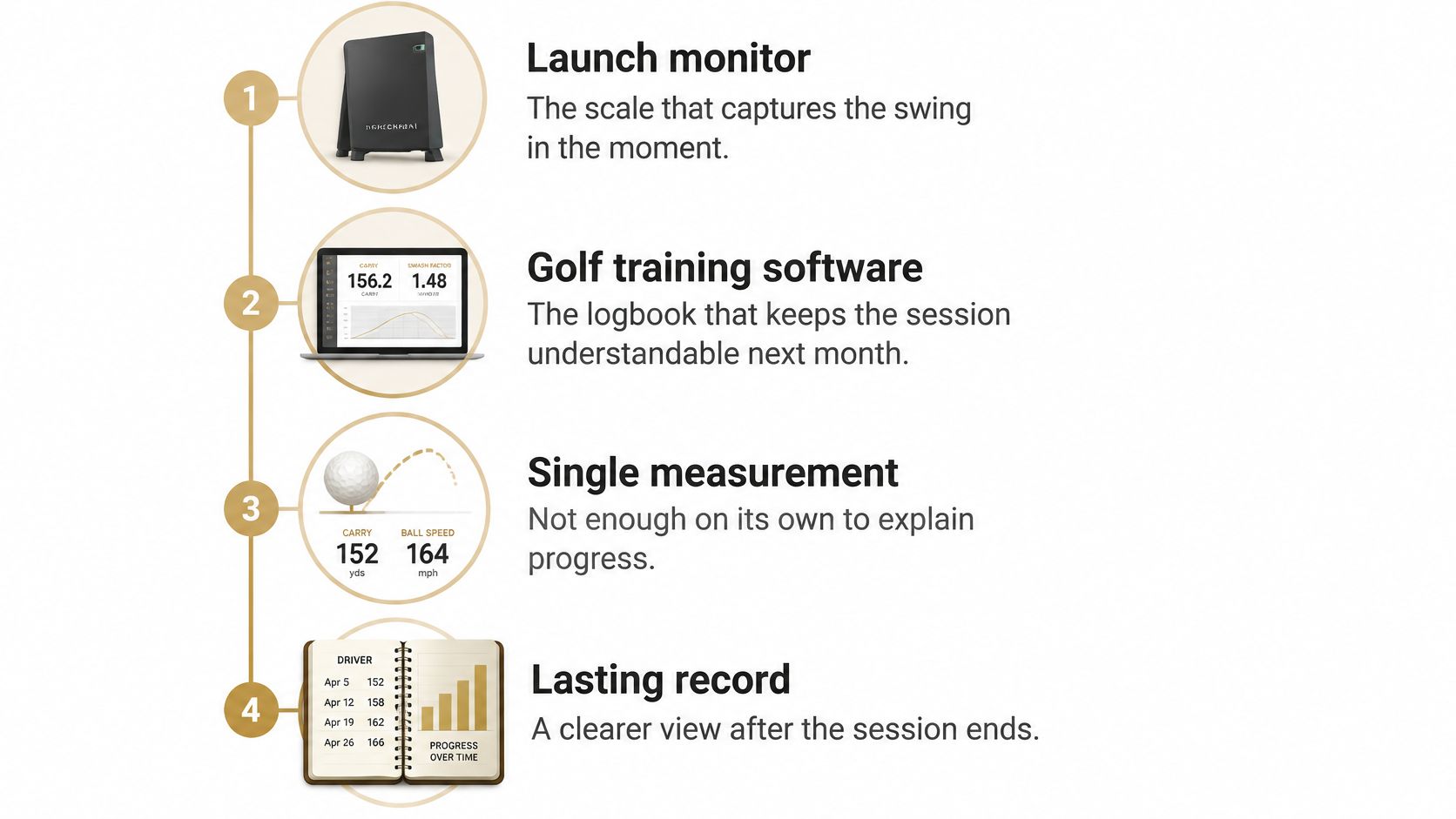
A launch monitor is the scale. Golf training software is the logbook. A scale tells the truth about one moment. A logbook turns a series of true moments into a trend a golfer can act on.
Why the category expects structured shot data
The lineage explains the expectation. Patents for measuring ball launch and clubhead conditions date to at least the 1950s, and technologies resembling modern launch monitors appeared in patents during the 1970s, as Golf Digest's history of the category records. Commercial adoption accelerated when Accusport introduced the Vector in 2002 and TrackMan was established in 2003. By 2006 the PGA Tour had become a TrackMan customer, and the system began appearing on at least one hole during tournament rounds.
That path from equipment makers and tours to portable consumer units is why training platforms now expect structured, shot-level data rather than one distance number. The milestone that matters to a buyer is the shift from an isolated measurement to persistent player data that can be compared across sessions, clubs, balls, and environments.
What the locker actually holds
A record needs somewhere to live. In the Dialed desktop app the golfer adds the clubs they play, and a captured or imported session attaches to those clubs instead of sitting as a loose spreadsheet row. Carry, dispersion, and session-to-session change then line up under one club, and last month's 7-iron window opens next to today's without rebuilding the setup.
There's a limit worth stating plainly. A full-course simulator engine is planned but isn't part of what a buyer gets today, so the desktop product is a practice record rather than a garage golf game.
The Metrics Worth Keeping After the Session
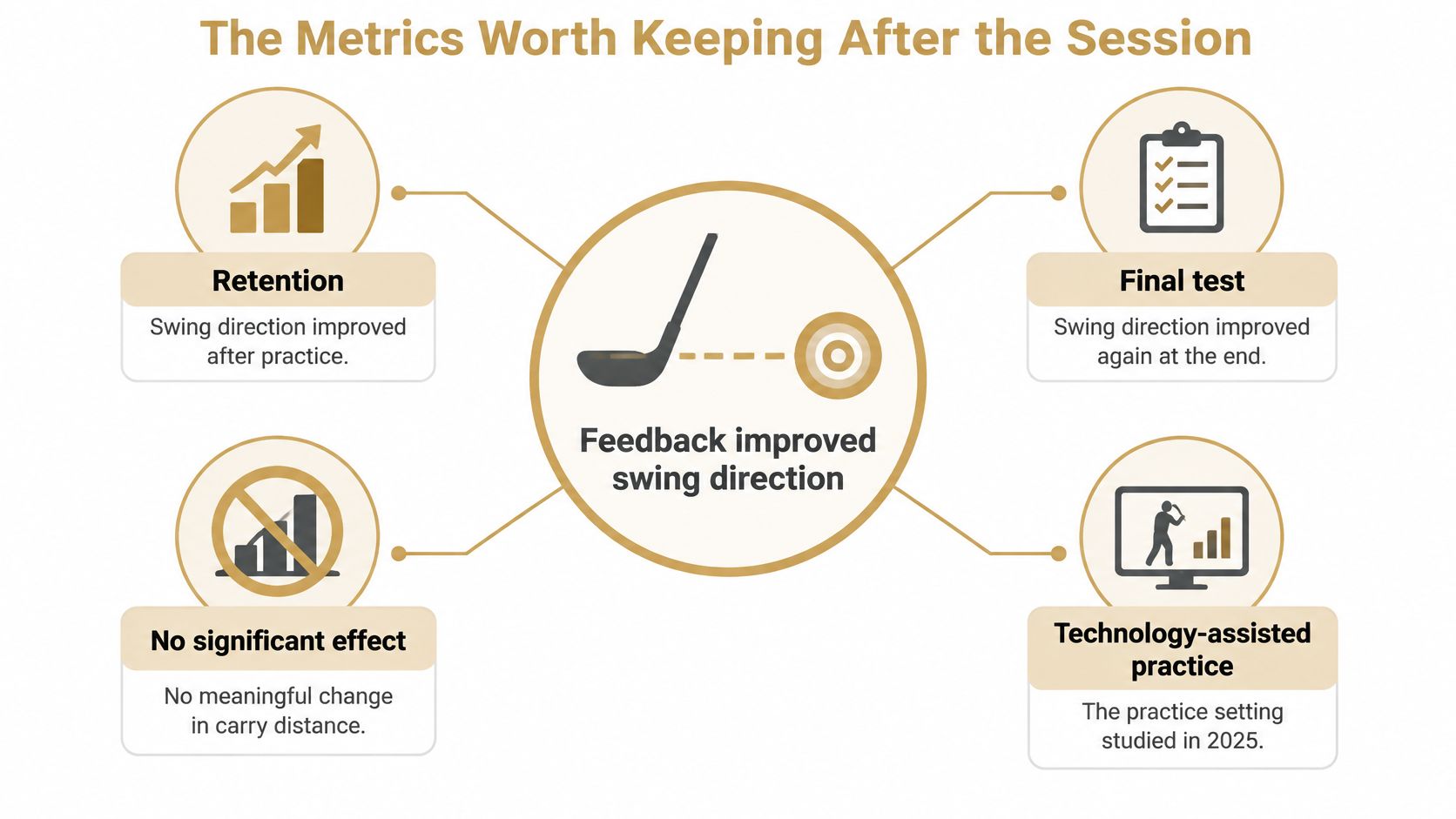
More data doesn't lift every skill, and a controlled test shows it. A 2025 experimental study of technology-assisted golf practice found that feedback significantly improved swing direction, including at retention and at final testing, but produced no significant improvement in smash factor, according to the published study findings. Feedback moved one dimension and left another flat.
That result is the honest starting point for metric prioritization. A screen with twenty columns invites a golfer to chase whichever number looks worst today. A training record has to rank those columns instead.
Three decisions that rank the numbers
- Stop chasing a swing change once direction stabilizes. If start line and curve now repeat and the remaining misses are a distance or dispersion problem, the next block is a club question, not another swing cue.
- Trust a carry window only after a defended sample. One perfect ball proves nothing. The window is the range that repeats within a single session under the same conditions, and it stays provisional until a second session agrees.
- Treat an indoor personal best as unfinished. A new number earns belief when it changes a club choice or removes a miss that used to cost a stroke on the course.
Practical rule: data that doesn't change the next drill or the next club is decoration.
Fields that earn their place
The Dialed app tracks carry, total distance, ball speed, spin, launch, and club speed trends, which covers the shot shape a golfer can reliably repeat. It also highlights club gaps, overlaps, personal bests, and session-to-session changes, the four views that turn a pile of shots into a decision. A gap check belongs in the same record as the swing work, because an overlapping set of irons can look like a swing fault on a launch-monitor screen. The gap analysis walkthrough shows how to run that audit properly rather than eyeballing two averages.
Smash-factor obsession is the clearest trap. A golfer can spend three sessions chasing a number that measures strike quality while two clubs cover the same carry. The next action in that case is a bag decision, not a swing cue.
Close every block by naming one practice priority for the next one. A single sentence beats a wall of charts, and it's the only thing that survives into the following week.
What Live Pair and CSV Import Each Preserve
Two doors lead into the record, and they preserve different things. Live pair requires the monitor connected during practice, so the session arrives shot by shot while the golfer is still at the bay. Import happens after the session already exists as a file somewhere else. Neither is a premium version of the other.
Live pair keeps the session in the moment
On the Garmin Approach R10 the live stream isn't a distance readout. Garmin lists club-head speed, club-face angle, club-path angle, angle of attack, ball speed, launch angle, launch direction, spin axis, spin rate, apex height, smash factor, carry distance, total distance, and deviation distance among its tracked metrics, alongside stated accuracy of ±5 mph for club-head speed, ±1 mph for ball speed, ±1 degree for launch angle and direction, and ±5 yards for carry, per the Approach R10 product specifications.
Garmin's own Approach R10 owner's manual adds two details that matter to anyone keeping a record. Some spin-rate values are estimates, so a record should preserve the distinction between measured and estimated fields. It also notes that on-course practice-session data isn't saved, which makes range capture materially different from casual on-course use and a good reason to keep the two apart.
Live pairing also brings per-club organization and dispersion analysis during the session itself. A file cannot replicate that, because it arrives after the pattern has already formed.
Import is a second door, not a lesser one
The desktop apps import from Garmin, Rapsodo, FlightScope, SkyTrak, Uneekor, GSPro, and Awesome Golf, among others. The work starts once the file loads. A CSV isn't a usable session until its columns mean the same thing as the record they're joining: carry versus total, measured versus estimated spin, indoor flight versus outdoor carry.
| Source | Path into the record | Best used for | Caveat to keep |
|---|---|---|---|
| Garmin Approach R10 | Live pair on desktop first, CSV or import also | Range or garage session with per-club review | Some spin values are estimates; stated accuracy is about ±5 mph club-head speed, ±1 mph ball speed, ±1 degree launch, ±5 yards carry |
| Rapsodo | Import or CSV after the session | Bringing an existing practice file into the locker | Do not treat its fields as identical to a radar session |
| SkyTrak | Import or CSV after the session | Indoor or bay sessions already exported | Reconcile indoor flight with outdoor carry before comparing windows |
| FlightScope | Import or CSV after the session | Sessions captured on a different radar | Normalize carry, spin, and club names before a gap check |
| Uneekor | Import or CSV after the session | Simulator-bay exports | A loaded file is not a session until columns map cleanly |
| GSPro | Import or CSV after the session | Sim-session rows that should join the golfer record | Simulator play is not the same as a defended range window |
| Awesome Golf | Import or CSV after the session | Practice files from that ecosystem | Keep session date, club, and environment so weeks stay comparable |
No vendor measures performance identically to another, and no import fixes that. Brand-specific links between a monitor and an on-course strategy platform depend on account permissions and API access, so it's worth confirming what travels with the data before paying for either side. The CSV import guide covers the field-mapping step in detail.
The choice is mechanical. Pair live when the session happens on a supported desktop setup. Import when the shots already live in an export and need to join the same locker.
How Players Coaches and Ranges Split the Work
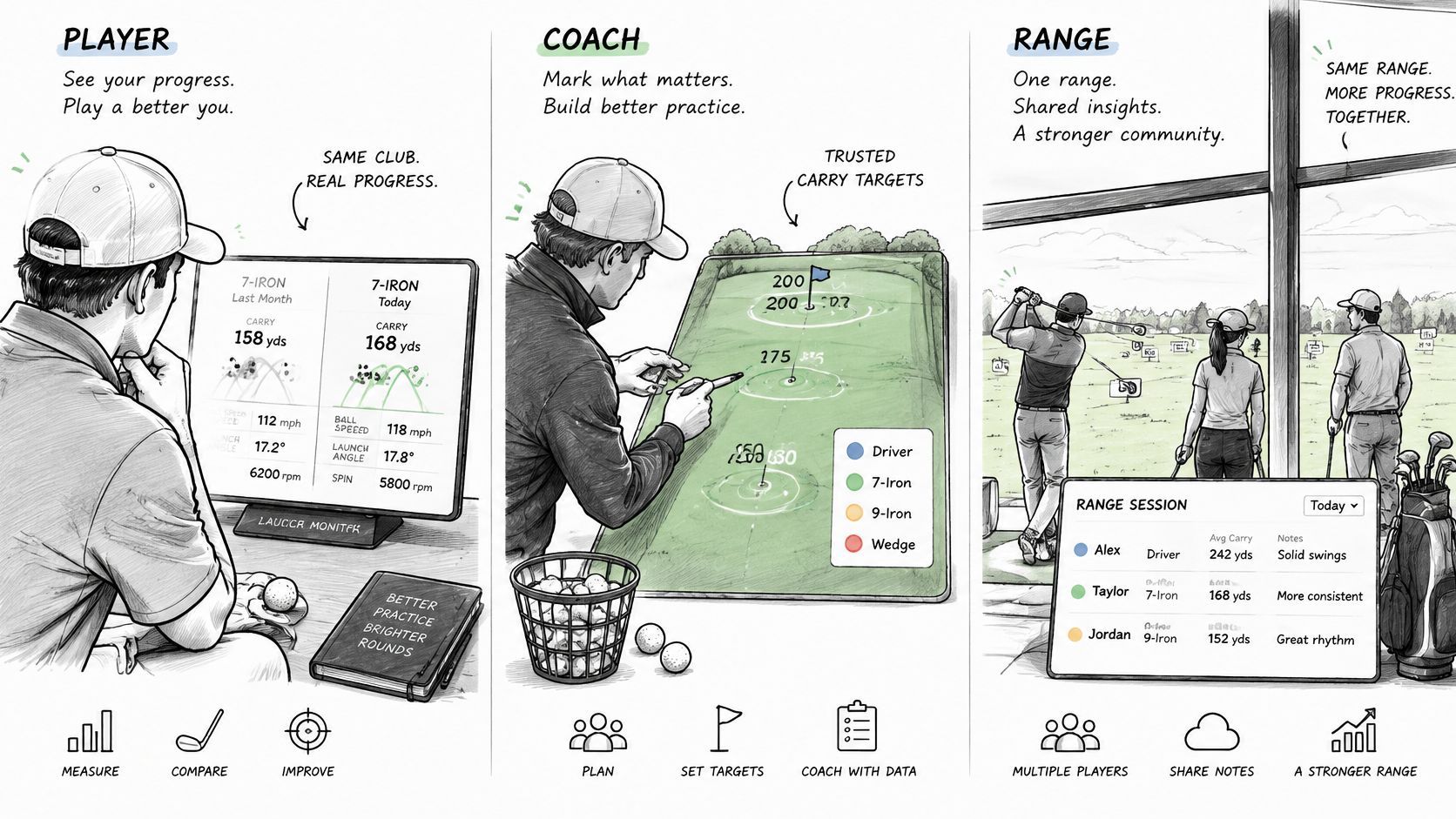
A player finishes a range session with a question: which numbers should guide the next club choice? A coach and a facility operator may use golf training software too, but they need different things from it. Separating those jobs helps prevent paying for a layer that does not solve the problem.
The player needs a reliable comparison: last month's 7-iron beside today's, with the same club and units. Once a carry window is trusted, it can inform a calmer club choice on the course instead of prompting a fresh calculation each time. A phone can serve as a pocket caddy for that record. A scorecard app that never sees the practice record does a different job.
The coach needs a clear thread between lessons. A shared locker of sessions can show a club gap or overlap and help narrow practice to one priority. The coach does not need to own the launch monitor if the session can be imported and the club names remain clear.
The facility operator needs tools for the club's operations. Dialed Golf Academy handles that separate facility role, described earlier. A fitter or equipment tinkerer, by contrast, works with the player's choices: a ball profile or a setup change can be examined against the golfer's own sessions over time.
A short video can add context to how these roles differ:
Watch the video about golf training software
The wrong purchase usually solves someone else's problem. A facility membership system does not identify gaps in a golfer's bag, and a pocket caddy does not manage a front desk. Start with the person making the decision, then choose the layer that serves that job.
A Checklist for the Layer You Need
Run the audit as a set of yes-or-no questions, in this order. Do shots need capturing while the golfer is still at the bay? Do exports already exist from more than one brand? Is the pain a club choice on the course? Does someone run a range or club desk? Or is this a one-time ball fit, gap look, carry chart, wedge matrix, tour-read start, handicap estimate, or scorecard photo?
Four criteria sit behind those questions: which monitors are already owned, whether live capture is required, whether the record must be shared across app, desktop, and a coach, and whether a golfer or a facility is paying. Everything else is noise.
| If this is the job | Start here | Do not buy yet |
|---|---|---|
| Capture shots live at the range or in a garage sim | Desktop practice with live pair | A second monitor, or a phone live-pair that is not available yet |
| Bring existing CSV or export sessions into one record | Desktop import from the monitor or sim you already use | A new device just to re-hit the same shots |
| Choose a club on the course with less tapping | Pocket caddy on the same golfer record | A separate scorecard app that never sees the range session |
| Run memberships and a front desk for a facility | Dialed Academy, with the club keeping its dues | A golfer Pro seat for every member |
| Fit a ball, find a bag gap, or print a carry chart once | A free web tool, no account | Pro, until the sessions need to live in one locker |
| Prove a setup change across weeks | Locker plus saved sessions, then Pro if the record should span app and desktop | A simulator game or a swing-camera grade |
Failures the audit catches
Buying a new monitor because a CSV was never mapped doesn't create a practice plan. Treating indoor and outdoor numbers as one window invents a gap that doesn't exist, and the launch monitor guide for range work covers how to keep those windows honest. Waiting for a full-course simulator engine delays a bag that could be audited this week. Expecting the consumer beta to behave like an App Store download strands anyone who needs a public install today.
When one row matches, stop. Subscribing to every layer because the category name sounds broad is how a golfer ends up with three dashboards and no record.
Begin With a Free Tool and One Locker
A Saturday range session usually starts with one irritation, not a software plan. The ball feels soft into the wind, or a 7-iron and a 6-iron keep finishing in the same patch of grass. Dialed Golf starts with that question and treats the answer as the first page of one portable record.
The free ball fit tool looks for a ball profile that matches flight and feel. The free bag gap tool marks two clubs doing one job. Both sit with the seven free web tools, and none of them ask for an account. That afternoon the golfer leaves with a clearer ball or a clearer bag. The number still has nowhere to live past today.
Survival into next week is the locker's job. Add the clubs played, then pair a launch monitor in the macOS or Windows practice app, or import a session already sitting in an export. Practice sessions collect in one golfer locker. Trends the player can defend stay attached to those clubs, and the pocket caddy can draw on the same evidence when the next club choice comes up on the course. A monitor printout works like a receipt. The locker works like the yardage book that decides which of those receipts still matter.
The byline on that record is Dialed Golf, the brand. Open it from the Dialed Golf site.
This week, run one free tool or import one session.