


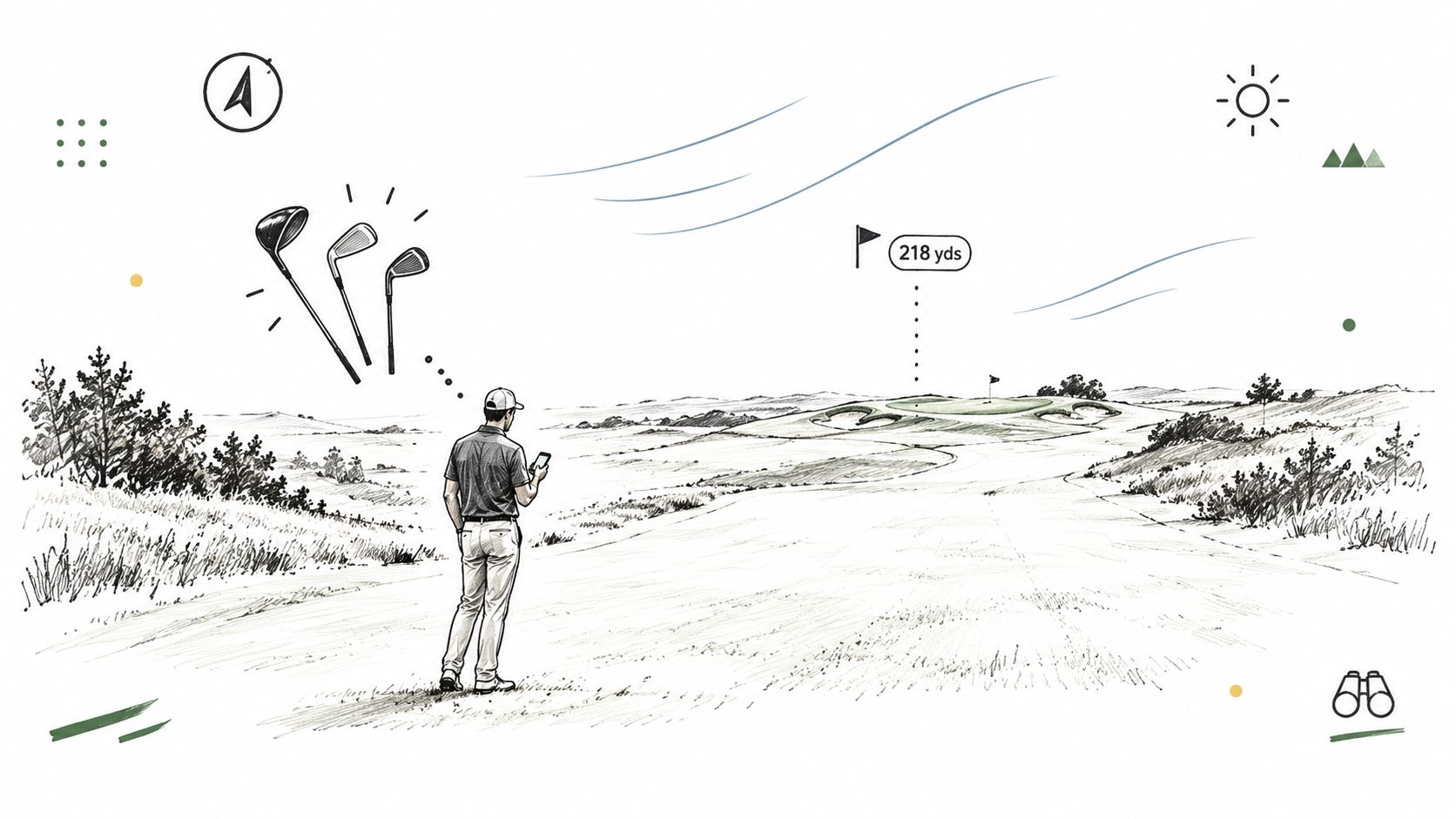
You're 218 yards from the green on a par 5, the pin is tucked, and the headwind is obvious but unmeasured. Three clubs could reach the target, yet none feels like an automatic choice. A pocket caddy app earns its place in that short pause by helping turn uncertain yardage into a clear plan, using the golfer's actual carry numbers, dispersion, lie, and target risk.
That distinction matters. Golfers don't need another scorecard with more buttons. They need better decisions when the next shot has several plausible answers. Dialed Golf approaches that problem through one golfer record shared across an on-course app, launch-monitor desktop practice, and a range or club operating layer.
Table of Contents
- The Hole That Made You Want a Pocket Caddy
- What a Pocket Caddy App Actually Does
- Core Features That Matter on the Course
- An On-Course Workflow From Tee to Green
- How Dialed Golf Fits the Pocket Caddy Use Case
- Where Pocket Caddies Still Fall Short
- Who the Pocket Caddy App Is Really For
The Hole That Made You Want a Pocket Caddy
The fairway lie is clean, yet the choice is not. The wind is pressing into your face, the pin sits behind the section where a miss becomes expensive, and three clubs offer plausible answers. One carries the front and leaves a manageable putt. Another reaches the flag but brings the wrong miss into play. The third feels safer, though it may leave an awkward pitch.
That short pause is the true test. You weigh carry versus total distance, dispersion versus confidence, and today's swing against the ideal numbers collected during practice. A yardage helps, but it does not choose the shot.
Practical rule: Ask “Which shot gives this golfer the best expected result from this lie?” rather than only “How far is it?”
A pocket caddy app should support that decision under uncertainty. It reads the hole, considers the target and hazards, compares usable options, and reduces the problem to a sensible club and target line. Scoring, stat tracking, and polished graphics can support the experience, but they are secondary when the golfer still has to perform the central calculation alone.
The strongest version is a decision engine tied to launch-monitor data. A golfer's carry windows, dispersion patterns, and club gaps should remain connected to one record across the phone app and desktop practice environment. That record gives the on-course recommendation more context than a generic GPS number, while still leaving room for judgment when wind, lie, or strike quality changes.
The market has also shifted from dedicated devices toward phone-based access. Golf GPS technology is now a broad market, and smartphone applications form a meaningful part of it, as documented in the market reference associated with My Pocket Caddy.
Dialed Golf extends the same logic beyond the golfer's phone. Its shared player record can connect course decisions with launch-monitor practice, while Dialed Academy carries the workflow into the range front desk, where staff can support setup, practice, and player access. The useful outcome is simple: the golfer reaches a familiar decision point, sees advice grounded in personal data, and commits without pretending that conditions are perfectly known.
What a Pocket Caddy App Actually Does
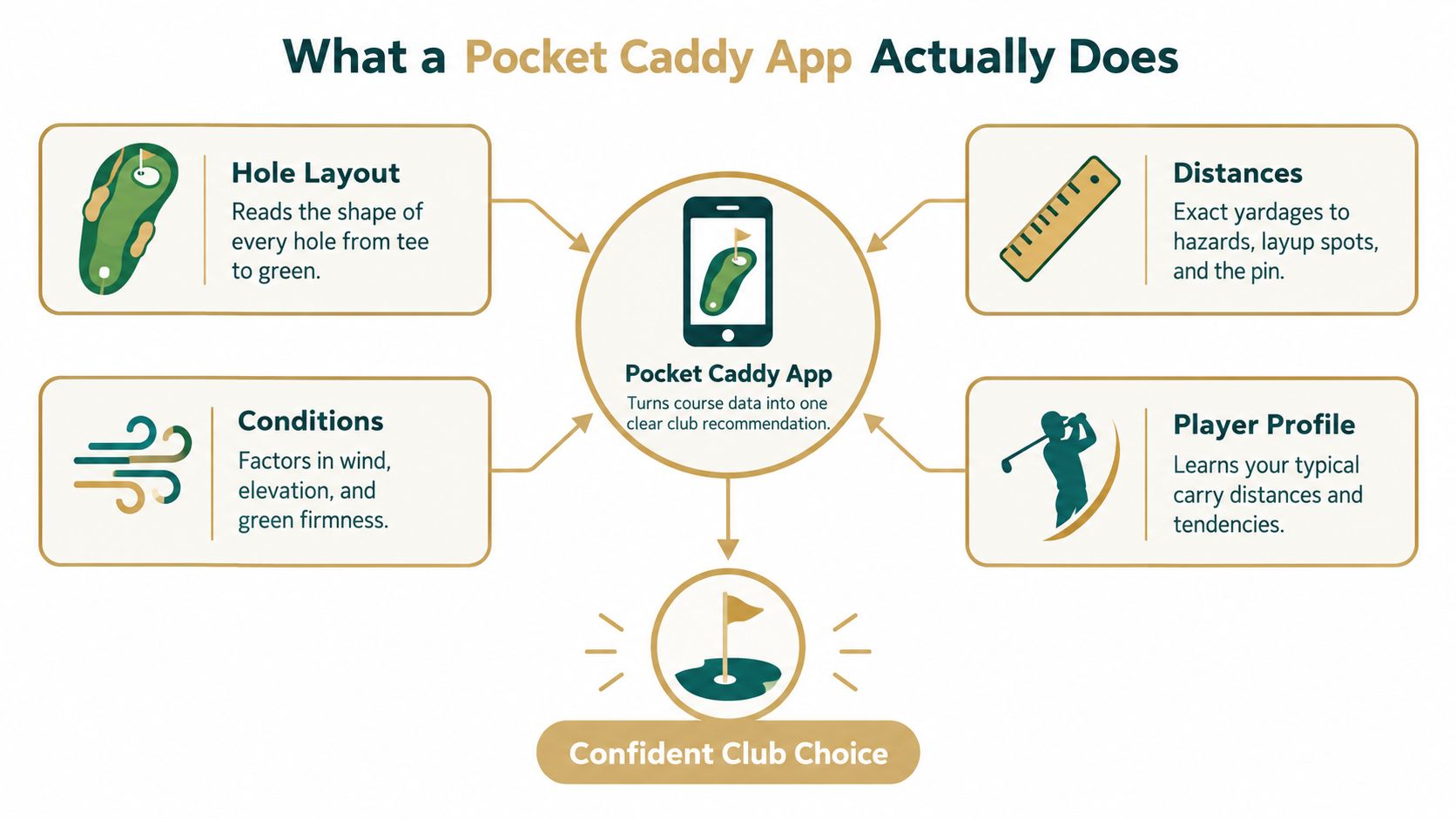
A pocket caddy app is an on-course decision tool. It takes hole geometry, distance, conditions, and a player profile, then helps recommend a club, target line, and landing area for the next shot. That makes it different from software that only records the score or displays a GPS number.
A scorecard app answers, “What did the golfer shoot?” A GPS-only app answers, “What distance is being measured?” A launch monitor answers, “What happened to the ball and club during practice?” A pocket caddy connects the useful parts of those questions to the moment on the course. The desktop can study the swing data, but it can't deliver a recommendation on the 7th tee unless the relevant player record reaches the phone.
A practical caddy needs four input groups:
- Hole layout: Fairway shape, hazards, green depth, contours, and usable landing zones.
- Distances and conditions: Current yardage, elevation, wind direction, and firmness assumptions.
- Player profile: Carry distances, total distances, dispersion, and known gaps between clubs.
- Recent tendencies: Whether the golfer is striking a particular club cleanly today or missing one direction under pressure.
The recommendation should remain understandable. If the app says to choose a club, the golfer should be able to see whether the call is driven by carry, a forced carry, a penalty area, a narrow target, or a safer miss. A black-box answer may be quick, but it won't build trust when the suggested club conflicts with what the player sees.
For golfers who want to understand the data layer behind this approach, launch-monitor app workflows show why practice information becomes useful only when it can inform an actual decision. The app isn't a replacement for course awareness, and it isn't a camera that diagnoses every swing. It's a compact interface for choosing the next shot with better evidence.
Core Features That Matter on the Course
A pocket caddy earns its place during the few seconds before a shot. The useful question is whether a feature changes the club, target, or margin for error. A crowded screen and extra statistics do not help if they slow the decision.
The decision-impact test
Hole mapping should show hazards, green shape, depth, contours, and realistic landing areas. Front, middle, and back yardages confirm distance, but they do not show whether the pin is reachable from the current angle or whether a safer miss leaves a playable next shot. The map needs to support a target choice, not just display the hole.
Wind and elevation adjustments matter only when their assumptions are visible. The golfer should know which inputs are measured, which are estimated, and which can be changed manually. A precise-looking recommendation is difficult to trust when the player cannot see or challenge the factors behind it.
Club selection is the dividing line between a course map and a decision engine. Average yardage is too narrow. The recommendation should use carry distribution and miss pattern, because a club that occasionally reaches the target can be a worse choice than one that reliably covers the front while keeping the miss playable.
Independent testing found research-grade thresholds on over 80% of ball-speed readings, while launch-angle accuracy reached 97% of shots within ±1° in the summarized review. Club-delivery data was less consistent, with additional clubhead data recorded on 62% of shots overall and 19% on wedges. These findings support giving greater weight to ball-flight information when the golfer's record is built from launch-monitor sessions. The full findings appear in this independent launch-monitor data review.
A target-line suggestion must turn the club call into an executable shot. “Hit the 7-iron” leaves an important decision unresolved if the golfer still has to choose between the flag, the green center, or a safer section. The app should connect the club to a landing area and explain the reason in terms the player can act on.
| Feature | Decision Impact | Why It Matters |
|---|---|---|
| Club recommendation using carry and dispersion | Very high | Converts personal performance data into a usable choice |
| Target line and landing area | Very high | Connects the club to hazards, green shape, and miss tolerance |
| Hole map with contours and hazards | High | Reveals the consequences behind the yardage |
| Wind and elevation inputs | High | Adjusts the plan when raw distance isn't enough |
| Offline access and battery control | High | Keeps the workflow usable when signal or battery is limited |
| Mid-round stat capture | Moderate | Helps later review, but can interrupt pre-shot routine |
| Social features and leaderboards | Low | Adds context without improving the shot itself |
| Swing-video playback on the course | Low | Useful for coaching, but rarely belongs in the decision window |
Battery and offline behavior deserve equal attention. Waiting for a map, managing a crowded interface, or keeping the screen active for every shot turns useful information into friction. The defining feature remains a club recommendation tied to the golfer's dispersion, not another number on a sprinkler head.
Golfers checking whether their set has sensible hybrid spacing can review this hybrid golf club lofts chart before relying on an on-course recommendation. That preparation helps the app work from a coherent club set rather than asking it to compensate for unclear gaps.
An On-Course Workflow From Tee to Green
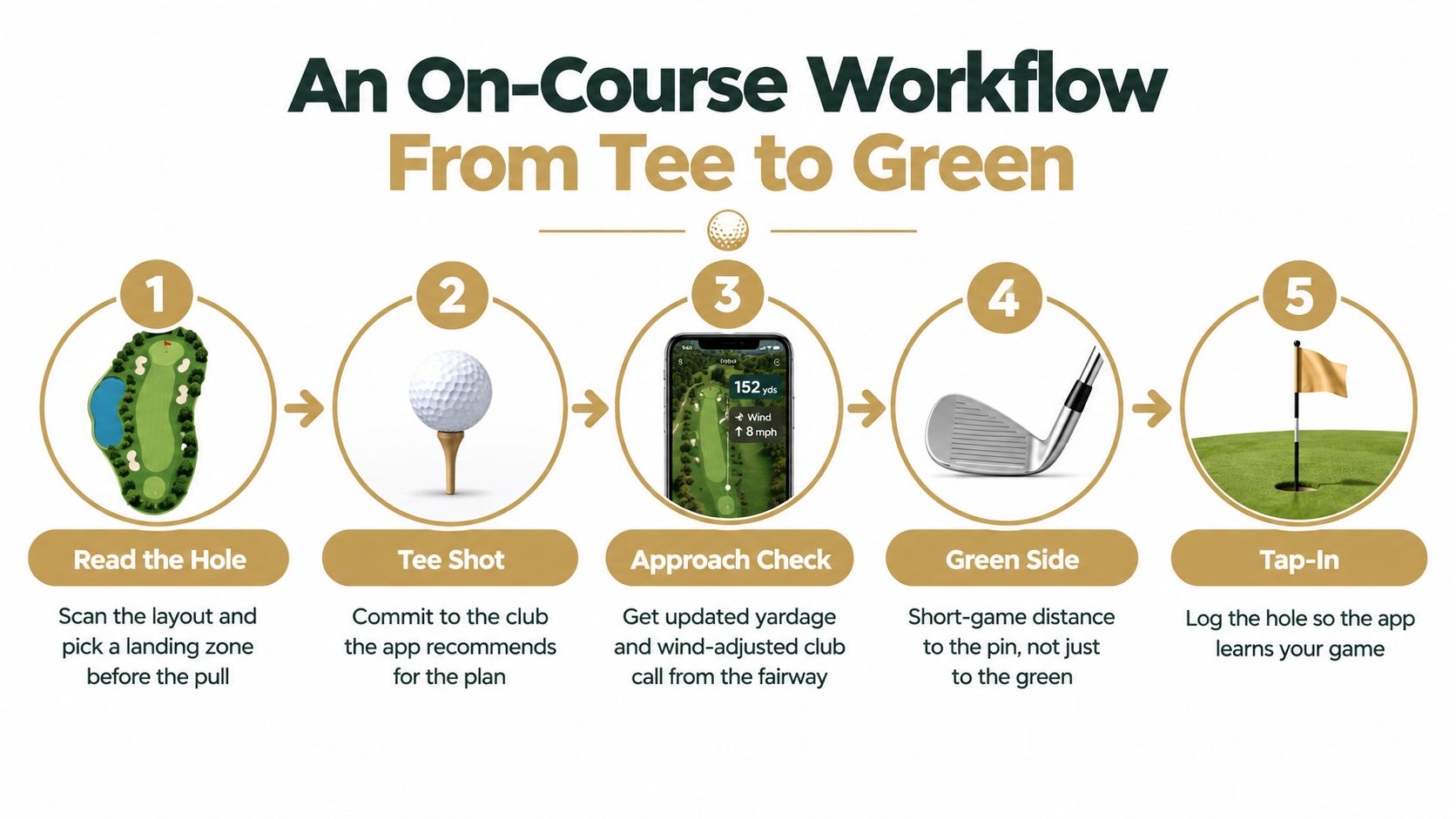
The best workflow is quick enough to preserve rhythm. At the tee, the golfer reads the hole before pulling a club. The phone confirms the shape, highlights hazards and landing areas, and helps select a target zone rather than blindly aiming toward the back of the fairway.
The tee shot should answer two questions: where can the golfer start the hole, and which club gives the plan enough margin? A recommendation is useful only if the player can connect it to a visible target, such as the wider side of the fairway or a point short of a trouble area.
From the fairway, the golfer checks the actual lie and opens the player record. The app should show the selected club's carry and total pattern, then incorporate the current wind and elevation inputs. If two clubs remain viable, the decision becomes a comparison of landing areas and misses, not a debate over which average number looks more impressive.
On the approach, the green view should focus the golfer on depth and section. A tucked pin may require a center-green target, while a front pin with room behind it may permit a more direct call. The USGA's decision-making analysis used survey data from 2,263 golfers and referenced ShotLink-based analysis of 200,000 professional second-shot decisions on par 5s, supporting the broader conclusion that golfers change choices based on hole context rather than distance alone. The USGA decision-making analysis provides that context.
Around the green, the same principle applies to the short game. The target is a landing area and rollout plan, not merely the pin distance. After the hole, the golfer can note the miss direction or result so the record becomes more useful over time.
A short demonstration of the workflow can help golfers see how the pieces fit together.
Post-round review should look for repeatable gaps, not one bad swing. A gap-analysis workflow can identify where the player lacks a reliable option. The commit moment arrives when the golfer pulls the trigger because the record supports the plan, not because hope has chosen the longest club.
How Dialed Golf Fits the Pocket Caddy Use Case
A golfer standing on the tee needs a decision, not another scoring screen. Dialed Golf treats the pocket caddy as the mobile part of one continuous golfer record. The app handles quick on-course choices, while the desktop product organizes launch-monitor practice from a range or garage simulator. A live desktop pairing starts the workflow and can expand to additional devices. CSV and import workflows also support data from major launch monitors and simulator platforms.
That division keeps each product focused. Practice builds a record of carry, total distance, and shot patterns. The app uses the relevant parts of that record to guide a club and target choice. Desktop review can then examine gapping, shot shapes, and whether on-course decisions matched the player's measured tendencies. The result is a decision engine tied to real practice data, rather than a scorecard with extra screens.
One record, three operating jobs
| Product | Primary Pocket Caddy Job |
|---|---|
| Consumer app | Deliver the on-course pocket caddy, yardage reference, recommendations, and fast score logging |
| Dialed Desktop | Build and review launch-monitor data from the range or garage simulator |
| Dialed Academy | Manage memberships and front-desk operations for ranges and clubs while supporting a shared player workflow |
Dialed Academy applies the same connected-record idea at the facility. It supports memberships and front-desk operations for ranges and clubs, priced at $99.99 per month or $999.99 per year, while the club keeps its dues, according to Dialed Golf's published Academy details. Free web tools remain free and serve as an entry point rather than replacing the Pro experience.
For an individual golfer, Golfer Pro works across the app and desktop at $9.99 per week, $29.99 per month, $149.99 for six months, or $249.99 per year, as stated in the product brief. The consumer app is currently in TestFlight, rather than general App Store availability. The platform's pre-release testing documentation explains that access can be provided through email or public-link invitations, with each build testable for up to 90 days after upload, as described on Apple's TestFlight service. Access may therefore begin before a general storefront launch, but tester access and build availability are temporary.
The product set serves three connected jobs. The golfer gets a fast, data-backed decision. The player or coach gets a practice record they can review. The facility gets an operating layer that connects range activity with player information. App, desktop, and Academy are separate interfaces built around the same golfer-data workflow.
Where Pocket Caddies Still Fall Short
An app doesn't automatically replace a rangefinder or GPS watch. A rangefinder can give a direct distance to a visible target without requiring the golfer to interpret a map. A watch can keep the phone in the pocket and reduce screen time. The pocket caddy adds decision context, but that context is only as reliable as the map, conditions, and player data behind it.
Pin positions are a common weakness. A map may show the green accurately while the actual flag sits in a different section. Slope-adjusted yardages also need clear opt-in controls and an honest explanation of whether their use is permitted under the golfer's rules and event conditions. A confident-looking adjusted number can create more harm than a plainly labeled estimate.
Offline mode needs scrutiny as well. Downloading a course file doesn't guarantee that every tee box, renovation, green contour, or alternate layout is represented correctly. The wider category often advertises worldwide coverage and offline access, yet golfers still need to ask what happens when a course is unmapped, partially mapped, or changed after construction. Those questions matter especially for travelers, municipal courses, and second-tier facilities.
Dialed Golf's approach addresses a narrower part of the problem. It relies on the golfer's measured carry numbers rather than generic club averages, uses wind and altitude as inputs the golfer controls, and connects mobile decisions to desktop review after the round. That doesn't eliminate mapping errors or changing conditions. It gives the golfer a way to audit whether the recommendation was based on realistic personal data.
A pocket caddy is a decision aid, not a substitute for reading the lie, checking the wind, and accepting the miss.
The best setup may combine tools. A golfer can use a direct distance device when the target is visible, then use the pocket caddy to decide what that distance means for club, dispersion, and target. The value lies in improving the choice, not pretending one screen can measure everything.
Who the Pocket Caddy App Is Really For
The clearest fit is a golfer whose main problem is club selection. A mid-handicap player on an unfamiliar course may know approximate distances but still struggle to choose a target with enough margin. A competitive amateur may already have launch-monitor data and want personal carry and dispersion patterns available during a round, rather than leaving them in a practice session.
Coaches and instructors are another strong fit. They need players to practice from a consistent record, check whether distance gaps are real, and carry usable information from the range to the course. Dialed Academy extends that record to the facility side through memberships and front-desk operations. The golfer-facing app and desktop keep the player's data connected across practice, planning, and review.
The pricing separates those use cases:
- Free web tools: A starting point for golfers who want basic utility before adopting a paid workflow.
- Golfer Pro: App and desktop access at $9.99 per week, $29.99 per month, $149.99 per six months, or $249.99 per year.
- Dialed Academy: Range and club memberships with front-desk functionality at $99.99 per month or $999.99 per year, with the club retaining its dues.
Access to the consumer app currently uses pre-release testing rather than general storefront availability. Golfers should expect a testing-based access model, with invitations delivered through an email or public link. Each build is available for a limited testing window, so access may require an updated build over time.
A casual weekend player who only wants a free scorecard may not need a launch-monitor-linked golfer record. A data-focused player with a dedicated distance device and no interest in changing a familiar routine may also find the additional workflow unnecessary.
The decision comes down to the problem on the course. If club selection under uncertainty is the issue, and one golfer record across phone and desktop matters, Dialed Golf belongs on the shortlist. If club selection is not the constraint, a pocket caddy app may add work without improving the decision.
Dialed Golf connects a pre-release pocket caddy app with launch-monitor practice on desktop and Academy tools for ranges and clubs. Visit Dialed Golf to see how the shared golfer record can turn practice data into clearer on-course decisions.