


The garage simulator is ready, the mat is square, and the launch monitor is reporting numbers. A week later, the range session lives in one app, the indoor session lives in another, and the golfer is comparing screenshots instead of practice trends. The hardware works, but the workflow doesn't.
That's the central problem in a useful launch monitor comparison. A device isn't valuable only because it measures ball speed, launch angle, or carry. It has to fit the room, the range routine, the software environment, and the way a golfer wants to review practice over time.
Dialed Golf treats that problem as a connected product experience: a consumer app, a desktop practice application, and Dialed Academy, all built around one golfer record and one Pro plan. The practical question isn't just which monitor has the longest feature list. It's which monitor produces dependable, reusable information in the places the golfer really practices.
Table of Contents
- Why Your Launch Monitor Setup Feels Like a Friction Point
- Radar Portables vs Optical Systems Explained
- Evaluating the Most Popular Personal Launch Monitors
- Connecting Your Hardware to the Dialed Golf Desktop App
- How Practice Environment Dictates Your Choice
- Building a Consistent Golfer Record for Long-Term Gains
Why Your Launch Monitor Setup Feels Like a Friction Point
A golfer can choose sensible hardware and still create a difficult training routine. The portable unit may travel well to the range, while its sessions remain separate from indoor practice. A camera-based monitor may suit a garage, yet its exported data can require cleanup before it lines up with older range sessions.
The problem usually appears after the first few sessions. Carry distance and ball speed are useful in the moment, but practice decisions depend on patterns over time. Has the seven-iron gap changed? Is a new ball producing a different launch pattern? Did a swing adjustment improve contact, or did the indoor setup just produce different readings?
Practical rule: Choose the monitor around the practice record it needs to create, not only around the numbers it displays.
Launch monitors have been used in golf for decades. A research review of the golf launch monitor market identifies patents dating to the 1950s, niche research and testing systems in the 1970s, and the first commercially available launch monitors arriving in the early 2000s, with radar-based systems reaching the consumer market by 2003. The review also reports that from 2007 to 2018, clubhead speed rose by 1.3 mph and ball speed by 3.8 mph. That progression shows how feedback systems moved beyond specialist testing and into everyday performance practice.
The hidden cost of disconnected sessions
A range session may focus on flight and carry. A garage session may focus on contact and delivery. Combining those records becomes difficult when the device, file format, or session setup changes.
Consider a CSV containing range shots with distances but no club labels. It may preserve numbers while losing the information needed to compare a seven-iron session with an indoor seven-iron session. The golfer then rebuilds context from memory or leaves the file unused.
Common failure points include:
- Different metric sets: One device may show a compact collection of ball-flight outputs, while another provides club-delivery information.
- Mixed naming conventions: Carry, total distance, launch direction, and spin-related fields may appear under different labels.
- Manual transcription: Copying selected shots into a spreadsheet removes context and increases the chance of errors.
- No session structure: A list of numbers does not identify the club, ball, target, wind, or purpose of the drill.
The monitor is therefore only the input layer. A useful setup captures sessions consistently, preserves their original context, and makes like-for-like comparisons practical. That standard matters more than a longer list of displayed metrics if the golfer practices in several locations.
Dialed Golf provides the software layer for that workflow, with a desktop practice product for range or garage use and a consumer app for on-course support. The free web tools remain free, while Golfer Pro applies across the app and desktop.
Radar Portables vs Optical Systems Explained
A launch monitor comparison starts with sensing architecture because the architecture decides where the device fits in a real practice routine. Radar-based portables track movement through the ball-flight area. Optical or photometric systems use high-speed cameras to capture the club and ball around impact.
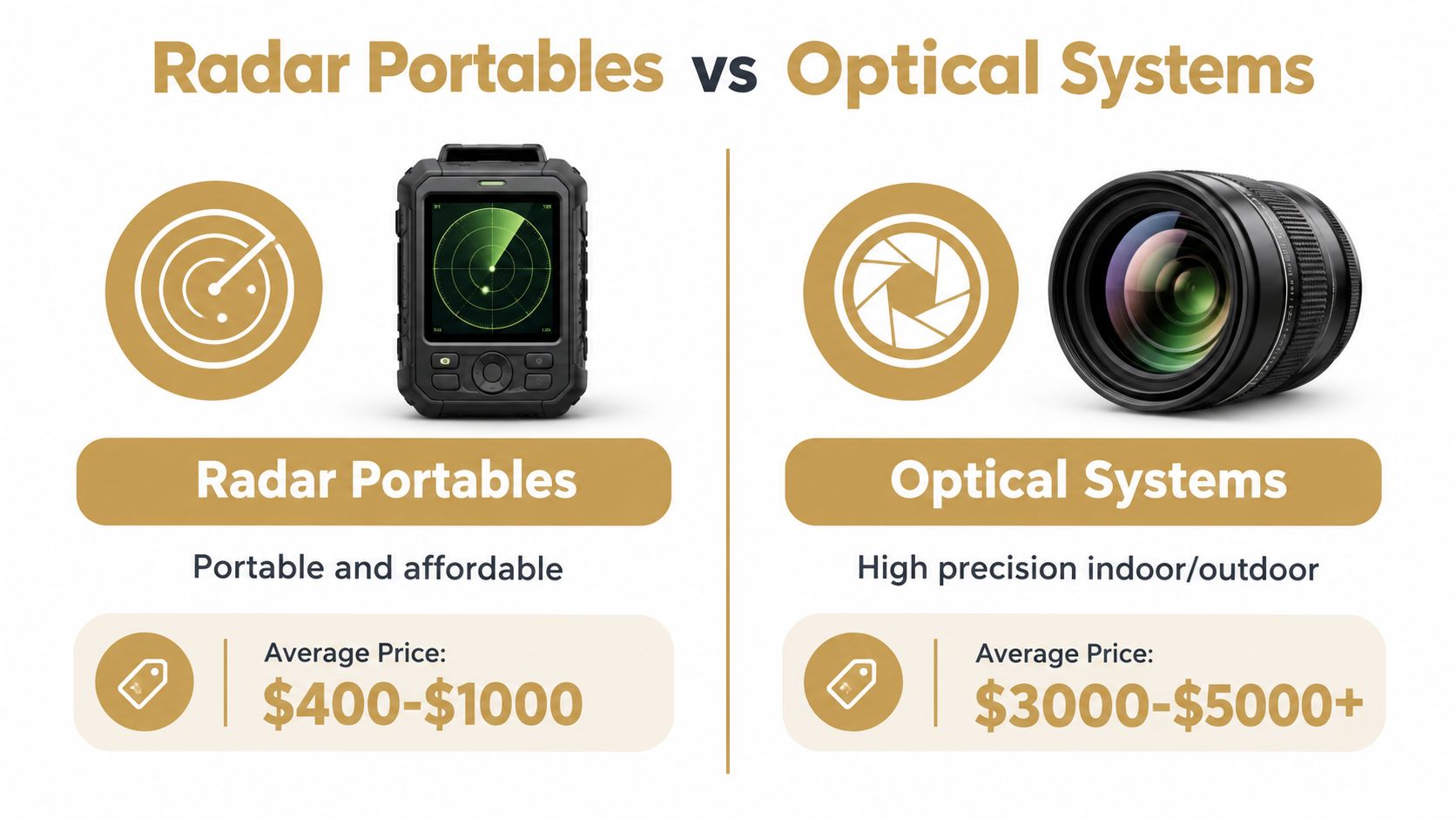
Radar is a strong fit for golfers who split time between the range, backyard, and simulator. The unit sits behind the ball, packs away easily, and works outdoors without a permanent bay. The trade-off shows up in shorter rooms or net-only garages. Radar needs enough visible flight and a clean tracking path, so a cramped indoor setup can reduce reliability even when the device itself is fine.
Optical systems work differently. Multiple high-speed cameras with infrared illumination capture impact from close range, which suits an indoor bay or a fixed hitting area. That setup can be easier to manage when the ball never travels far, and it often gives the golfer more context around contact and delivery. The Golf Monthly launch monitor comparison also points to practical differences in battery life and portability across device types, which matters once a monitor has to move between garage, range, and travel bag. Those differences show the true balance between measurement depth, portability, and session endurance.
What each architecture is good at
Radar portables tend to make sense when:
- The golfer practices outdoors regularly.
- The setup can provide clear ball flight.
- The monitor must move between locations.
- The main goal is repeatable feedback on speed, launch, carry, and direction.
Optical systems become more compelling when:
- The garage has limited depth.
- Shots are hit into a screen or net.
- Indoor positioning needs to stay close to the hitting area.
- The golfer or coach needs richer impact and club-delivery information.
Neither category wins every environment. A portable radar can be the better tool for an outdoor gapping session, while an optical unit can suit a fixed indoor lesson better. The right choice depends on the question being asked and the space available to answer it.
Data depth changes the use case
Higher-end optical systems and radar-camera hybrids can expose broader datasets. Reviews cite 16 tracked data parameters for some premium units and roughly 10 parameters for the GC3 class, while more affordable portable monitors often prioritize club speed, ball speed, launch angle, direction, carry, and total distance. The comparison is documented in this comparison of tracked data parameters across launch monitors.
That difference matters because not every practice goal needs a deep dataset. Gapping and trend tracking can work with a smaller, stable set of outputs. Diagnosing spin axis, face-to-path, or shot shape generally requires a device that provides the right information, not just more numbers.
Evaluating the Most Popular Personal Launch Monitors
A golfer who practices in a garage on Tuesday and visits the range on Saturday needs more than a monitor with an impressive specification sheet. The device must fit both spaces, produce usable data in each, and move through the practice workflow without creating extra work. Personal launch monitors generally fall into four practical categories: portable radar, video-linked hybrid, compact optical, and hybrid portable systems.
Portable radar suits golfers who value quick setup and outdoor flexibility. It can support range sessions, gapping work, and simulator use, but the results depend on placement, available ball flight, and the environment around the unit. The displayed metrics also need interpretation. Some are measured directly, while others may be calculated, so golfers should confirm which outputs answer the question they are asking. Choose this category when moving the monitor between locations matters more than keeping the unit beside the ball.
A video-linked hybrid adds visual context to the shot. Reviewing swing footage alongside ball data can help connect a movement change with its result, especially during focused practice. The trade-off is a more involved setup. Camera capture needs a suitable view, radar tracking still depends on space, and the workflow may involve extra software or file handling. Choose it when swing review is part of every session, not merely an occasional feature.
A compact optical system works well in a short garage or indoor net setup. Positioning the monitor near the hitting area can simplify indoor use when there is not enough room behind the golfer for a radar unit. That convenience comes with less flexibility for quick outdoor transport and a greater dependence on a stable indoor arrangement. Choose this category when indoor reliability is the priority.
A hybrid portable system targets golfers who want a monitor for both practice and a more developed simulator or coaching workflow. It can serve mixed environments, but portability does not guarantee identical performance in every room. Placement, lighting, ball flight, and the hitting surface can all affect how useful the session becomes. Choose it when the same device must support outdoor practice, indoor analysis, and richer data review.
| Practice priority | More suitable monitor category | Main compromise |
|---|---|---|
| Outdoor range feedback | Portable radar | Needs clear flight and careful placement |
| Video-linked practice | Radar with camera support | Adds setup and software dependencies |
| Short garage or indoor net | Compact optical system | Less convenient for frequent outdoor transport |
| Mixed indoor and outdoor use | Portable system with strong import options | Readings can vary with environment |
| Detailed coaching or fitting | Higher-data optical or hybrid system | Greater cost and less portability |
The best fit depends on the sessions repeated most often. Golfers comparing range-focused options can use this guide to choosing a launch monitor for the driving range.
List the three sessions you perform most frequently, then identify the metrics each one requires. Outdoor-heavy practice favors portability and fast placement. Screen-based practice favors indoor stability. Coaching or fitting requires data that addresses club delivery, not just a longer list of fields. Compatibility with the Dialed Golf desktop app also matters, because live pairing or reliable file import can determine whether the monitor's readings become a usable record after the session.
Connecting Your Hardware to the Dialed Golf Desktop App
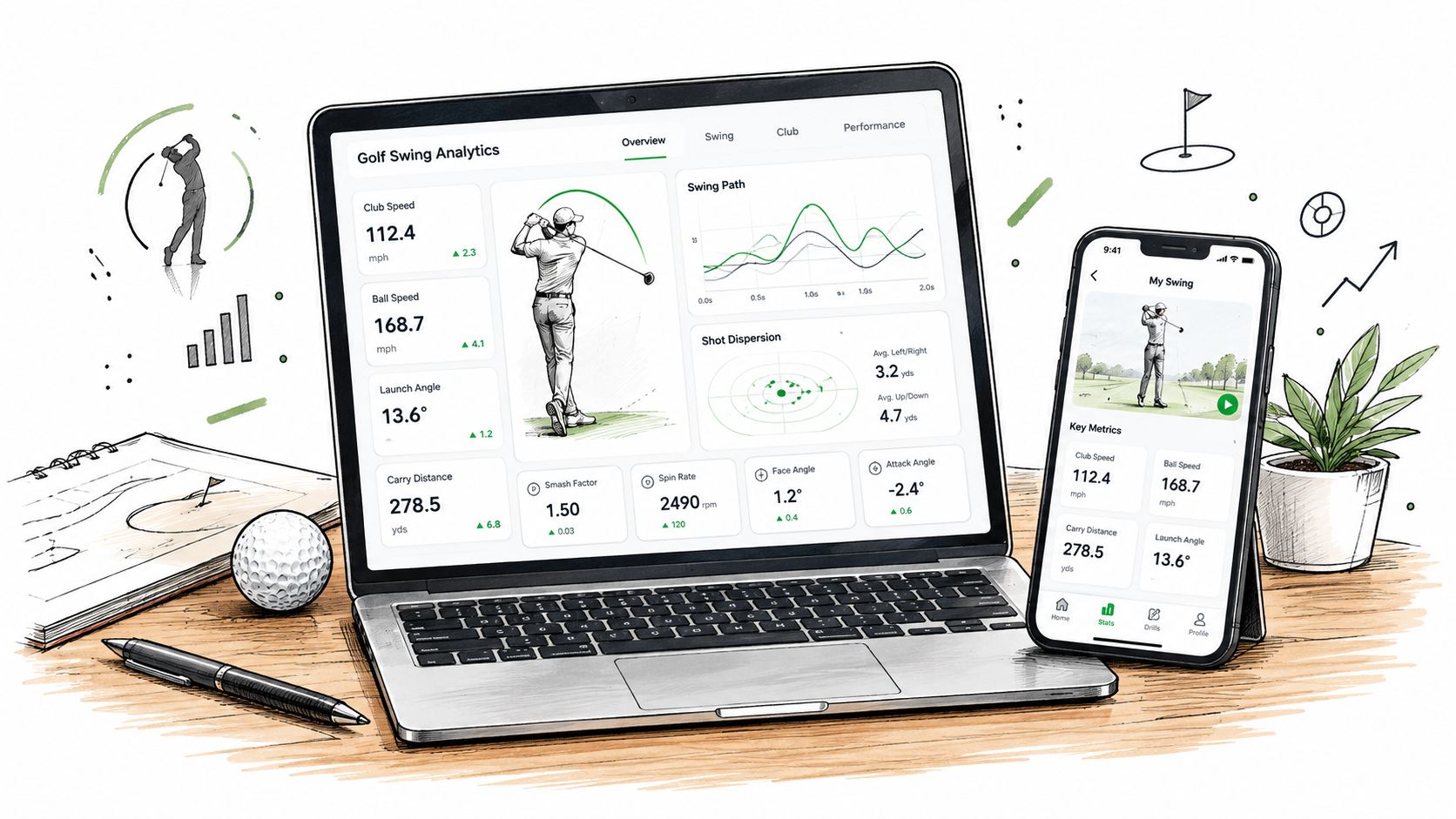
A golfer can finish a useful range session and still lose its value if the monitor's data stays trapped in the original app. Dialed Golf's desktop app gives the session two practical routes: live pairing first, currently beginning with the Garmin R10, and CSV or file import for a wider set of radar portables, photometric units, and simulator software.
The choice affects the entire practice routine. Live pairing suits a desktop session where readings appear while each shot is played. Import suits golfers who prefer an established hardware ecosystem and can export a session afterward. It offers broader coverage, but the record depends on the file format and the labels preserved by the source system.
Start with the session question
Set the practice objective before pairing or exporting. Wedge gapping, dispersion work, speed training, ball comparison, and swing changes each require a different session structure.
A reliable workflow is:
- Select the session type. Define whether the goal is gapping, dispersion, speed, ball comparison, or a swing change.
- Use consistent labels. Record the club, ball, environment, and target so later comparisons remain useful.
- Pair when live feedback matters. Garmin R10 users can start with the desktop live-pair workflow, subject to the device and connection setup. For a guide to connecting your launch monitor to the desktop app, follow the pairing walkthrough before the session.
- Import when post-session review is enough. CSV workflows can bring in data from radar portables, photometric units, and simulator software, as documented in this launch-monitor compatibility reference.
- Review repeated patterns. One unusual reading deserves a check. A pattern repeated across a well-labeled session deserves a change to the next practice block.
Why live pairing and import serve different workflows
Live pairing matters during drills that depend on immediate feedback. The golfer can adjust the next swing while the session is still running, then see whether the change affected the selected metric.
Import works better when the monitor already fits the golfer's indoor or outdoor routine. Historical files can enter the same record without forcing a hardware replacement, provided the export retains usable shot data and labels.
Compatibility documentation also separates file imports from direct account synchronization. That distinction affects whether the desktop app receives shots in real time or only after the original session ends. The device compatibility guide outlines the difference between those connection methods.
Dialed Golf provides one place to organize these sessions. Its desktop product supports live pairing with Garmin R10 and file-based import workflows, while its consumer app remains a separate pocket-caddy experience. Golfer Pro is $9.99 per week, $29.99 per month, $149.99 for 6 months, or $249.99 per year across the app and desktop.
A staged purchase often makes sense. Keep a working monitor if its exported files are reliable, then use import to build a consistent record. Choose live pairing when immediate feedback is the deciding factor in a desktop practice session.
How Practice Environment Dictates Your Choice
A mixed practice routine exposes setup problems quickly. A monitor that works well in a garage may be inconvenient at the range, while a portable unit may not suit a short indoor hitting area. The right choice matches the device's error profile to the golfer's routine, then keeps placement and workflow consistent across locations.
Start with the garage measurements, not the feature list. Record the ball-to-screen distance, the monitor's required distance from the ball, and the available width around the hitting mat. Check the camera's field of view from the proposed position, including whether the club, ball, and impact area remain visible throughout the swing. Lighting matters too. Avoid glare, strong backlighting, and shadows that cross the hitting zone. These checks show whether the monitor can fit the room without crowding the stance or swing path.
A garage simulator often favors optical or photometric hardware because the setup can keep the impact area in view. The practical test is whether the monitor can sit in its required position while leaving enough room for alignment, stance, and safe movement. Measure the complete arrangement before buying or mounting anything.
Four environments, four priorities
Garage simulator. Prioritize camera placement, lighting, and usable depth. A monitor that requires a clear view of the ball may need more careful positioning than the room initially suggests. Confirm that the screen, mat, monitor, and golfer can share the same alignment without repeated adjustments.
Outdoor range. Portability and repeatable alignment carry more weight. A unit that sets up behind the golfer can move between bays and support gapping or speed work. Mark the target line mentally or with a consistent reference, and check for obstructions before each session.
Backyard or open practice area. Convenience does not remove environmental variables. Wind changes the ball's actual flight and can also affect calculated outcomes. Recent testing reported optical units reading 10 to 20 yards off on some shots because of wind and environmental conditions, as described in this review of launch monitor setup trade-offs. Treat those readings as part of the session's conditions rather than automatically mixing them with sheltered indoor results.
Mixed indoor and outdoor routine. Choose the workflow that requires the fewest compromises. If the monitor needs different placement, calibration, or lighting indoors, document those settings so the golfer knows when a change reflects the swing and when it reflects the setup.
Consistency matters more than theoretical precision for many practice goals. Compare iron gaps under repeatable conditions, keep session labels clear, and avoid treating readings from sharply different environments as one uninterrupted data set. For coaching, fitting, or delivery analysis, deeper club and ball data may justify more demanding equipment and setup work.
Use this decision rule:
- Choose portable radar when outdoor practice is frequent and the range setup supports clear tracking.
- Choose optical hardware when the garage is the primary location and camera conditions can be controlled.
- Choose import-friendly software when sessions come from multiple systems and need one usable record.
- Choose deeper measurement when a coach or fitter must diagnose delivery and ball-flight causes.
A launch monitor comparison should begin with the room, the range, and the golfer's actual weekly workflow. Setup context determines whether the numbers remain useful after the first session.
Building a Consistent Golfer Record for Long-Term Gains
A launch monitor should remain useful after the initial excitement fades. The practical target is a single, defensible golfer record that preserves practice history across the garage, range, and other training environments.
A consistent record supports useful decisions. Golfers can compare iron gapping over time, check how a ball change affects launch and carry, and review whether a swing adjustment produced the expected result. Coaches can organize player sessions, fitters can compare equipment configurations, and data-focused amateurs can separate a repeatable trend from one memorable outlier.
Put the environment ahead of the feature list
Start with the place where practice happens most often. Range-focused golfers need portable hardware and an outdoor setup that supports reliable tracking. Garage-focused golfers need enough room and an indoor tracking method suited to the available lighting and hitting position. A mixed routine demands a workflow that remains manageable in both places.
The required data comes next. Basic gapping does not require every club metric. Coaching or fitting may justify broader club-and-ball measurements, but extra data also brings more setup work and more decisions about how to interpret it.
The third decision is how sessions will enter the long-term record. Live pairing gives supported hardware a direct desktop workflow. CSV import provides a practical bridge for other devices and simulator sources. The CSV import workflow can preserve the value of existing equipment, reducing the need to replace hardware just to keep records together.
A record is only useful when its context survives
Use consistent session labels, separate indoor and outdoor practice, and avoid treating calculated estimates as interchangeable with directly measured outputs. Each session should identify the club, objective, environment, and source device. Those details make later comparisons more useful because a change in the record can be traced to the swing, the setup, or the measurement method.
Dialed Golf keeps range and garage sessions in one golfer record, with live pairing for Garmin R10 first and CSV import for other sources. Pricing and the Academy offering are detailed on the site.
Choose the monitor that fits the golfer's most common environment and feeds a record they will review. For a mixed indoor and outdoor routine, workflow compatibility matters as much as measurement depth. A practical setup produces clearer practice decisions than a technically impressive system that creates friction every session.
Dialed Golf connects on-course caddying with desktop launch-monitor practice, supporting Garmin R10 live pairing first and broader CSV or import workflows. Visit Dialed Golf to keep range and garage sessions in one golfer record, then choose hardware that suits the golfer's real setup.