

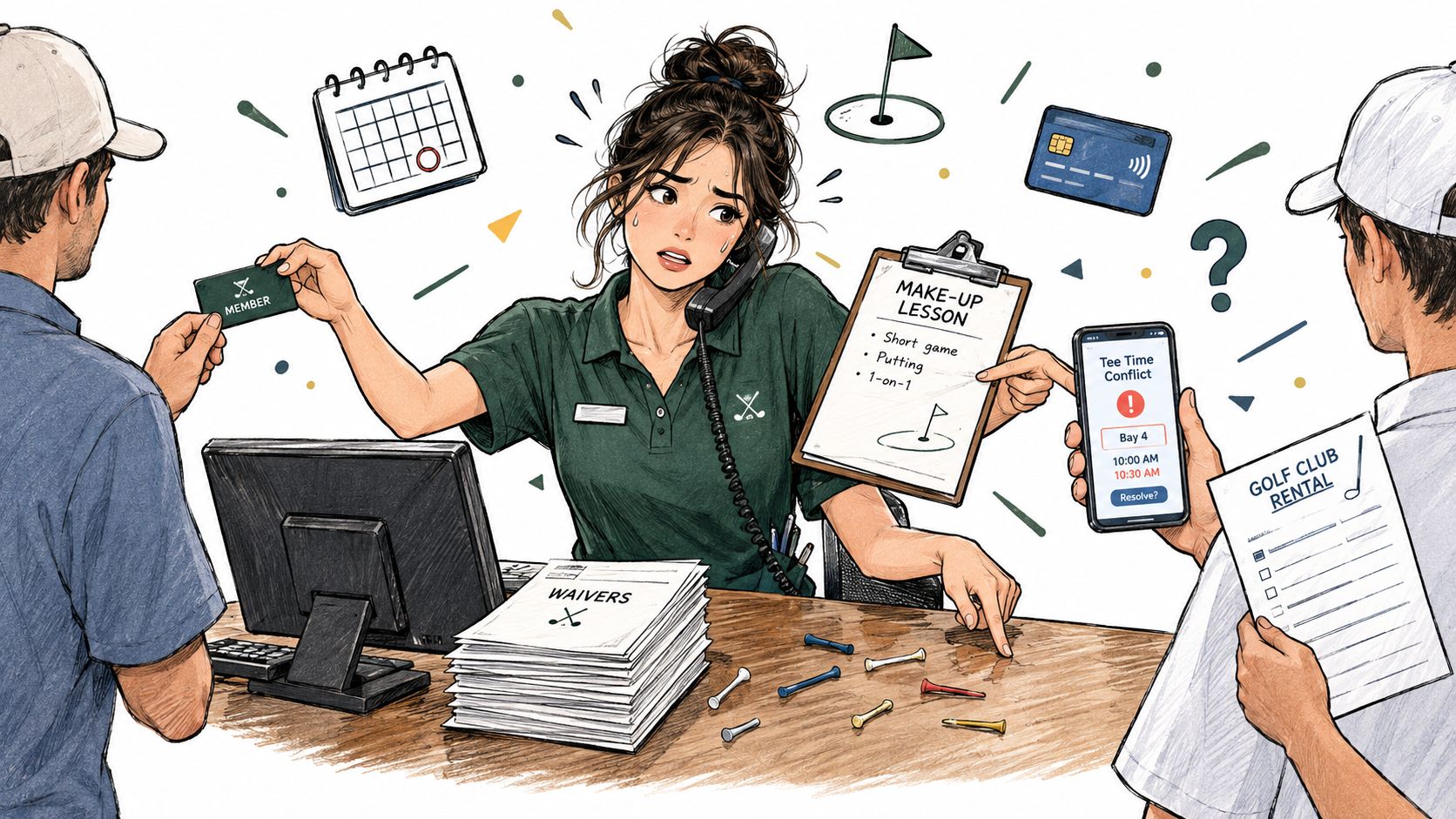
Saturday morning exposes weak front desk operations quickly. A member is renewing, a junior player's parent needs a make-up lesson, a walk-in wants rental clubs, and the golfer assigned to bay four is listed under a different name. One employee is expected to answer every question, protect the schedule, process payments, and keep the queue moving.
That isn't a duty-list problem. It's a triage problem. A range, academy, or club needs a workflow that separates routine transactions from cases requiring judgment, then gives the employee a clear way to route each arrival. The practical question is simple: which lane does this customer belong in, and is a staffer free to handle it?
Table of Contents
- When One Person Is Trying to Do Everything at Once
- Setting Up the Front Desk Before Anyone Arrives
- Segmenting Arrivals Into Three Lanes
- Managing Bookings, Bays, and Lesson Schedules
- Payments, Renewals, and the Revenue Funnel at the Desk
- Daily Exception Reports and Service Recovery
- When Self-Service Helps and When It Hurts
When One Person Is Trying to Do Everything at Once
Saturday's rush exposes the cost of one undivided queue. A registered member needing access confirmation stands behind a walk-in completing a waiver. Nearby, an academy parent disputes a lesson time while another golfer reports a damaged rental club. One employee must keep people moving without losing the judgment each case requires.
A better front desk acts as a flow-control point. The employee identifies the golfer's purpose, confirms what can be checked quickly, and reserves attention for issues that require a person.
Practical rule: Automate the transaction, not the relationship.
Hospitality data supports this division of work. In a 2022 survey of hoteliers, 60% used a standard check-in process with front-desk agents, while 40% offered some form of self-service. Fully self-service operations accounted for 2.7%, and assisted self-service reached 31.5%. For a golf facility, the implication is practical: automate repeatable steps, while staff remain available for instruction, disputes, equipment problems, and relationship-building. Hospitality industry data on self-service and contactless operations
Three decisions should become visible at a glance. Is the golfer registered? Is the request predictable? Does it involve an exception, such as a payment dispute, access conflict, equipment issue, or junior-player requirement?
That routing logic changes the employee's workload. Routine arrivals follow a defined path, while exceptions receive focused attention before a rushed answer creates another problem. The customer sees the next step, and the employee can triage the queue instead of rebuilding the same decision for every arrival.
Setting Up the Front Desk Before Anyone Arrives
Most delays are created before opening. If waivers, payment details, membership records, and booking information are incomplete, the first conversation becomes data entry instead of a welcome.
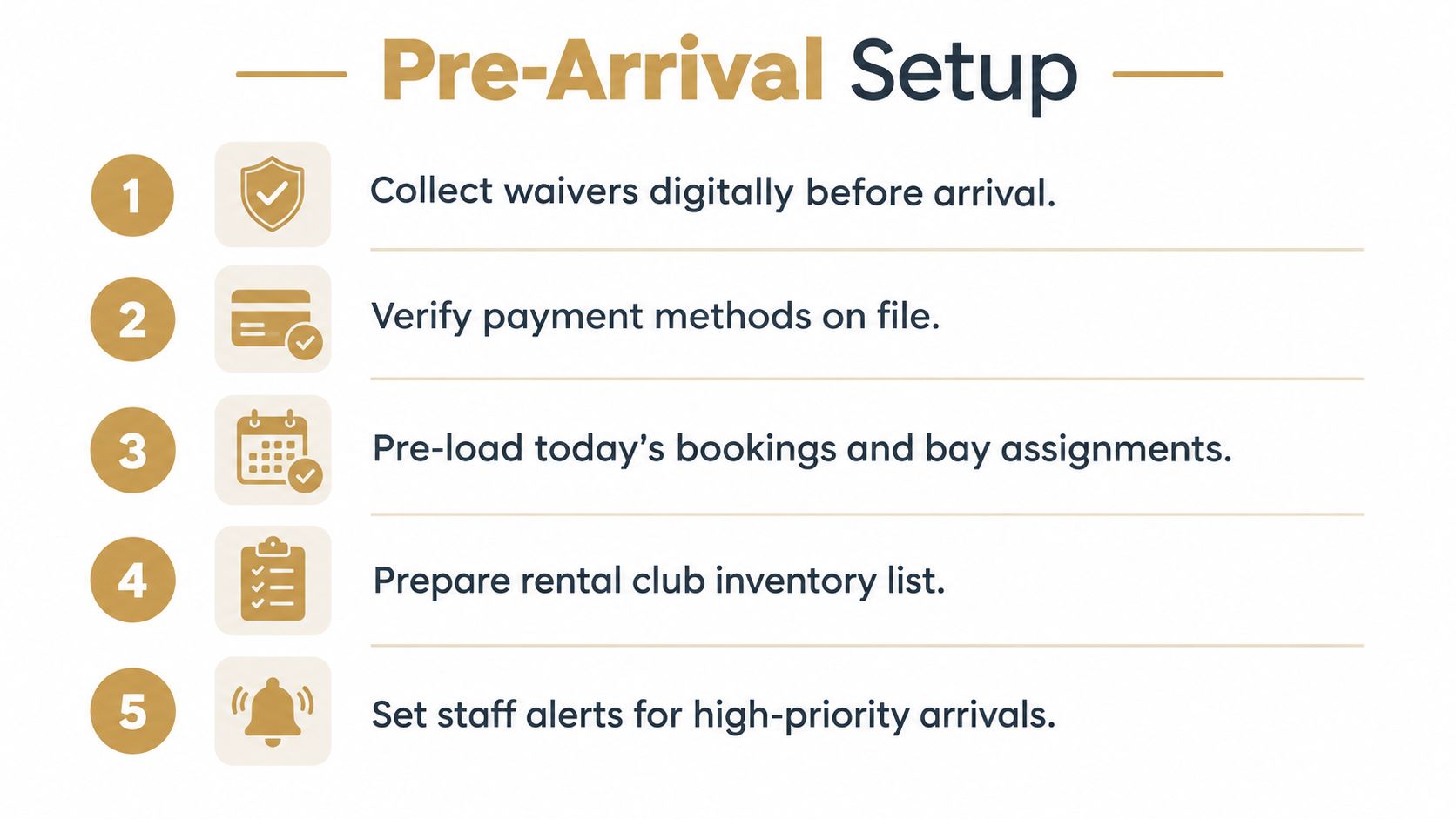
A reliable pre-arrival routine has four stages.
- Collect waivers online. Send the waiver before the visit and attach the completed record to the golfer profile. Staff shouldn't need to search through paper forms while a queue builds.
- Verify membership status. Confirm the active plan, access conditions, and relevant booking before arrival. A member who has already been verified should need only a quick confirmation at the desk.
- Keep payment information ready. A payment method on file reduces manual handling for recurring dues, bookings, and approved add-ons. Failed payments still need a human path, but routine payment capture shouldn't occupy the busiest minutes.
- Pre-load the day. Review bookings, bay assignments, lesson times, coach availability, and rental inventory before doors open. Flag unusual arrivals instead of discovering them during the rush.
A useful final check is whether every booking points to one golfer record. When a member has separate profiles for a lesson, a range session, and a payment account, staff must reconcile identity manually. A single record lets the employee verify the person, booking, waiver, payment status, and history in one interaction.
Dialed Academy is designed for the facility side of this arrangement. The club pays $99.99 per month or $999.99 per year, and the club keeps its own dues. That distinction matters because front desk software should support local membership revenue rather than force the facility to surrender control of its membership economics.
For the golfer, the consumer app and desktop experience sit under one Pro plan: $9.99 per week, $29.99 per month, $149.99 for six months, or $249.99 per year. Free web tools remain free and serve as the top of the funnel, while Pro covers the app and desktop under one golfer identity. Facilities considering launch-monitor workflows can also review launch monitor planning for a driving range.
Segmenting Arrivals Into Three Lanes
A single queue hides important differences between customers. The front desk should sort arrivals into pre-registered, walk-in, and exception lanes as soon as the purpose of the visit is clear.
The pre-registered lane
These golfers have a booking, completed waiver, and verified payment or membership status. The employee confirms identity, directs the golfer to the assigned bay or lesson, and records the arrival. Self-service or a quick staff-assisted check-in fits this lane because the routine work has already happened.
The walk-in lane
Walk-ins need a short, repeatable script. The employee confirms the golfer's purpose, collects the required details, checks availability, handles the waiver, assigns a bay or rental, and explains the next action. The script should be fixed enough to prevent omissions, but flexible enough to answer a basic question without sending the customer to another queue.
The exception lane
Exceptions need a trained employee. This lane includes refunds, access disputes, equipment problems, complex memberships, junior-player requirements, accessibility needs, and payment disagreements. Sending these customers to a kiosk rarely removes work. It usually moves confusion downstream and creates a second interaction.
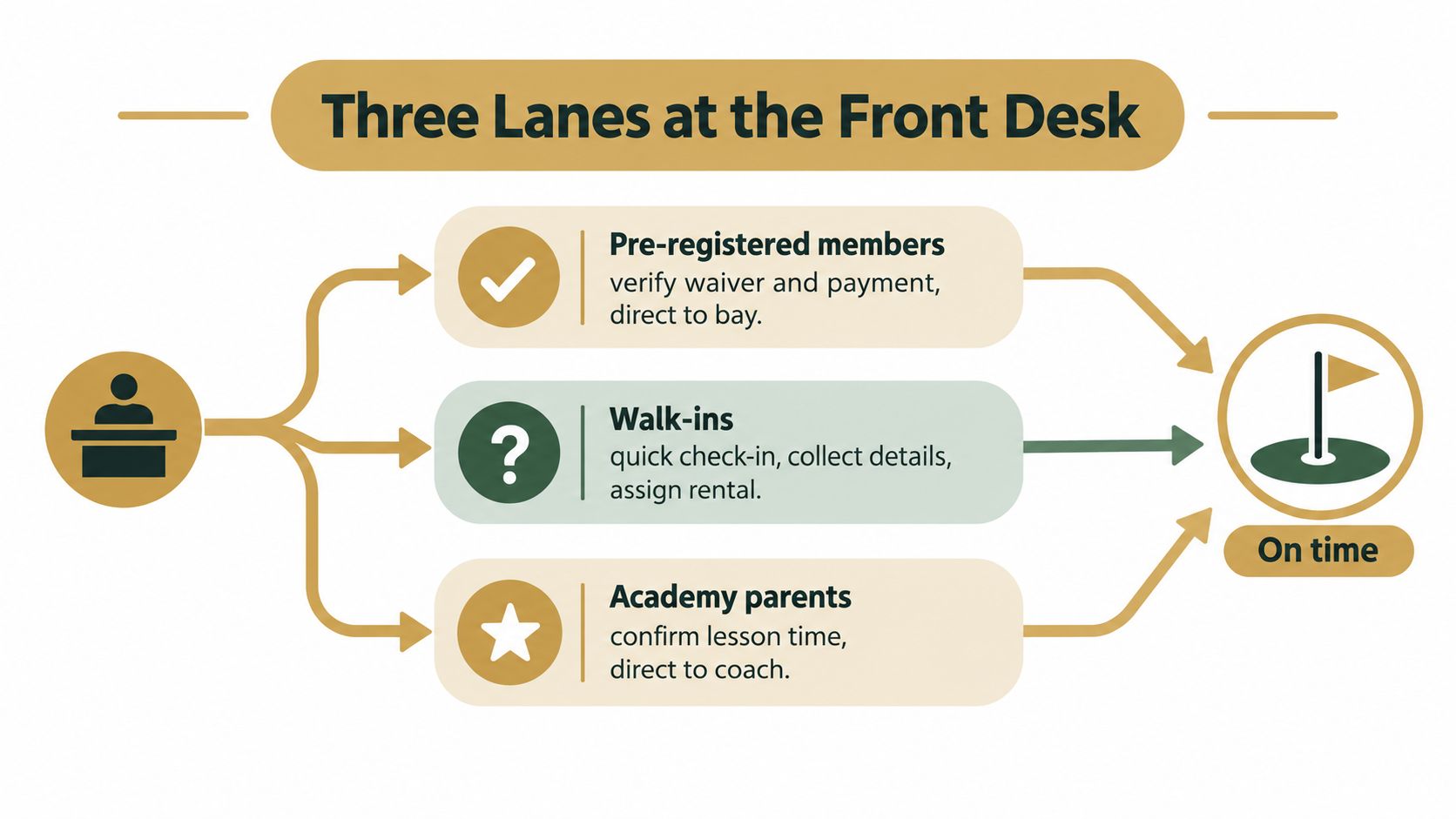
A Saturday example makes the model concrete. The pre-registered member verifies access and moves on. The walk-in follows the short enrollment and rental process. The academy parent goes directly to the exception or staffed lane if the lesson time, make-up policy, or coach assignment needs clarification.
This structure also protects service quality. Staff aren't forced to choose between speed and care for every customer. They can move predictable work quickly and slow down deliberately when the situation calls for judgment.
Managing Bookings, Bays, and Lesson Schedules
A golfer arrives for a lesson while another customer needs a bay, and the desk employee is also answering a booking question. A reliable workflow keeps those demands from competing for the same information.
Dialed Academy's booking process should start with the golfer record, not separate calendars. Confirm the golfer, select the membership or access level, assign the bay or lesson, check coach availability, and record the arrival against the booking. That record can then support attendance, renewals, and follow-up without making the golfer repeat their history.
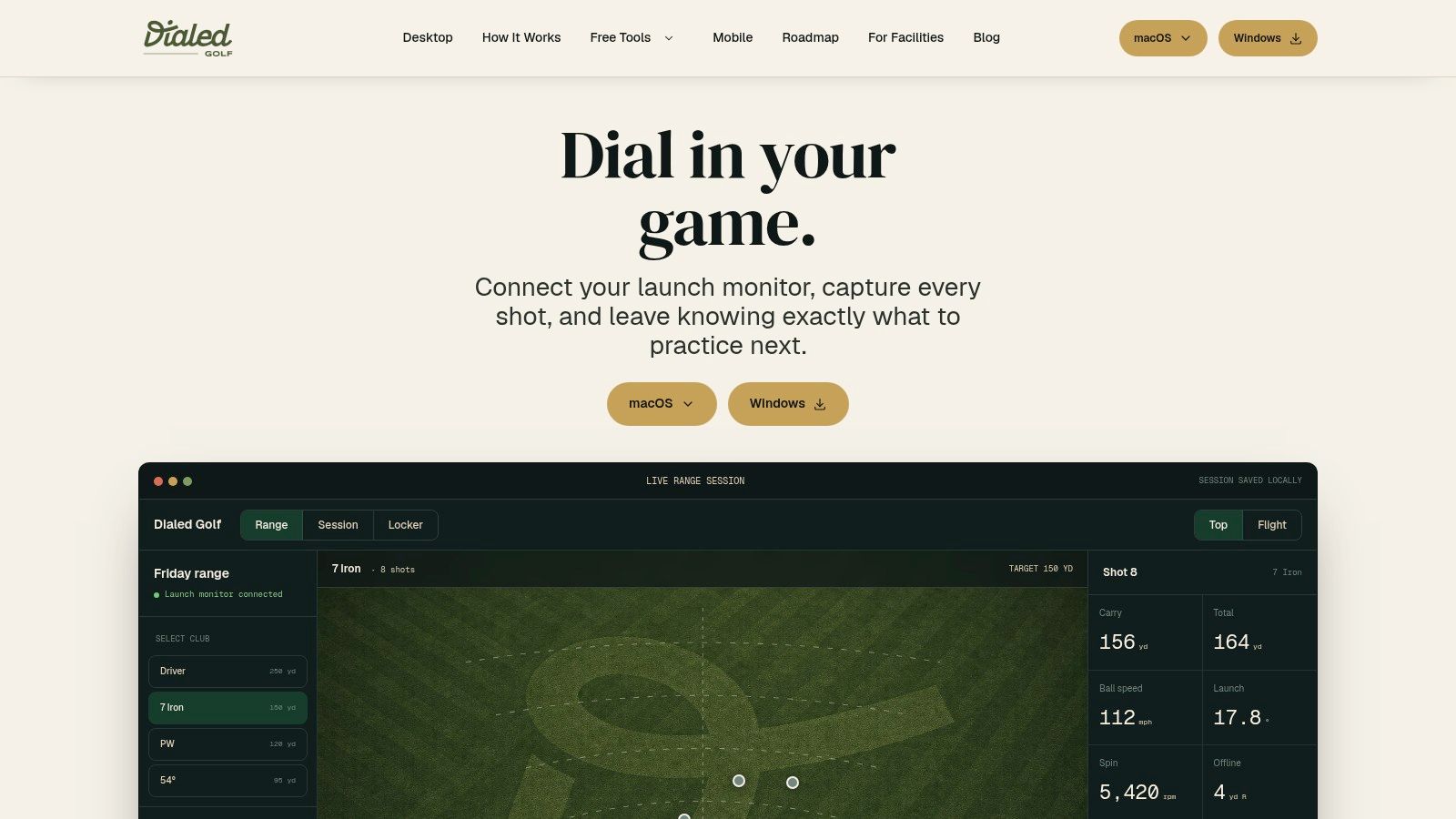
Bay assignment is only one part of the visit. Dialed Golf's desktop workflow supports live pairing with compatible practice equipment and can accept CSV or imported sessions from major launch-monitor exports. That gives staff a way to keep practice activity with the golfer's record when the session was completed on another compatible system. CSV import documentation for practice sessions
Staff should distinguish live data from imported data at check-in. Live pairing is desktop-first, so it fits a range workstation or simulator setup. Mobile live pairing is not a current promise. Imported sessions cover practices completed elsewhere and reduce the need to manage separate records.
The practical gain is continuity. A check-in, lesson, bay booking, and practice session can remain connected to one golfer history instead of being scattered across notebooks and accounts. The next employee sees the relevant context immediately, while the golfer avoids repeating the same details. When one person covers the desk, that shared record saves more time than a polished schedule that still requires manual reconciliation.
Payments, Renewals, and the Revenue Funnel at the Desk
The front desk is a revenue funnel, but the employee shouldn't make every interaction feel like a sales pitch. The useful sequence is arrival, check-in, renewal or payment status, booking, add-on, and exception resolution. Each stage should leave a record that another staff member can understand.
A five-stage standard operating procedure keeps the interaction controlled:
- Identify the customer and purpose. Confirm who arrived and whether the visit concerns a bay, lesson, membership, rental, payment, or account issue.
- Verify eligibility and payment. Check waiver completion, membership access, booking details, and payment status before changing anything.
- Complete the transaction from a checklist. Use the same required fields for renewals, lesson bookings, bay assignments, and rentals.
- Confirm the next action twice. Tell the golfer what happens next, then send the same information digitally where possible.
- Log unresolved issues. Assign an owner and deadline instead of leaving the problem in a verbal handoff.
Upsells belong at the confirmation stage. An extra range session, lesson, fitting, or other add-on makes sense when it follows the customer's stated purpose and available capacity. It doesn't make sense when staff introduce it while a payment failure or booking dispute remains unresolved.
Track the funnel weekly by customer segment. Useful measures include check-ins, renewals, lesson bookings, bay utilization, add-on purchases, failed payments, refunds, and unresolved requests. Front desk quality should also include billing or booking errors per 100 transactions and a service-recovery rate, defined as complaints resolved before departure without management escalation.
The point isn't to make the employee sell harder. It's to identify where customers drop out, where staff repeat work, and where a small process change can protect both revenue and trust.
Daily Exception Reports and Service Recovery
A desk can look calm at closing and still leave behind unpaid visits, incorrect attendance, unassigned refunds, and membership records that don't match reality. The closing routine must reconcile the day rather than rely on staff memory.
A practical exception report can be completed in a short closing window:
- Bookings: Compare scheduled visits with attendance and flag no-shows, duplicate assignments, and bay changes.
- Payments: Match completed visits with successful charges, failed payments, refunds, and manual adjustments.
- Memberships: Check activations, renewals, access changes, and records that need review.
- Operations: Record equipment issues, lesson changes, and customer requests that remain open.
- Ownership: Assign every discrepancy to a named person with a deadline.
Use cause codes consistently: payment, booking, access, equipment, staff communication, or system failure. A cause code turns “the desk was busy” into a pattern that can support retraining, schedule changes, or workflow redesign. A daily report about recurring booking mistakes is more useful than a collection of anecdotes.
Wait time also needs more than one number. Track p50 and p95 wait times, because a low average can hide severe peak-period delays. The median shows the typical experience, while the higher percentile exposes the customers who endured the worst queue. Hospitality testing has shown why this distinction matters: one six-month test covering approximately 38,000 check-ins reduced average wait time from 11.2 to 6.7 minutes, a 40.2% decrease. Hospitality front-desk flow and wait-time methodology
For operators building an import-based workflow, CSV import guidance for range-session data can sit alongside the closing checklist. Imported practice records should be reconciled like bookings and payments, with clear ownership when a session lands on the wrong golfer profile.
When Self-Service Helps and When It Hurts
At a busy range, one employee may be checking in a group while answering a membership question and resolving a payment problem. Self-service helps only when it removes routine work without hiding the human route for exceptions.
Contactless acceptance has grown across hospitality, but that does not make a fully automated desk the right operating model. Assisted workflows remain more practical when customers need context, reassurance, or a decision from staff. Hospitality contactless-service findings
Use self-service for completed waivers, straightforward access checks, standard bookings, and routine payments. Keep staff ownership visible for complex memberships, junior-player requirements, accessibility needs, disputed charges, and equipment questions. A golfer who reaches the wrong queue may take longer to help than one who receives direct assistance at the start.
Dialed Golf's consumer app is currently in beta testing, not yet on the App Store. Apple's TestFlight overview explains the beta distribution process, while the launch-monitor app details provide the relevant product context. Live pairing is desktop-first, with mobile live pairing later.
Set up self-service around the desk's actual triage rules. Start with pre-arrival preparation, then route arrivals through three lanes, connect bookings, and finish with payment-funnel reporting and daily exception control. Do not force every golfer into one path, rely on memory for overrides, or judge the workflow by throughput alone.
Dialed Golf provides a consumer app, desktop launch-monitor practice with live pairing and imports, plus Dialed Academy memberships and front desk tools for ranges and clubs. Visit Dialed Golf to assess how those records and workflows fit the facility's service process.