

The golfer is standing on a range mat with a phone balanced against a bucket, a launch monitor sitting behind the ball, and a notebook filled with carry numbers that may or may not be real. A solid strike feels great. The next one feels thin. By the end of the session, the golfer has hit a lot of balls but still isn't sure whether the seven-iron carries the target distance or whether the driver miss comes from speed, launch, or face delivery.
That's the problem a launch monitor for golf should solve. The device is only the input layer. The value comes from knowing which numbers deserve attention, setting up the monitor correctly, exporting clean data, and turning repeated patterns into the next drill. The modern category has expanded from a specialist fitting tool into infrastructure for practice, club fitting, and indoor golf, with one independent report estimating worldwide revenue at USD 236.46 million in 2024, compared with USD 143.65 million in 2018, and projecting USD 468.73 million by 2032 (market growth data).
Table of Contents
- Why a Launch Monitor Changes Practice
- What a Launch Monitor for Golf Measures
- Key Metrics Worth Tracking and Which to Ignore
- Comparing Garmin R10, SkyTrak, FlightScope, and More
- Pairing and CSV Import for Real Practice Data
- Turning Sessions Into a Practice Plan
- Choosing the Right Launch Monitor for Your Game
Why a Launch Monitor Changes Practice
The range can create the illusion of work. A golfer hits one ball, watches it climb, grabs another, and repeats the same motion without knowing whether the strike improved or just felt better. That's repetition, not necessarily practice. A monitor gives each shot an identity, so the golfer can connect a sensation with a ball speed, launch angle, spin result, or carry outcome.
The change is subtle at first. A golfer might discover that the “perfect” seven-iron is a low-face strike that flies short but rolls farther. A driver swing that feels powerful might produce plenty of club speed but poor ball speed because the strike is inefficient. Without measurement, those swings become stories. With measurement, they become decisions.
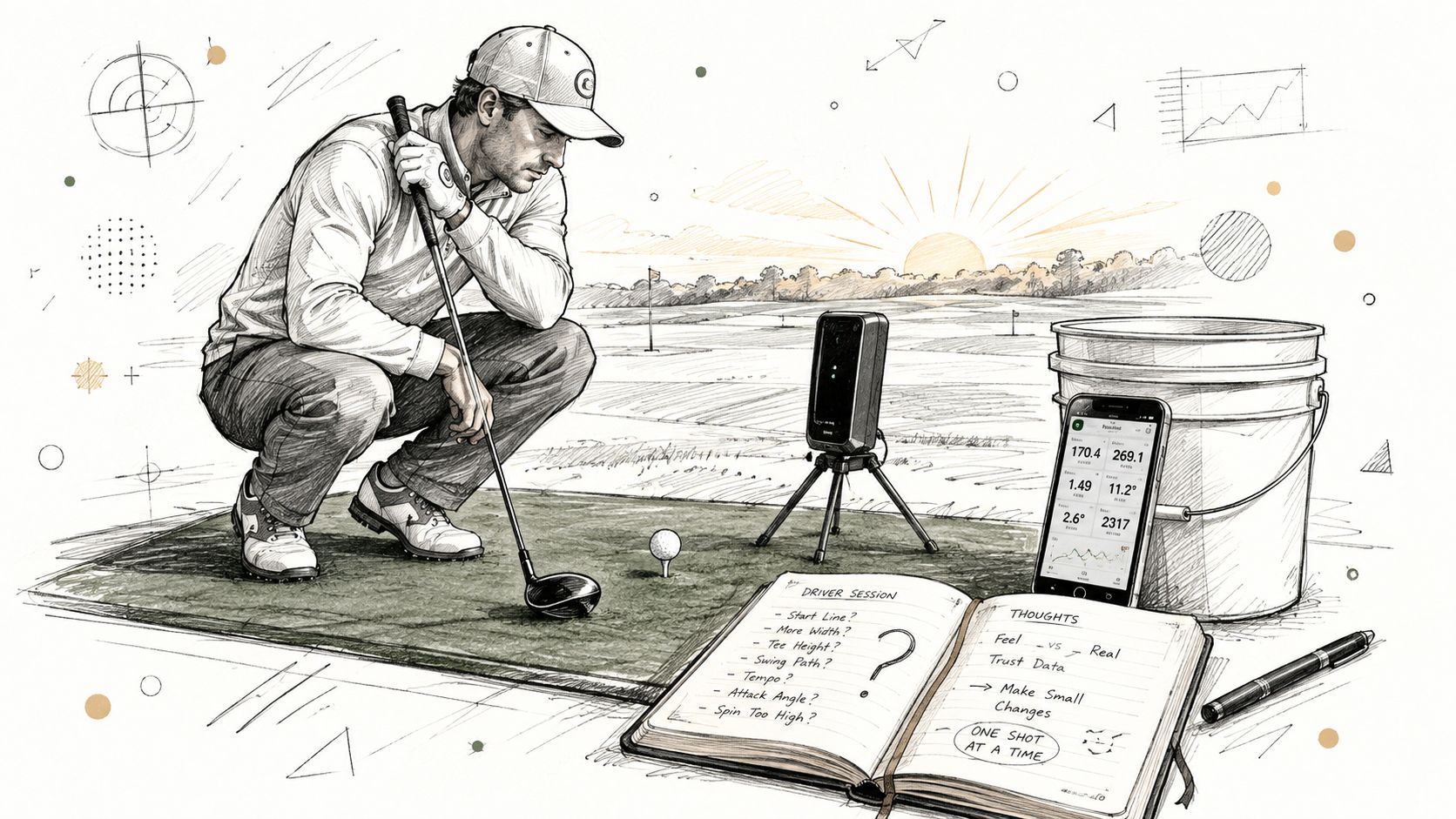
Range hitting versus structured practice
A casual range session usually starts with a club choice and ends when the bucket is empty. A structured session starts with a question:
- Distance question: What carry does this club produce on a centered strike?
- Delivery question: Why do the misses launch too low or curve too far?
- Transfer question: Can the same start line survive a change of target or routine?
That distinction matters more than the monitor's feature list. A modest home setup can outperform blind range practice because it creates a repeatable feedback loop. The golfer sees the shot, checks a small set of metrics, and chooses the next ball with intent.
Indoor practice has its own advantage. A fixed hitting area makes alignment, ball position, and device placement easier to repeat. It also exposes inconsistent contact because the golfer can't rely on a long range flight to disguise a poor strike. Radar systems need usable space to observe the shot, while camera-based systems need a consistent relationship between the ball and the device. Neither approach rescues careless setup.
Practical rule: A launch monitor earns its place when it changes the next shot, not when it produces the largest data screen.
The rest of the buying decision follows that rule. Metrics need to be understood before they can be trusted. Device choice should match the environment. Pairing and CSV workflows should make the data accessible, and every session should finish with a drill or a decision instead of another abandoned spreadsheet.
What a Launch Monitor for Golf Measures
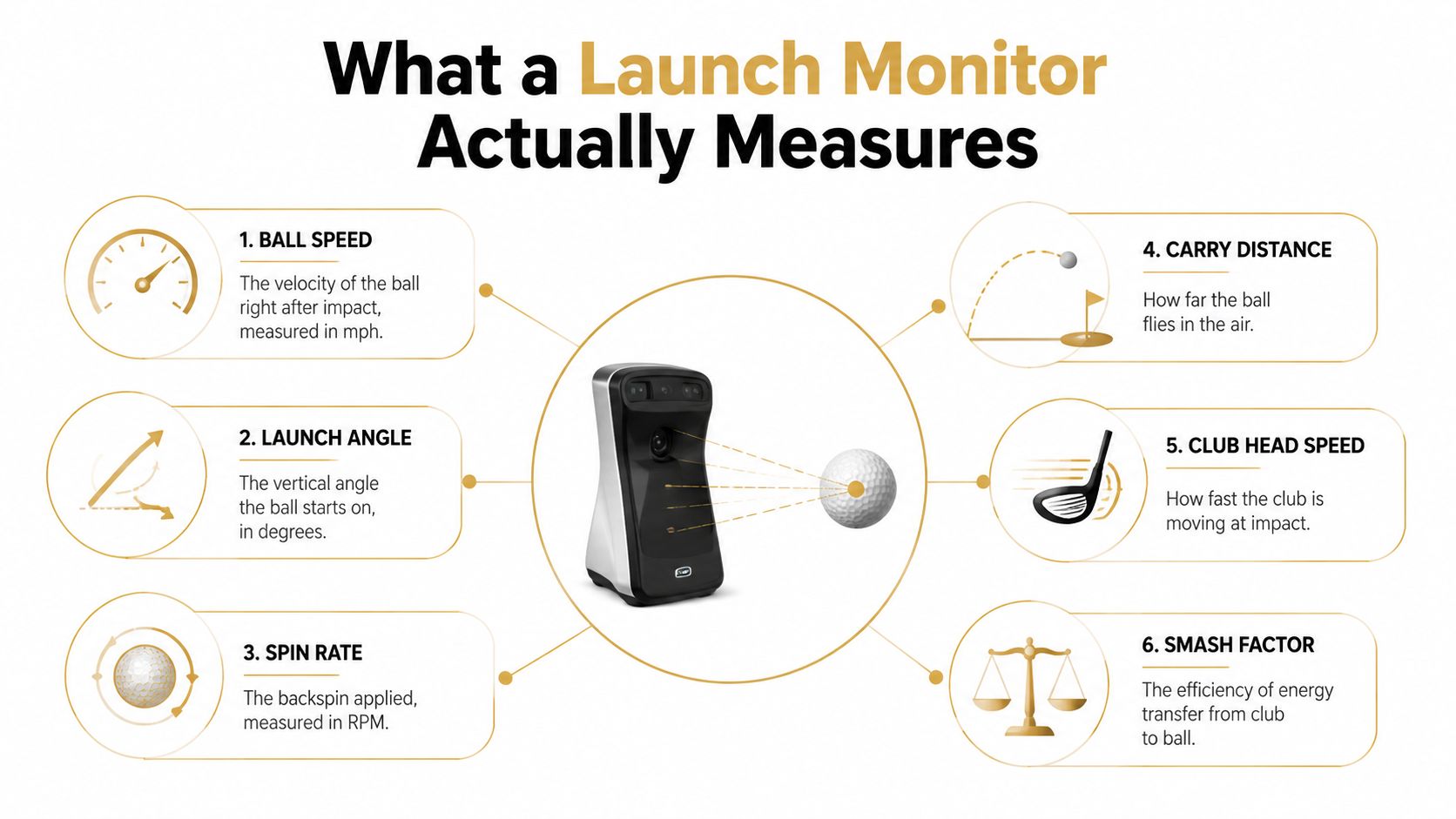
A launch monitor records what the club and ball do around impact, then turns that event into numbers. Used properly, it gives practice a measurable input layer: strike quality, launch, distance, and direction become evidence for the next drill. The useful test is measurement stability. A screen full of metrics has little value if the readings shift because the device is poorly placed or the setup changes.
The six measurements that matter first
Ball speed is the ball's velocity immediately after impact. It reflects both contact and delivered speed, so it often exposes progress more clearly than swing effort. If the club feels faster but ball speed does not respond, the strike deserves attention.
Club head speed records how fast the club moves at impact. Treat it as an input, not a distance promise. Added speed helps only when the golfer transfers that energy efficiently to the ball.
Smash factor compares ball speed with club head speed. A low result can indicate poor contact, inefficient face delivery, or a mismatch between the intended shot and the strike that occurred. It is a useful check when a faster swing produces no better outcome.
Launch angle shows the vertical angle at which the ball begins its flight. Too little launch can cost distance even on a solid strike. Excessive launch can send the ball climbing without efficient carry.
Spin rate describes the ball's rotation, generally expressed in revolutions per minute. Read it alongside launch angle, speed, and strike location. A spin number by itself rarely explains the whole shot.
Carry distance measures how far the ball flies before landing. For club selection, carry is usually the number to trust, since total distance changes with landing conditions and rollout.
Radar and camera systems
Doppler radar systems track the ball through flight using radar observations. They suit outdoor range work and portable practice, but they require clear space, accurate alignment, suitable lighting around the hitting area, and careful placement. A small setup error can turn a useful session into misleading data.
Photometric or high-speed camera systems observe impact and the ball's initial launch from a fixed position. They fit indoor bays well because measurement occurs close to the ball. Consistent ball placement and a controlled setup still matter.
Hybrid systems combine radar and camera methods to balance portability, impact information, and flight tracking. Independent testing reports practical differences among radar, camera, and hybrid categories. One benchmarking article recorded radar ball-speed mean absolute error of 0.7 mph and a 92% read rate at 50 mph, while noting trade-offs involving spin, latency, and consistency between camera and hybrid systems.
Choose the technology around the practice environment. A device that performs smoothly behind the ball on a range may be a poor fit for a compact garage. Judge every reading within the setup that produced it, then export only the metrics that can guide the next practice decision.
Key Metrics Worth Tracking and Which to Ignore
The best practice screen is smaller than most golfers think. A golfer usually needs two or three metrics tied to the current question, not every available measurement after every swing.
Club head speed and ball speed form the raw starting point. Speed matters, but ball speed reveals whether the strike converted that speed into useful output. If club speed rises while ball speed stays flat, the practice priority probably isn't “swing harder.”
Smash factor is the efficiency check. It helps separate a speed problem from a contact problem, especially during driver work. A golfer who watches only club speed can mistake an off-center strike for progress.
Flight metrics that change decisions
Launch angle and spin rate belong together. A low-launching, low-spinning shot may need a different response from a high-launching shot that loses distance through excessive spin. Looking at either number alone encourages the wrong adjustment.
Carry distance deserves more attention than total distance for gapping. A range ball can roll unpredictably, and a simulator may model rollout differently from a real fairway. Carry gives the golfer a cleaner basis for choosing a club over an obstacle or into a green.
Attack angle and club path explain direction and contact tendencies. Attack angle can clarify why a driver launches too low or why an iron flight comes out weak. Club path helps describe the direction of the swing, but it still needs face information and ball flight to become actionable.
The following table gives a practical hierarchy. “Trust level” means how confidently a golfer should use the metric for a decision after confirming that setup and readings are consistent.
| Metric | What It Tells You | Practice Impact | Trust Level |
|---|---|---|---|
| Ball speed | Energy delivered to the ball | Confirms strike and speed conversion | High when readings repeat |
| Club head speed | Speed of the club at impact | Helps separate speed limits from contact limits | High for broad trends |
| Smash factor | Efficiency of energy transfer | Directs attention toward contact quality | Useful as a relative check |
| Launch angle | Initial vertical flight | Guides trajectory and carry changes | Useful when setup is stable |
| Spin rate | Ball rotation | Helps explain flight and stopping behavior | Verify before major changes |
| Carry distance | Airborne distance | Supports gapping and target selection | High for repeated averages |
| Total distance | Carry plus rollout | Useful for game context, less useful for pure gapping | Moderate |
| Attack angle | Upward or downward delivery | Can shape tee-shot and iron drills | Useful for trends |
| Club path | Direction of club travel | Supports directional diagnosis | Useful with face and ball flight |
| Spin loft | Relationship between delivery and face loft | Interesting diagnostic detail | Low priority for most sessions |
| Tempo | Timing relationship in the swing | Can support feel-based work | Rarely changes the next drill |
| Face-to-path | Face direction relative to path | Explains curvature patterns | Useful only when a specific curve is the problem |
The numbers to ignore aren't necessarily false. Spin loft, tempo, and face-to-path can help a coach or advanced player, but they often don't change a recreational golfer's immediate practice plan. The discipline is simple: choose the current goal first, then watch only the metrics that can confirm or reject the chosen drill.
Comparing Garmin R10, SkyTrak, FlightScope, and More
A launch monitor should be selected by environment, not by the longest feature list. Indoor garage simulation, range practice, travel, coaching, and club fitting place different demands on the hardware.
The broad categories look like this:
- Indoor garage sim: Camera-led units such as SkyTrak+, Uneekor EyeMini, and Foresight GC3 or GCQuad suit golfers who want impact-focused measurement in a fixed bay. They prioritize ball and club information near the hitting area, with simulator compatibility becoming a major part of the purchase.
- Range and travel: Radar-led options such as Garmin R10, Swing Caddie SC4, and Voice Caddie T9 are easier to move between practice locations. They reward careful alignment and enough room to observe the shot.
- High-end ball and club data: TrackMan 4, FlightScope Mevo+, and Foresight GCHawk belong in serious fitting, coaching, or dedicated simulator conversations. Their appeal is data depth and workflow integration, not casual portability.
The practical compromises
SkyTrak's camera approach makes it compelling for an indoor bay, but spin measurement can require metallic stickers on the ball. That's a small setup task until the golfer changes balls repeatedly or runs a session focused on speed and rhythm.
The Garmin R10 remains attractive for range work and travel because it's compact and radar-based. Bright sun and HCP stickers can create reading challenges, so the golfer has to treat placement and environment as part of the system rather than an afterthought.
FlightScope radar units can work across range and indoor scenarios, but careful placement is essential. A few inches of error in alignment or distance can affect the quality of the result, particularly in a confined space.
| Monitor | Best Environment | Club and Ball Data | Spin Method | App and Ecosystem | Price Band |
|---|---|---|---|---|---|
| Garmin R10 | Range and portable practice | Core ball data with selected club estimates | Radar-based | Mobile practice and simulator workflows | Budget to mid-range |
| SkyTrak+ | Indoor garage sim | Ball data with indoor practice focus | Camera-based, sticker-dependent workflow | Simulator-centered | Mid-range |
| FlightScope Mevo+ | Range and flexible practice | Broad ball data with expanded options | Radar-based | Practice and simulator integrations | Mid-range to premium |
| Uneekor EyeMini | Indoor or fixed practice bay | Ball and club data | Camera-based | Indoor practice and simulator ecosystem | Premium |
| Foresight GC3 or GCQuad | Dedicated sim, fitting, or coaching | Deeper ball and club data | Camera-based | Professional-oriented ecosystem | Premium to high-end |
| TrackMan 4 or GCHawk | Professional fitting and permanent installations | Extensive ball and club data | Radar or overhead camera-based | High-end coaching and simulator workflows | High-end |
Price-to-data ratio matters more than prestige. Current buying coverage separates hardware from software, subscriptions, simulator support, and portability, with models spanning roughly $479 to $1,599 showing meaningful differences in optional fees and simulator readiness. The right purchase is the one that fits the golfer's actual practice location and still gets opened after the novelty fades.
Pairing and CSV Import for Real Practice Data
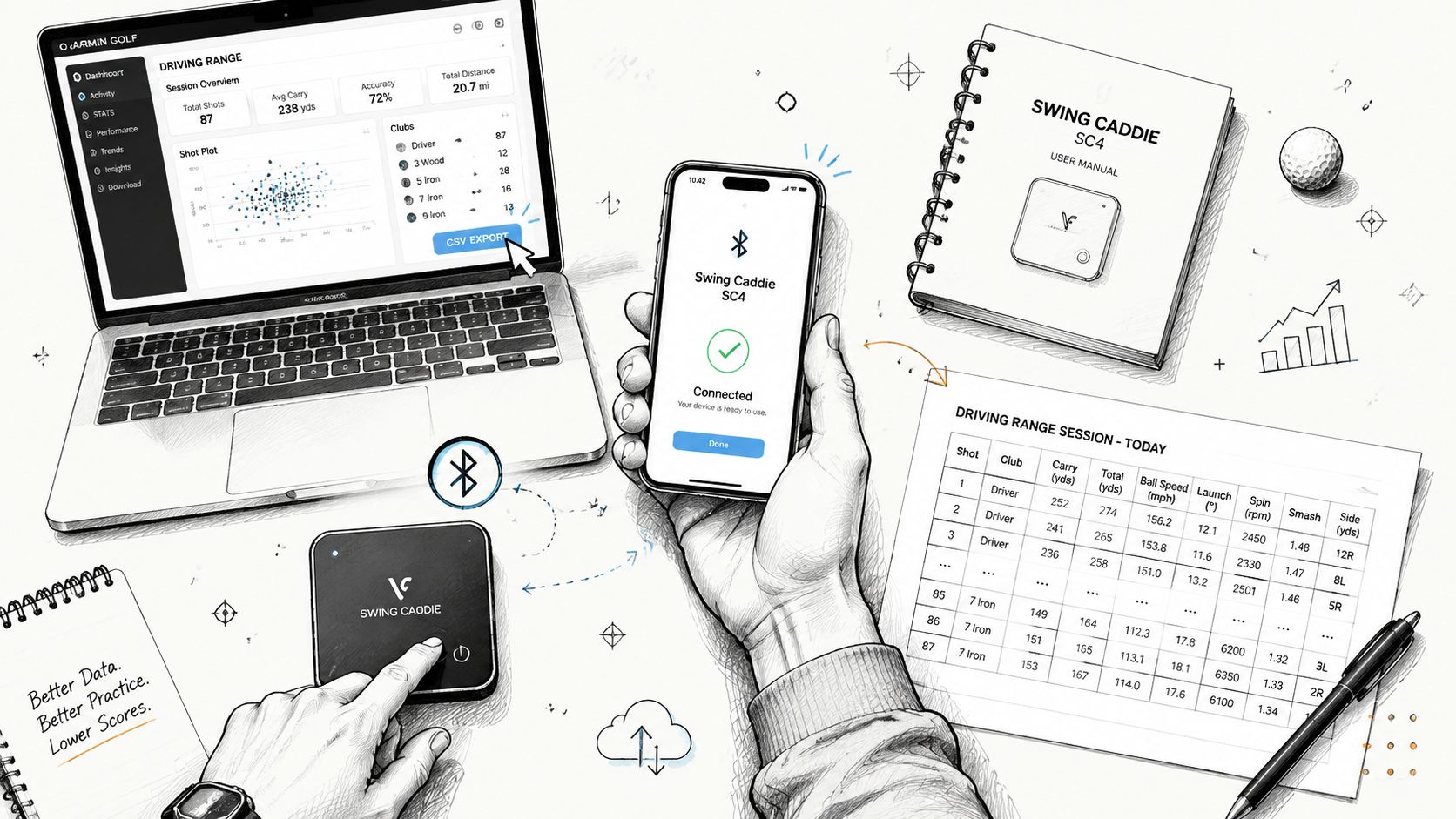
A launch monitor earns its place in the practice setup only when pairing, recording, and review happen without friction. Turn on the device, open its app, select the correct session mode, and test a small group of shots before committing to a full block. This quick check catches a wrong target, poor alignment, missing club selection, or inconsistent readings before those errors fill your file.
A clean setup sequence
- Pair the hardware: Turn on Bluetooth, open the manufacturer's app, and confirm that the monitor appears as the active device. Keep the phone or tablet nearby, then verify that the selected hitting mode matches the session.
- Choose the session type: Driving Range suits baseline work. Wedge or partial-shot modes suit distance control. Practice and Play modes serve different purposes, so keep a competitive round separate from a calibration session.
- Standardize the shot record: Use consistent club names, ball type, target, and warm-up rules. Consistency makes later comparisons useful.
- Test before committing: Hit a few shots and check whether ball speed, launch, carry, and spin look plausible. Strange readings require a setup correction before more shots create bad data.
For a Garmin R10, the documented export path runs through the Garmin Golf app. Open Activity, choose the driving range session, select Export to CSV, and share the resulting file from the phone, as described in this Garmin R10 CSV export walkthrough.
A CSV may include club, ball speed, launch angle, spin rate, carry, total distance, and smash factor. Keep the same column meanings and club labels across sessions. “7 iron,” “7-Iron,” and “7i” should represent one club, not three separate entries.
For broader workflows, Dialed Golf's CSV import guide explains how to prepare launch-monitor files for analysis. Cross-platform imports can support data from several monitor categories, including radar, camera, and phone-based systems. A shared template should define club name, shot timestamp, ball speed, launch angle, spin rate, carry, total distance, and available directional fields (cross-platform launch data imports).
Device behavior still affects the file. Optical systems can depend on marked balls or stickers, while radar systems may use cloud uploads and dashboard exports instead of a phone-generated file. Check those requirements before planning a midnight export routine.
A later-stage iPhone app can use TestFlight for beta distribution. Apple requires testers to install TestFlight on the iOS or iPadOS device used for testing, which is the normal route for beta software before general App Store availability.
Turning Sessions Into a Practice Plan
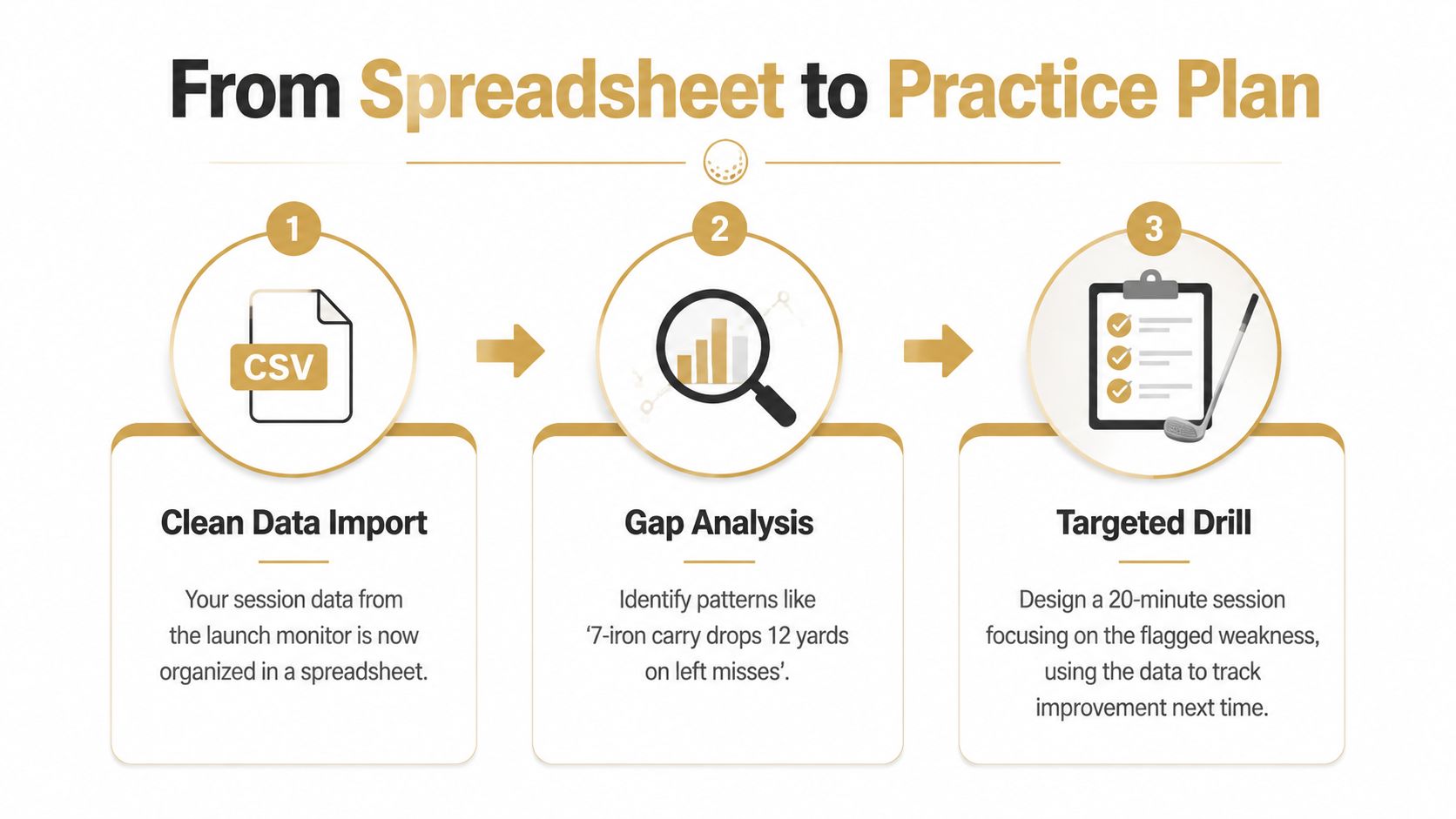
A clean CSV shouldn't become another file buried in a downloads folder. It should answer two questions: what keeps going wrong, and what drill should address it?
Gap analysis is the first payoff. Suppose repeated seven-iron shots finish short of the intended carry, or driver shots launch too low. The golfer doesn't need to rebuild the swing from a single outlier. The golfer needs to identify the repeated pattern, choose a drill that targets it, and return to the monitor to see whether the relevant metric moves in the right direction.
Separate signal from shot noise
One poor swing is a story. A repeated pattern is a practice problem. Averages across four to six sessions can reveal whether a change is holding up, but that quantitative claim should be treated as a planning framework rather than a universal rule. The golfer should still record the conditions, club, ball, target, and session purpose.
A simple rhythm works well:
- Baseline session: Record normal swings with no technical overcorrection. The purpose is to establish the current pattern.
- Focused drill session: Change one variable and watch the two or three metrics tied to that drill.
- Transfer session: Test the change under a new target, club, or on-course situation.
The monitor is the input layer. The practice plan is the middle layer. The next shot is the output. If the next shot doesn't change, the data hasn't yet become useful.
A golfer working on gapping might track carry and strike efficiency. A golfer working on driver direction might track ball speed, launch, attack angle, and the starting direction that the device measures reliably. A golfer working on wedges might care more about carry dispersion than maximum speed.
The spreadsheet is not the training plan. It's the evidence used to write one.
The best sessions end with a short instruction such as “start the next ten seven-irons with a lower-body pause” or “hit three drivers to the same target while preserving launch.” That instruction gives the next practice block a job.
Choosing the Right Launch Monitor for Your Game
The best launch monitor is the one whose data gets opened, understood, and acted on. A device with deeper metrics can be a poor purchase if the golfer practices at a range, dislikes carrying extra equipment, or never reviews the session afterward.
Match the device to the practice location
Range-only golfers should prioritize portability, readable output, and stable ball-speed and carry readings. Radar is often a practical fit, but placement and outdoor conditions matter.
Garage-simulator golfers should begin with room dimensions, hitting position, simulator compatibility, and the desired balance between ball and club data. A camera-led unit may make more sense when the ball can remain in a fixed relationship to the device.
Coach-led players should value exportability and repeatable session records. The coach needs data that can be compared over time, not a spectacular dashboard that can't be shared.
Pure data-capture golfers should prioritize pairing reliability, file access, and a consistent template. CSV support can matter more than entertainment features.
A focused launch monitor guide for driving-range practice can help narrow the decision by environment and workflow rather than by headline specifications.
A one-minute buying checklist
- Metric need: Does the golfer need ball data only, or meaningful club data as well?
- Practice setting: Will the device live in a garage, travel to the range, or move between both?
- Setup tolerance: Can the golfer maintain alignment, ball position, stickers, and lighting requirements?
- Ecosystem fit: Does the device connect to the preferred simulator, app, coach workflow, or export format?
- Data access: Can sessions be reviewed, exported, and imported without a complicated workaround?
- Ownership cost: Are software fees, subscriptions, and simulator requirements acceptable over the next year?
- Actionability: Will the golfer use the numbers to choose drills, or just collect them?
Dialed Golf is built around that input-to-action workflow. Its desktop practice app uses live pairing first, including Garmin R10 support with expansion planned, and supports CSV or import workflows from Garmin, Rapsodo, SkyTrak, FlightScope, Uneekor, GSPro, Awesome Golf, and more. Its consumer app is a pocket caddy distributed through TestFlight rather than general App Store availability, while Dialed Academy provides memberships and front-desk tools for ranges and clubs. Free web tools remain free, and Golfer Pro covers the app and desktop experience at $9.99 per week, $29.99 per month, $149.99 for six months, or $249.99 per year.
The monitor records the shot. The golfer still has to decide what the shot means.
Dialed Golf helps golfers pair or import launch-monitor sessions, organize shot data, and turn recurring patterns into practical drills across the range, garage sim, and course. Visit Dialed Golf to connect the data layer to a practice workflow that gives the next session a clear purpose.