

A lot of Garmin R10 sessions end the same way. The golfer leaves with a screen full of carry numbers, a few obvious mishits, and no clean answer on what changed.
That's the gap most Garmin R10 coverage leaves open. The device can show useful shot data, but a Garmin R10 practice app only becomes valuable when the session itself is repeatable. Without a setup routine, a drill structure, and a way to review shots in batches instead of one swing at a time, golfers start making club gapping decisions from noise.
The R10 matters because it opened launch-monitor practice to far more golfers. It entered the market in 2021 as a compact consumer launch monitor built around the Garmin Golf ecosystem, and independent 2026 review coverage described it as a portable training tool at about $599, with practice range features, shot metrics, saved sessions, and optional swing video in the app (Garmin R10 market and review summary). That accessibility is exactly why session structure matters. More golfers now have data. Fewer have a workflow.
Table of Contents
- Why Your Garmin R10 Practice Needs Structure
- Pairing and Configuring Your Garmin R10 for Practice
- Practice Drills That Turn Shots Into Insights
- Importing Garmin R10 Data Into Dialed Golf
- Troubleshooting Common Garmin R10 Practice Issues
- Tips for Coaches and Range Operators Using the R10
Why Your Garmin R10 Practice Needs Structure
The most common R10 mistake isn't bad contact. It's bad session design.
A golfer hits sixty balls, flips between clubs, changes targets every few swings, then scrolls through averages afterward and tries to decide whether a pitching wedge carries one number or another. That session feels productive because there was a lot of ball striking. It usually isn't useful because the data set was mixed from the start.
Raw shots don't equal trusted yardages
The R10 is good enough to support real practice, but it still needs context. Garmin's published accuracy targets are about ±3 mph for club speed, ±1 mph for ball speed, ±1° for launch angle and launch direction, and ±5 yards for carry distance (published tolerances summary). That's a strong baseline for practice, but it also means a single shot shouldn't drive a club decision.
A practical session treats the R10 as a trend tool. One flushed shot can sit high. One slight heel strike can sit low. A useful average starts to emerge only when the golfer hits enough shots under the same conditions.
Practical rule: Trust clusters, not outliers.
Setup quality changes data quality
The next issue is trust. Golfers often blame the radar when the problem was session setup.
Independent reviewer consensus says the R10 performs strongest outdoors with proper alignment and a clear radar window, while indoor use is more sensitive to setup and ball choice. The same review summary notes that spin is the weakest metric, especially indoors, and that practice decisions should come from multi-shot averages rather than single-ball readings (independent testing summary).
That changes how practice should run:
- Outdoor sessions are the cleanest place to build carry windows and stock distances.
- Indoor sessions are better for repeatable pattern work if the setup is stable, but they need more skepticism around spin-driven conclusions.
- Mixed sessions create mixed confidence. If the golfer changes environment, target, ball, and club too often, the session becomes hard to interpret.
What structure actually solves
A structured R10 session does three things. It isolates one decision at a time, builds enough shots to average the result, and saves that work in a format the golfer can revisit later.
For golfers doing a bag audit, that usually starts with a proper gap analysis workflow. For coaches, it means assigning the same drill block each week so sessions stay comparable. For facilities, it means players don't just rent time and hit balls. They build a record.
A launch monitor helps most when the golfer already knows what question the next ten balls are supposed to answer.
Pairing and Configuring Your Garmin R10 for Practice
The best practice session starts before the first shot. Most bad sessions can be traced back to one of three things. The unit wasn't aligned cleanly, the radar window was cluttered, or the golfer started hitting before confirming that capture was stable.
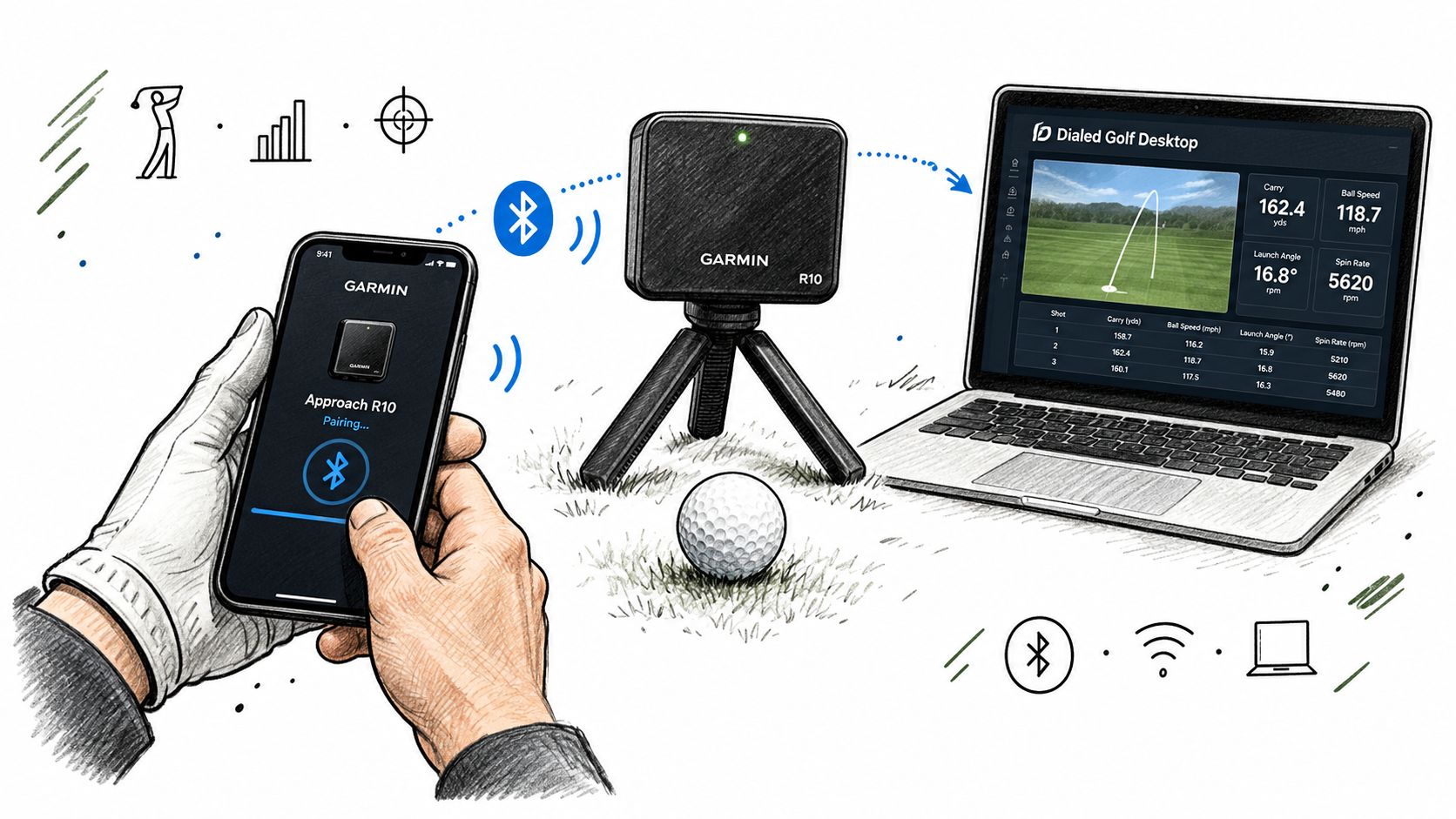
Start with a clean pairing routine
For practice use, desktop-first live pairing is the right model. Dialed Golf's practice workflow is built that way, with live pairing on Desktop first and mobile live pairing later. Golfers who want a fuller desktop launch-monitor workflow can review how a launch monitor app for practice sessions fits into range and garage use.
Use this sequence every time:
- Charge the R10 first. A half-ready device creates random friction later.
- Set the tripod on a level surface. If the stance area and device height don't match, readings can drift.
- Place the unit behind the ball on the target line. The R10 is a radar. Small aiming errors multiply through the session.
- Open the practice destination before hitting. Pair first, then confirm the device is connected, then select practice mode.
- Hit a short capture test. Three to five stock shots with one club are enough to confirm the session is reading normally.
The point isn't speed. It's repeatability.
Range setup and garage setup aren't the same
Outdoors, the main job is to give the radar a clear look at the shot. That means no bags, baskets, alignment clutter, or foot traffic crossing the window in front of the device. Outdoors is where the R10 generally performs best when it's aimed correctly and given room to track.
Indoors, golfers need more discipline. The radar wants stable geometry. If the hitting area changes, if the ball is teed inconsistently, or if the net space is tight, the session can still be useful, but only if the golfer sticks to one drill and reads the data conservatively.
A simple pre-shot environment check helps:
- Target line: Pick one and keep it.
- Ball type: Don't switch between random balls mid-block.
- Radar lane: Keep the space between unit, ball, and flight window clean.
- Height match: If the ball sits raised, the device setup needs to reflect that.
Confirm capture before the session gets long
The Garmin R10 practice app becomes more helpful when the golfer verifies one thing early. Is the unit seeing a normal stock shot pattern?
That doesn't require a technical deep dive. It requires a short test block with one club. If carry, start line, and ball speed look broadly believable across several swings, the session can continue. If the data looks scattered in a way the strike pattern doesn't explain, reset alignment before more balls are hit.
This video gives a helpful visual of what a practical R10 setup looks like in the world.
A simple setup checklist
| Check | What to look for | Why it matters |
|---|---|---|
| Connection | Device paired before the first shot | Prevents lost early swings |
| Alignment | Unit aimed on the same line as the intended target | Keeps directional data usable |
| Surface | Stable and level | Reduces setup-related variance |
| Capture test | Short block with one club | Confirms the session is worth continuing |
Practice Drills That Turn Shots Into Insights
A good R10 session doesn't need dozens of swing thoughts. It needs a narrow question and enough shots to answer it.
Most golfers get better results from three repeatable drill blocks than from one long, unplanned range session. The Garmin Golf app can show immediate shot data, build dispersion charts, and filter by club or compare trends across sessions, but most coverage stops there and doesn't tell golfers how to use those features as a coaching workflow (practice workflow gap in R10 coverage).
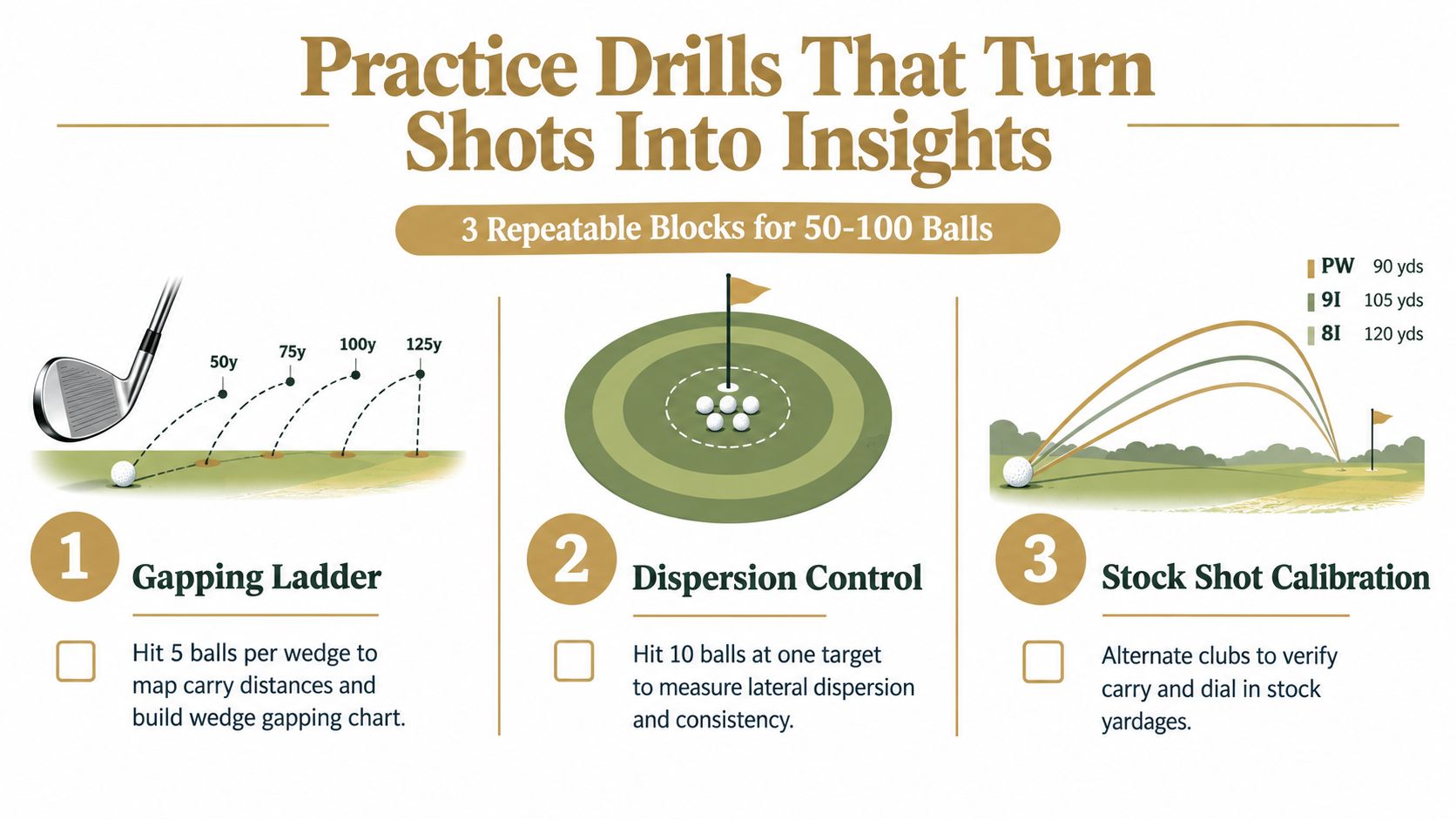
Gapping ladder for wedges and short irons
This is the first block because it answers the question most golfers care about. How far does the stock shot carry when contact is normal?
Use one target line and work through the scoring clubs in order. Hit a small batch with each club, then ignore the obvious mishits and heavy outliers only if they were clearly not representative of the intended shot.
A practical ladder looks like this:
- Start with partial wedges: Hit a controlled stock motion, not a max swing.
- Move club by club: Keep target line and setup constant.
- Record carry windows: Focus on carry, not total roll.
- Save the cluster: The center of the group matters more than the longest ball.
This block is where golfers tend to make the worst mistake. They take one perfect strike and assign that number as the club's yardage. That's not gapping. That's collecting favorites.
Dispersion control with one club and one target
Once stock carry is roughly established, switch to directional control. Pick a single club and a single target. Then hit a larger block without changing the task.
The goal isn't to create the prettiest shot tracer. The goal is to learn what a normal miss pattern looks like when the golfer isn't changing clubs every swing.
Most golfers improve faster when they learn the shape of their usable pattern instead of chasing one ideal shot.
Use this block to review:
| Filter | What to check | Decision |
|---|---|---|
| Carry cluster | Are shots landing in a tight distance band? | If yes, distance control is stable enough to trust on course |
| Left-right spread | Is the group mostly one-sided or split both ways? | One-sided misses are easier to manage |
| Start line consistency | Do shots begin near the intended line? | If not, setup or face control needs attention |
This is also where the Garmin R10 practice app earns its keep. A golfer can stop reacting to one pull or one wipe and start looking at the whole cluster.
Stock shot calibration across sessions
The third block isn't a same-day answer. It's the block that turns separate sessions into a reliable record.
Pick two or three clubs that matter most for approach play. Hit a short block with each at the end of every structured session. The clubs shouldn't change every week. The point is to create a recurring reference set.
That makes trend review much easier:
- Use the same clubs often: Familiar checkpoints make drift easier to spot.
- Keep the same intent: Stock swing, not speed chasing.
- Compare session to session: A small move on one day doesn't mean much. A repeated move across saved sessions does.
Coaching note: If the same club starts trending differently across multiple structured sessions, that's a reason to investigate. One noisy session isn't.
A weekly template that stays usable
A clean range session can stay inside one simple flow:
- Warm up without judging data
- Run the gapping ladder
- Complete one dispersion block
- Finish with stock shot calibration clubs
- Save the session with clear labels
Fifty to one hundred balls is enough when those balls have a job. More balls without structure usually produce more confusion, not more insight.
Importing Garmin R10 Data Into Dialed Golf
Most launch-monitor data becomes hard to use for one reason. It lives in separate files, separate sessions, and separate apps, with no stable golfer record connecting them.
That's where the practice workflow needs a home, not just a display. Dialed Golf is built as three products, one golfer record, one Pro plan. The consumer app is a pocket caddy on the course and is on TestFlight now, not App Store general availability. Desktop handles launch-monitor practice at the range or in a garage sim with live pair first for Garmin R10 and expanding support. Dialed Academy adds memberships and front desk for ranges and clubs at $99.99/mo or $999.99/yr, and the club keeps its dues. Free web tools stay free. Golfer Pro runs across app and desktop at $9.99/week, $29.99/month, $149.99/6 months, or $249.99/year.
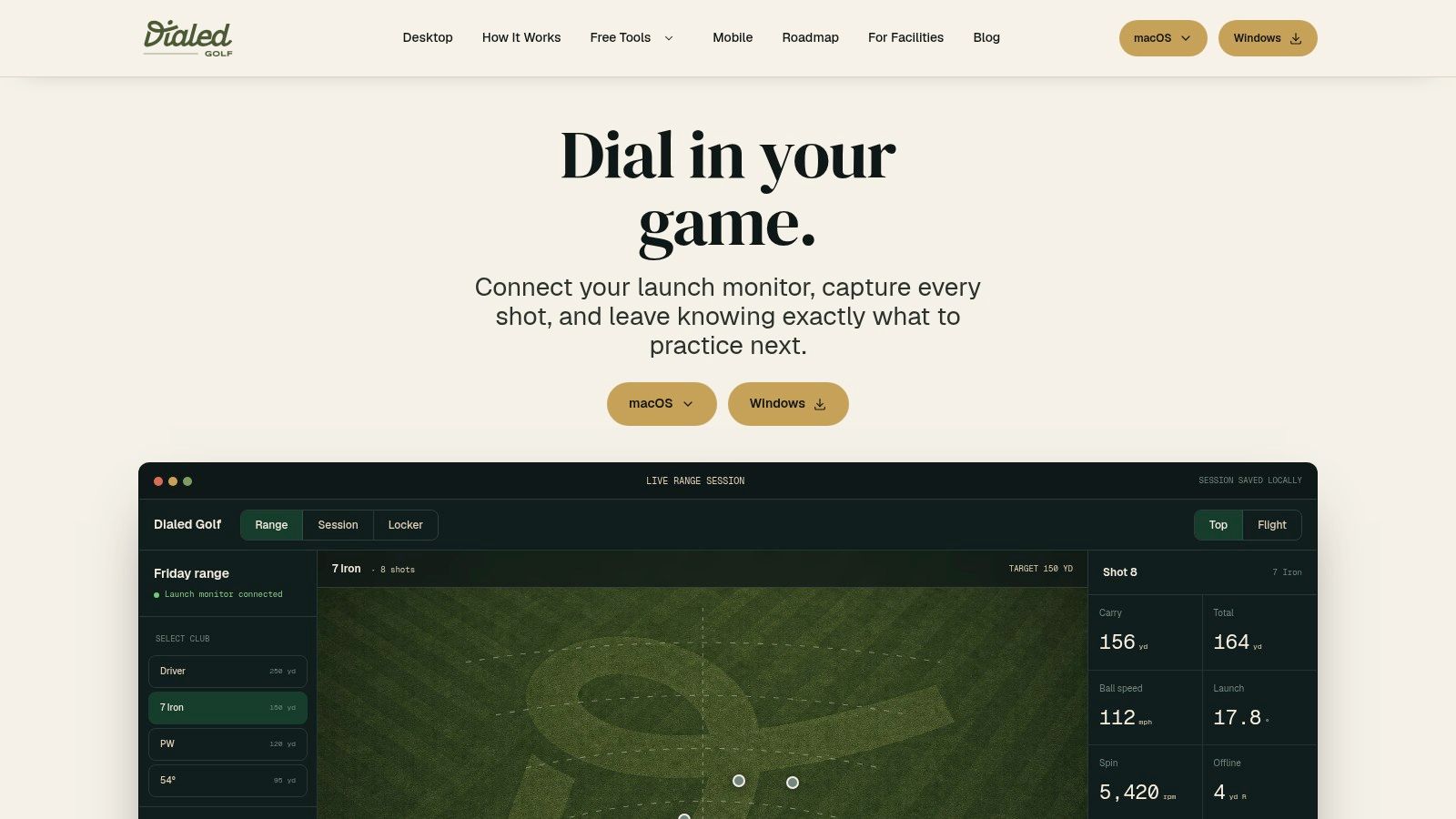
Live pair first, import second
For golfers practicing in real time, the cleanest workflow is live pairing on Desktop. That keeps shot capture, session labeling, and review in one place while the session is happening.
Import matters for everything that already exists. Historical Garmin files, older launch-monitor sessions, simulator exports, and saved practice blocks can all become part of the same golfer record instead of staying trapped in folders. Golfers who need the file-handling side can review a practical CSV import workflow for launch-monitor data.
How the import flow should work
The best import process is boring. If it feels dramatic, something is wrong.
A stable workflow usually follows this path:
Upload the file
Start with the exported session file from the source platform.Map the columns
Match source fields to the destination fields that matter for practice review. Carry, ball speed, launch, club, and date usually matter most.Validate rows
Scan for broken headers, shifted delimiters, blank cells, or columns that imported into the wrong field.Submit in batches
Large histories are easier to trust when they import in clean groups rather than one giant unknown upload.Review inside the golfer record
Once imported, sessions should be queryable by club, date, pattern, and drill type.
That's the value. The golfer stops thinking in terms of spreadsheets and starts thinking in terms of sessions.
Why one record matters more than one session
One session helps with today's range work. One record helps with coaching decisions.
A golfer might live-pair current R10 sessions on Desktop, import older simulator files, then use the same record later on the course through the pocket-caddy app. A coach can review the same player's progression without rebuilding context every week. A range or academy can manage memberships and front desk workflows without giving up ownership of club dues.
This also matters because the broader market has moved toward consumer use. One 2026 industry summary puts the global golf launch monitor market at $1.4 billion in 2026, up from $420 million in 2020, which implies about 233% growth over that period, and another 2026 market page says the consumer segment represented 56.8% of sales in 2025. The same industry summary says average consumer launch monitor pricing fell to $1,250 in 2026 from $3,500 in 2020, a 64% decline (2026 launch monitor statistics summary). More golfers now own practice hardware. Fewer want their data scattered.
Import sources and shared access
Desktop import isn't limited to one export path. CSV and import workflows can pull historical sessions from Garmin, Rapsodo, SkyTrak, FlightScope, Uneekor, GSPro, Awesome Golf, and more into one place. The point isn't the brand list. The point is keeping the golfer record intact.
Good practice data should stay attached to the golfer, not to the file format that created it.
Troubleshooting Common Garmin R10 Practice Issues
When an R10 session goes wrong, the failure is usually visible before the golfer names it. Missed shots. Weird carry jumps. Indoor sessions that don't line up with what the strike felt like. Imports that look scrambled.
The fix starts by diagnosing the pattern instead of guessing.
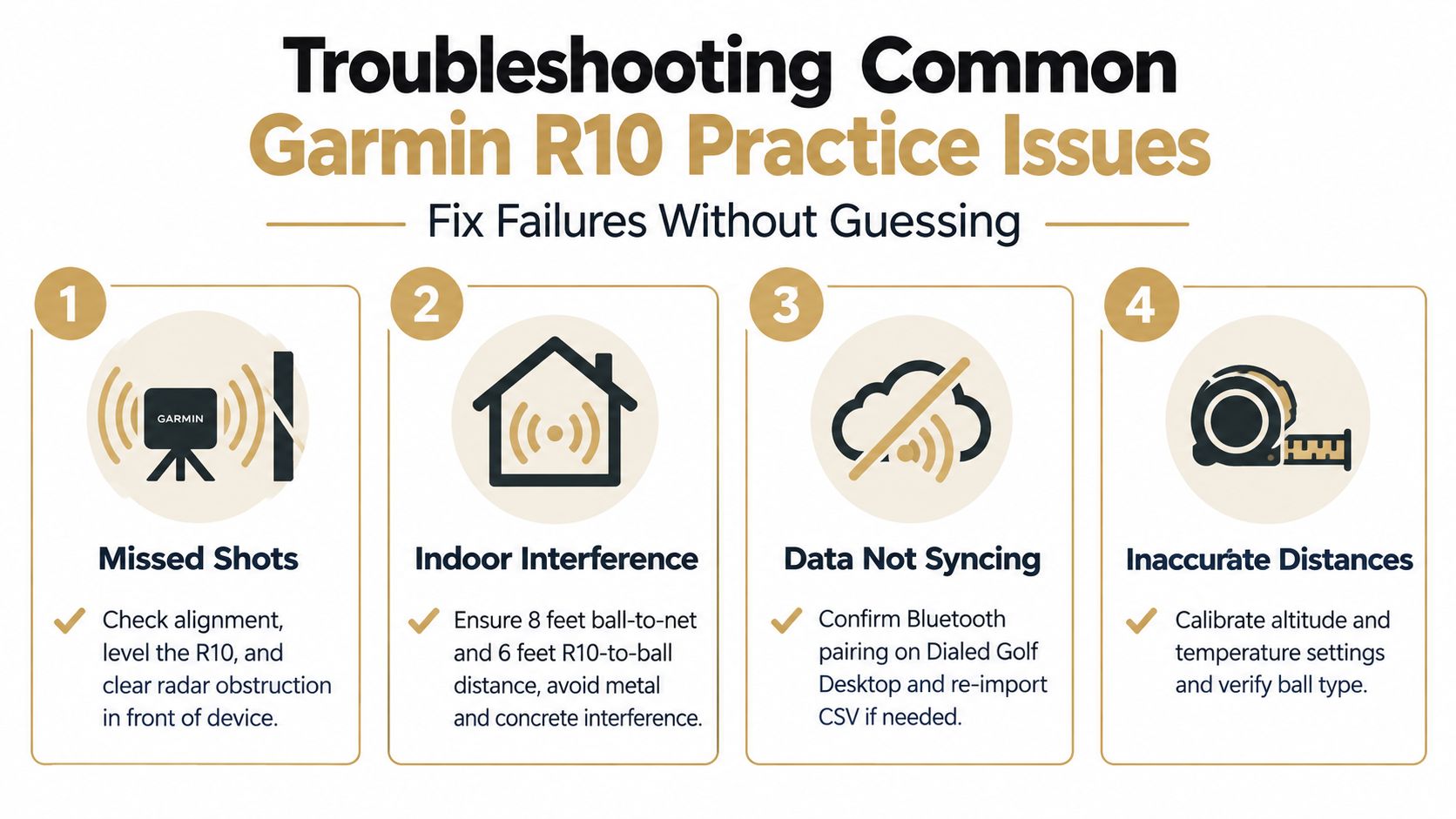
Missed shots and blocked radar windows
If the R10 misses shots intermittently, the first suspect is setup, not swing speed.
A separate review said the unit was within 2 to 3 yards of laser rangefinder measurements across a wide range of clubs, but about 20% of shots showed larger 5+ yard variance. That supports a simple rule. Occasional misses can happen. Constant misses usually point to alignment, placement, or radar obstruction.
Use this triage list:
Symptom: Shot doesn't register
Likely cause: Unit isn't aligned cleanly or the radar lane is obstructed
One-line fix: Re-aim the unit, clear the area in front of it, and retest with one clubSymptom: Start lines look random
Likely cause: Target line changed during the session
One-line fix: Reset to one fixed target and don't rotate between stations
Indoor spin weakness and short-bay frustration
If the golfer wants highly trusted spin indoors, the R10 needs caution. Reviewer consensus repeatedly points to spin as the weakest metric, especially indoors, and that's where overreaction starts.
Garmin's published tolerances give a baseline of +/- 3 mph for club speed, 1 mph for ball speed, 1 degree for launch angle and launch direction, and 5 yards for carry distance (published tolerance summary). That's enough to support practice. It isn't a license to build an entire equipment or spin profile from one indoor block.
Don't treat a single indoor spin reading as a verdict. Treat repeated patterns as evidence.
Distance variance and when to average
Some golfers see a shot read long or short and assume the whole session is compromised. That's usually the wrong read.
Independent testing cited in one review reported an average total-yardage difference of 6.42 yards, or 4.59% (accuracy test summary). That's why distance work on the R10 should use groups, not single shots.
A simple trust rule works well:
| If this happens | Trust level | Response |
|---|---|---|
| One odd shot in an otherwise tight cluster | High | Keep it moving |
| Several shots drifting the same way | Medium | Check setup and ball consistency |
| Entire block looks unrealistic | Low | Restart the station before more balls are hit |
Import issues and broken files
Not every problem happens at impact. Some happen after the session, when a file won't map cleanly.
Typical import failures include delimiter drift, shifted columns, missing headers, and mixed schemas across exports. Those aren't golf problems. They're file-shape problems. The fix is to validate rows before batch submission and confirm that key fields landed where expected.
If the imported session suddenly shows wrong clubs, empty carry fields, or duplicated rows, don't analyze the practice yet. Revalidate the file first.
Tips for Coaches and Range Operators Using the R10
The R10 becomes much more useful when coaches and facilities stop treating it like a novelty station and start treating it like a repeatable program.
Coaches should assign the same drill template across multiple sessions. That keeps player reviews comparable. If one player runs a wedge ladder every Tuesday under the same setup rules, trend review becomes simpler and lesson time gets spent on decisions instead of reconstruction.
For coaches who want cleaner homework
The best assignment isn't "hit balls and send screenshots." It's a fixed session recipe.
A workable coaching standard looks like this:
- Use one setup protocol: Same alignment routine, same target-line discipline, same environment notes
- Assign one primary drill block: One clear purpose per session produces cleaner review
- Require saved sessions: A player who can't save and label work can't compare it later
- Review clusters, not hero shots: Averages tell the coaching story better than highlights
That approach also helps with gapping and equipment conversations. Coaches don't need loaded rows. They need queryable sessions with enough consistency to trust what changed.
For ranges, academies, and clubs
Facilities have a different problem. They need structure that scales.
Dialed Academy handles memberships and front desk workflows for ranges and clubs at $99.99/mo or $999.99/yr, and the club keeps its dues. That fits well when a facility wants a repeatable launch-monitor practice program without turning free web tools into a paywall. Free tools stay free. The paid layer is for operations and connected golfer records.
A facility gets more value from standardized session templates than from adding more random data capture.
A short operator checklist works better than a long policy manual:
- Standardize every hitting station
- Use the same practice blocks across member cohorts
- Save and review sessions on a fixed cadence
- Keep one golfer record across desktop practice and on-course use under one Pro plan
That's how an R10 station stops being a gadget and starts becoming part of coaching, retention, and member experience.
Dialed Golf connects launch-monitor practice, on-course support, and academy operations into one golfer record. Golfers can use Desktop for Garmin R10 live pairing and imports, then carry that context forward through the pocket-caddy app and connected coaching workflows. See the full setup at Dialed Golf.