

A launch-monitor session can look perfectly healthy until the file reaches the analysis stage. The spreadsheet opens, rows appear, and every shot seems to be present. Then a club column shifts, a comma inside a note creates an extra field, or timestamps turn into dates that no longer sort correctly. The import technically succeeded, but the resulting session can't support trustworthy gapping, dispersion review, or club-fitting decisions.
That's the messy reality of the CSV file format in golf. A CSV export is the bridge between a launch monitor and useful performance history, but only if its structure survives the trip. Golfers, coaches, and fitters need to treat raw shot rows as data that must be parsed, validated, normalized, and mapped, not as a spreadsheet that merely needs to open.
Table of Contents
- Why Raw Launch Monitor Rows Fail Without Proper Formatting
- The Evolution and Rules of the CSV File Format
- Core Mechanics of Delimiters and Quoting Rules
- Navigating Launch Monitor Dialects and Schema Drift
- Solving Character Encoding and Newline Corruption
- Building Queryable Sessions in Dialed Golf Desktop
- The Excel Illusion and Hidden Validation Failures
- Troubleshooting Common Import and Parsing Errors
- Quick Reference Checklist for Clean Data Exports
Why Raw Launch Monitor Rows Fail Without Proper Formatting
A post-range review often starts with a familiar routine. A golfer exports a session, opens the file, and scans for carry, total distance, ball speed, launch, and spin. The values look plausible, so the file gets uploaded or copied into a tracking workbook. A week later, the same process happens with another export, but the new rows use different headers, a different delimiter, or a different interpretation of blank values.
The trouble appears when the golfer tries to answer a simple question: how did the seven-iron perform across sessions? A spreadsheet may display every row while placing one metric under the wrong column. A note containing a comma can split into two fields. A metadata row at the top can be interpreted as a shot, while an empty line at the bottom can cause a strict importer to reject the file.
A successful file opening proves very little. It proves that one application found a way to display the text. It doesn't prove that every row has the same number of fields, that each field has the right meaning, or that a second application will interpret the same characters in the same way.
The difference between visible and usable data
Raw launch-monitor output is useful only when it can be queried consistently. A usable session needs more than a list of numbers. It needs a stable relationship between:
- Session identity, such as date, location, player, and practice context.
- Shot identity, so every row represents one shot rather than a summary or metadata record.
- Club identity, including a consistent name or identifier.
- Measurement fields, such as carry, club speed, ball speed, launch, spin, and direction.
- Units and missing values, so blank, zero, and unavailable aren't treated as interchangeable.
If those relationships drift, longitudinal analysis becomes guesswork. A golfer might compare carry windows from two sessions while one export uses a different field name or stores a missing measurement as text. The arithmetic can still run, but the conclusion won't be dependable.
Practical rule: A file is clean only when another parser can read the same rows, fields, and meanings without relying on the spreadsheet application that first opened it.
This matters especially when deciding which launch-monitor workflow fits a range session or a home setup. The device matters, but so does the quality of the export it produces. Golfers evaluating that workflow can also review launch-monitor considerations for driving-range practice, particularly where repeatable data matters more than a one-off display.
A clean export preserves comparability. It lets a golfer examine whether a club's carry window is stable, whether dispersion changes with fatigue, and whether an equipment change altered the shot pattern. Without disciplined structure, every new session becomes a separate puzzle.
The Evolution and Rules of the CSV File Format
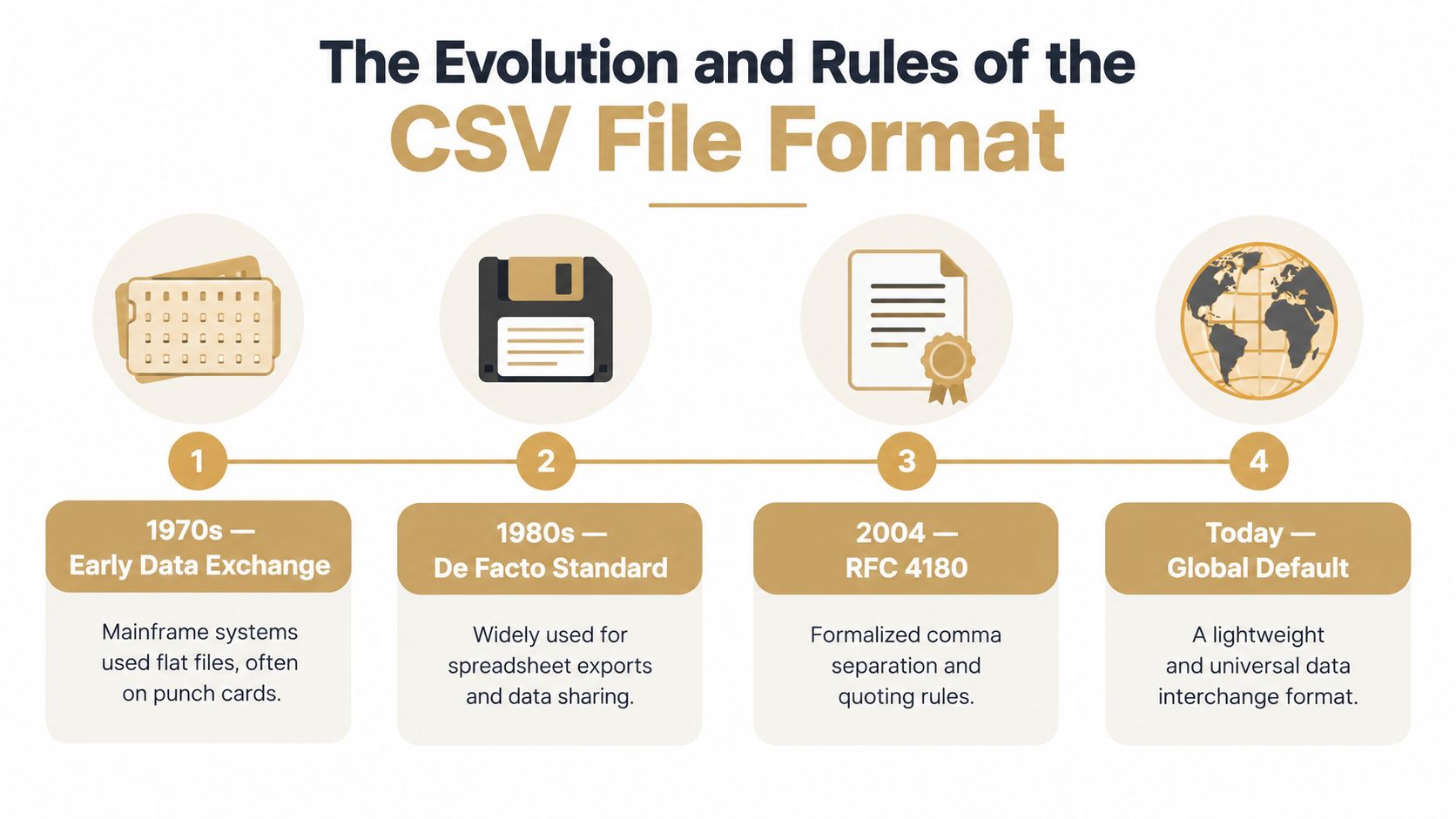
CSV became widespread because it solved a practical problem with very little machinery. Text files could move tabular data between spreadsheet and programming environments without requiring a proprietary database or a complicated interchange system. The format was already used for spreadsheet exchange long before formal documentation, which explains why different applications developed slightly different interpretations.
The Internet Engineering Task Force published RFC 4180 in October 2005 to document common CSV practices and register the text/csv MIME type. The document explicitly said it didn't define an Internet standard. Its value was descriptive and consolidating, not a declaration that every existing file suddenly followed one mandatory dialect. The Library of Congress overview of CSV also notes that the format has no single official specification.
The de facto rules
The familiar structure is straightforward:
- Fields are separated by commas.
- Records are separated by line breaks.
- A header row may identify the fields.
- Fields containing commas, line breaks, or double quotes are enclosed in double quotes.
- A double quote inside a quoted field is represented by two double quotes.
- Each record should contain the same number of fields.
RFC 4180 described CRLF line breaks and optional headers as common conventions. Later public-sector guidance adopted a compatible definition for tabular publishing, including at most one header row, equal field counts, comma separators, double-quote escaping, and consistent line endings. That combination gave organizations a practical target even though the wider ecosystem remained less strict.
Why simplicity created variation
CSV doesn't carry a schema in the way a structured format can. The file usually doesn't declare whether a column contains meters or yards, whether a blank value means unavailable or zero, or whether a timestamp is local time. Those decisions live in the exporting application and the importing application.
That trade-off made CSV portable, but it also made it easy for device manufacturers and software developers to add local conventions. A launch monitor can produce a valid-looking text file that follows a different delimiter, header arrangement, encoding, or line-ending convention than the importer expects. The format is globally familiar without being universally identical.
For golf data, that distinction is decisive. The practical question isn't just whether a file is CSV. It's which dialect it uses, which assumptions produced it, and whether the receiving system can map its fields without losing meaning.
Core Mechanics of Delimiters and Quoting Rules
A CSV parser reads characters according to state. It treats a delimiter as a field boundary only when that delimiter appears outside a quoted field. That single rule explains many apparently mysterious import failures.
Consider a simple row:
Club,Carry,Spin
7-iron,152.4,6100
The commas separate three fields. The first row is a header, and the second row contains one club value and two measurements. If a session note contains a comma, the comma must be protected:
Club,Carry,Spin,Note
7-iron,152.4,6100,"Centered strike, slight draw"
Without the quotation marks, the parser sees five fields in the second row instead of four. A spreadsheet may repair or display the row, while a stricter importer reports an unequal field count.

Quoting is a structural rule
A quoted field can contain a comma or a line break without creating a new field or record. A double quote inside that field must be escaped by doubling it:
ShotId,Note
18,"Player said ""contact felt heavy"""
The parser interprets the final field as:
Player said "contact felt heavy"
The outer quotes define the field. The doubled inner quotes represent literal quote characters. A common manual-cleanup mistake is to remove all quote characters, which can turn valid content into a row with too many fields.
Line breaks require the same care. A multiline note can be legal when enclosed in quotes, but a parser that doesn't support embedded line breaks may split one shot into multiple records. For launch-monitor exports, free-text notes are usually less important than measured values, so removing or relocating notes can be safer than preserving them inside the shot table.
A reliable inspection sequence
Before changing a raw file, an operator should inspect it as plain text rather than trusting a spreadsheet view.
- Read the first several rows. Identify whether the first row is a header, metadata, or an actual shot.
- Count separators. Check whether ordinary rows use commas consistently and whether quoted values contain internal commas.
- Inspect the final character of each row. A trailing comma can create an unintended empty field.
- Compare field counts. Every shot row should map to the same schema, including rows with missing measurements.
- Check line endings and encoding. A visual editor can reveal strange symbols that a spreadsheet hides.
The goal isn't to make every file look attractive. The goal is to preserve a predictable relationship between characters and fields. Once that relationship is stable, column mapping and validation become manageable.
Navigating Launch Monitor Dialects and Schema Drift
There is no universal launch-monitor CSV dialect. A file exported from one device ecosystem may begin with a clean header and shot rows, while another may place session metadata above the header, use a different separator, or include summary rows alongside individual shots. A desktop spreadsheet often handles these differences generously. A specialized importer must make a more explicit decision.
The common ecosystems named in golf workflows include Garmin, Rapsodo, SkyTrak, and FlightScope, along with simulator and practice applications that produce their own exports. The important distinction isn't which brand is better. It's whether the exported structure can be identified and normalized before the data enters a long-term record.
Common Launch Monitor CSV Dialect Variations
| Device Ecosystem | Header Behavior | Common Quirks and Failure Points |
|---|---|---|
| Garmin | May provide a recognizable measurement header | Export versions can differ in field naming, optional measurements, delimiter choice, or metadata placement |
| Rapsodo | Often centers the export around shot measurements and session context | Blank values, renamed columns, and mixed summary or shot rows can complicate mapping |
| SkyTrak | May include practice-session fields alongside measured results | A parser can fail when optional columns disappear or when headers don't match the receiving schema |
| FlightScope | Can expose a broad set of launch and flight measurements | Extra fields, unit assumptions, and inconsistent availability across sessions can create schema drift |
| Simulator and practice applications | Often define their own session and shot conventions | Metadata rows, summary rows, quoted notes, or different line endings can break strict imports |
The table describes failure patterns, not universal behavior for every export version. A production workflow should inspect a representative file from the actual device and software combination rather than assume that a brand name guarantees one stable schema.
Normalize structure instead of patching symptoms
A brittle parser asks, “How can this one file be made to load?” A durable pipeline asks, “What canonical structure should every session use?” The second approach is more work at the boundary, but it makes later analysis much safer.
A normalization pass can:
- Remove non-data preamble rows while retaining session metadata separately.
- Select one header row and map source names to canonical names.
- Preserve one shot per record.
- Add empty values for absent optional fields instead of deleting columns.
- Convert delimiters and line endings to the receiving convention.
- Reject rows with inconsistent field counts rather than guessing.
Government guidance aligned with RFC 4180 emphasizes consistent field counts, no blank or totals rows, at most one header row, and consistent delimiters and line endings. It also warns that real implementations vary and that non-standard dialects can cause broken imports or corrupted rows. The recommended tabular data standard supports normalization as the safer production strategy.
A golfer moving between range and simulator sessions should treat schema drift as a boundary problem. Once the raw export has been converted into a stable internal model, the session can be compared without forcing every downstream query to understand every device quirk. Broader practice workflows are also covered in this launch-monitor app guide.
Solving Character Encoding and Newline Corruption
Some CSV failures aren't visible as misplaced columns. The rows have the right apparent shape, but names, notes, or special characters are damaged. A player name can contain a replacement character, a club note can show strange symbols, or a text field can be truncated at the point where an unexpected byte appears.
The usual source is an encoding mismatch. UTF-8 is common in modern systems, while older exports or Windows-oriented workflows may use a legacy encoding such as Windows-1252. If a file written in one encoding is decoded as another, the parser may produce mojibake, which is garbled text created by interpreting valid bytes under the wrong character set.
A safe encoding workflow
Start with the original export. Make a copy before opening it in a spreadsheet, because a spreadsheet may decode and rewrite the file without preserving the original byte sequence.
Then:
- Open the copy in a text editor that displays or allows selection of the file encoding.
- Look for replacement symbols, unexpected accent characters, or sequences that don't match the source text.
- Test the likely encoding against a known player name, session note, or club label.
- Convert the file to UTF-8 during a deliberate save operation.
- Reopen the converted file as plain text and inspect the affected fields again.
Encoding conversion shouldn't be performed casually. If the wrong source encoding is selected, the conversion can permanently preserve the corruption in a new form. The original file should remain available for comparison.
Line endings are part of the file
A record can be separated by CR, LF, or CRLF. Different operating systems and editors favor different conventions, and some tools rewrite line endings when a file is saved. A backend that expects one convention may mishandle another, especially when a quoted field contains an embedded line break.
IANA's text/csv media-type registration warns that processors must account for malformed or malicious input and that implementations can behave differently. Recent IETF work reflects the same ambiguity by recognizing CR, LF, and CRLF as possible line endings rather than treating the format as fully settled.
A practical repair process standardizes line endings during normalization, then validates records after conversion. It also checks that a line break inside a quoted field hasn't been mistaken for the end of a shot. If a session note isn't essential to analysis, moving it outside the shot table is often safer than forcing every importer to support multiline fields.
Building Queryable Sessions in Dialed Golf Desktop
A launch-monitor file becomes valuable when it stops being a pile of rows and becomes a session that can be queried. That means the importer must understand which row identifies the player, which fields describe the session, which measurements belong to each shot, and which values are missing rather than zero.
The difference is semantic correctness. A row with a valid number in the wrong field is more dangerous than a rejected row because it can produce believable but false analysis. A clean session model should let a golfer filter by club, inspect carry windows, compare spin behavior, and review dispersion without manually rebuilding the dataset each time.

Mapping is more than renaming columns
A dependable import workflow usually has several distinct stages:
- File detection identifies delimiter, encoding, header position, and line-ending behavior.
- Column mapping connects source labels to a canonical golf schema.
- Row validation checks field counts, required identifiers, numeric values, and duplicate records.
- Session construction groups rows under a player, date, practice context, and source.
- Query preparation stores measurements in a form that supports filtering and comparison.
A source column called CarryDistance may be obvious, but a field called Distance may need context. It might represent carry, total distance, or a device-specific calculation. The mapping process must preserve that distinction instead of relying on a similar-looking label.
The useful outcome
Suppose a golfer practices the same club at a range and later tests it in a garage simulator. The files may expose different measurements and use different headers. A normalized session model can still keep the club identity, shot order, available metrics, and source context distinct. Missing simulator values remain missing, rather than being filled with invented zeros, while shared measurements remain comparable.
That model supports the kind of questions that matter in practice:
- Is the carry window narrow enough for a dependable approach shot?
- Does a club's dispersion change when strike quality falls?
- Is a distance gap real, or does it come from inconsistent field mapping?
- Which metrics exist across both sessions, and which are source-specific?
The CSV import workflow for launch-monitor practice data is useful context for golfers who need file upload, mapping, validation, and batch handling rather than a simple spreadsheet view. The central principle remains the same: the importer must reject uncertainty at the boundary instead of allowing questionable rows into the golfer record.
The Excel Illusion and Hidden Validation Failures
A CSV file that opens in a spreadsheet has passed a display test, not a data-quality test. Spreadsheets are designed to make tabular text convenient for people, so they often infer types, repair formatting, and hide structural problems. Those conveniences can interfere with a downstream parser that needs the original values and exact field boundaries.
Automatic type conversion is a common risk. A timestamp may be displayed as a local date, an identifier with leading zeros may appear as a number, and a long text value may be shown differently from the raw file. A blank cell can look harmless even when the import contract requires a value, while an extra separator can remain hidden because the spreadsheet has already shifted the row into a visible table.
What a spreadsheet can conceal
A review process should look for:
- Date conversion, where the displayed value no longer preserves the source timestamp or timezone context.
- Leading-zero removal, which changes identifiers and makes exact matching unreliable.
- Delimiter repair, where the application displays a sensible table after interpreting inconsistent separators.
- Formula or type inference, where a value is no longer treated as literal text.
- Row padding, where missing fields appear as empty cells and the original unequal structure is forgotten.
- Character replacement, where encoding damage is rendered as a generic symbol.
None of these outcomes means the spreadsheet is malfunctioning. It means the application is optimizing for human editing rather than lossless interchange.
Validate the raw text first
A safer workflow keeps the original export immutable and uses a plain-text inspection step before any spreadsheet editing. A validator should count fields outside quoted regions, identify the header, detect blank or totals rows, verify line endings, and flag records that don't match the expected column count.
If manual editing is unavoidable, the edited file should be saved under a new name and compared with the original. Numeric columns should be checked for unexpected text, timestamps should be inspected as raw strings, and identifiers should be preserved as text. The final upload should use the cleaned file, not the spreadsheet's internal representation.
A green “import complete” message doesn't establish that the measurements retained their original meaning.
For performance tracking, this distinction protects the analysis from false confidence. A golfer can make a club decision based on a tidy table whose values were shifted during cleanup. The table looks professional, but its conclusions are no better than the parser that created it.
Troubleshooting Common Import and Parsing Errors
Most import failures reveal a structural mismatch rather than a mysterious software defect. The fastest diagnosis starts with the exact symptom, then checks the raw text at the point where the parser stopped. Repairing the file without identifying the cause can produce a one-off success and leave the next export broken.
A rapid troubleshooting matrix
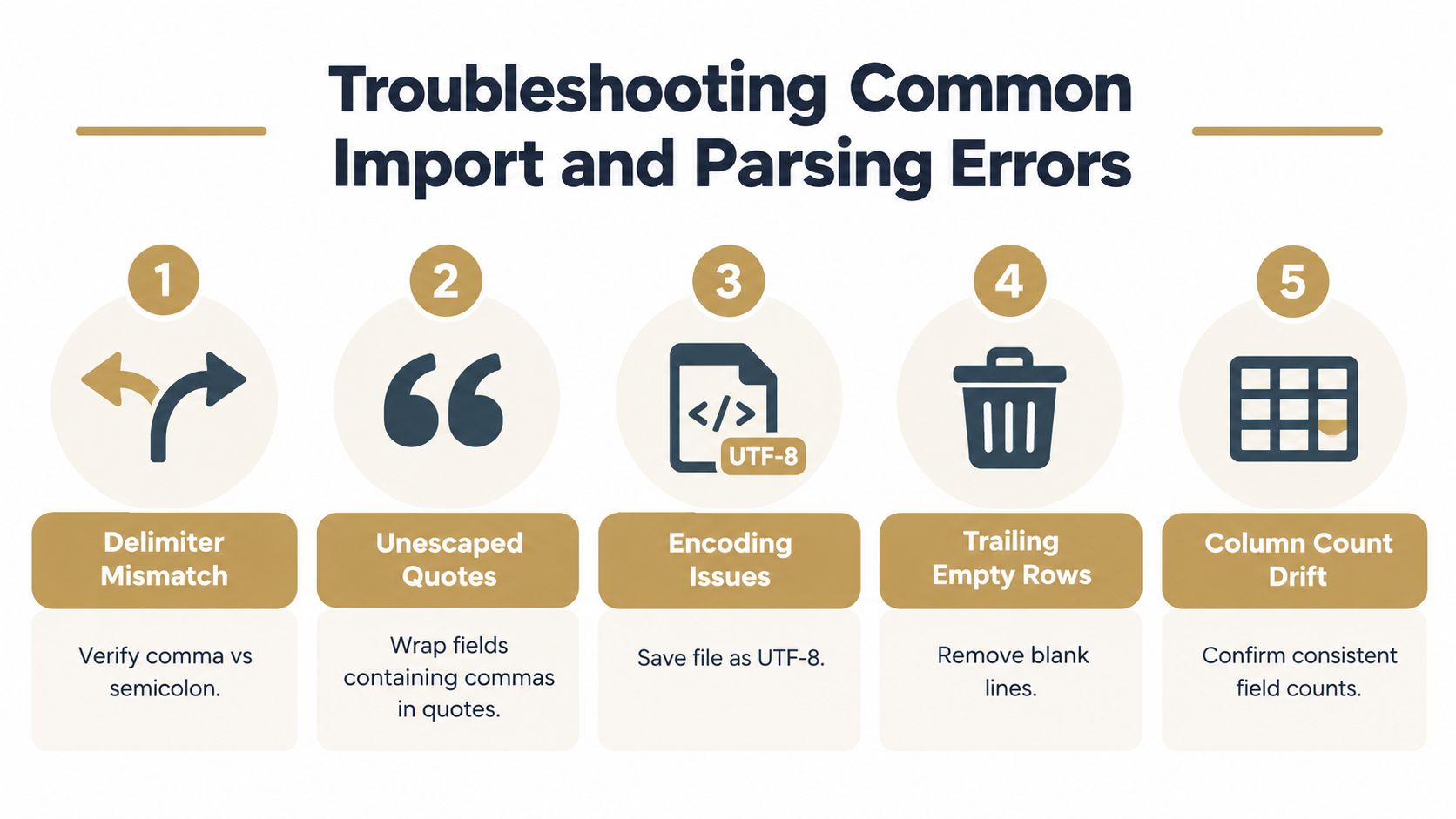
| Symptom | Likely cause | One-line fix |
|---|---|---|
| Every row appears in one column | Delimiter mismatch | Confirm whether the file uses commas, semicolons, or another separator, then configure the importer accordingly |
| A row has too many fields | Unescaped comma or quote | Enclose the complete field in double quotes and double any literal quote inside it |
| A row has too few fields | Missing value or broken quote | Check the row for an unclosed quoted field, then restore the expected field boundary |
| The importer rejects blank lines | Trailing empty rows | Remove blank lines and confirm that the final record ends without an unintended empty record |
| Headers are treated as shot data | Metadata or header placement | Remove the preamble or identify the one actual header row before mapping columns |
| Names or notes contain strange symbols | Encoding mismatch | Reopen the original with the correct source encoding and save a verified UTF-8 copy |
| One shot becomes multiple rows | Embedded line break | Quote the multiline field or move free text outside the shot table |
| Import reports inconsistent columns | Schema drift | Compare field counts across rows and add empty fields rather than deleting optional columns |
| Values look plausible but analysis is wrong | Semantic mapping error | Verify that each source field represents the intended metric, unit, and missing-value behavior |
Repair in the right order
Delimiter detection should come first because every later check depends on identifying field boundaries. Next, inspect quote balance and line endings. Only after the parser can identify complete records should an operator validate data types, required columns, and metric names.
A repair should be conservative. Removing a suspicious row is preferable to guessing what a corrupted value meant, but the removed row should be logged so the session's completeness remains visible. If many rows fail for the same reason, the source dialect should be normalized through a repeatable transformation instead of edited one line at a time.
Protect against unsafe input
CSV processors can encounter malformed content, unexpected formulas, or values intended to trigger behavior in spreadsheet software. A production importer should treat incoming text as untrusted data, escape or neutralize dangerous cell content where appropriate, and reject malformed records instead of interpreting them creatively.
The right outcome isn't merely “the file loaded.” It's a session whose row count, field count, encoding, and metric mappings can be explained. That standard saves more time than repeatedly reopening the same export and hoping a different application will guess correctly.
Quick Reference Checklist for Clean Data Exports
A clean launch-monitor export should pass a short inspection before upload. The checklist below is designed for a golfer, coach, or fitter who needs a repeatable gate between the device and the analysis system.
Structure
- Preserve the original: Keep the untouched export and create a separate working copy.
- Identify the header: Confirm that one header row names the shot fields and that metadata isn't being interpreted as a shot.
- Check field counts: Every shot row should contain the same number of fields, including rows with unavailable measurements.
- Remove non-shot rows: Exclude blank, totals, and summary rows from the shot table unless the receiving schema explicitly supports them.
- Confirm the delimiter: Verify that commas are separators, or configure the importer for the actual dialect if another separator is present.
Quoting and text
- Protect internal commas: Enclose notes or other fields containing commas in double quotes.
- Escape literal quotes: Represent a quote inside a quoted field with two double quotes.
- Review line breaks: Make sure an embedded note hasn't been mistaken for a new shot record.
- Inspect plain text: Use a text editor or validator before opening the file in a spreadsheet.
Encoding and meaning
- Verify encoding: Check player names and notes for garbled characters, then convert deliberately to UTF-8 when appropriate.
- Preserve identifiers: Keep leading zeros and exact timestamp text until the receiving system validates the conversion.
- Confirm units: Record whether distance, speed, and spin fields use the expected units.
- Map semantics: Confirm that “distance,” “spin,” and similar labels represent the intended metric, not merely a familiar word.
- Handle missing values: Keep unavailable measurements distinct from genuine zero values.
Final validation
- Review the last row: Check for an unintended trailing comma or blank record.
- Compare representative rows: Inspect ordinary shots, rows with missing metrics, and rows with notes.
- Run the importer's validation: Treat warnings as data-quality issues, not cosmetic messages.
- Check the resulting session: Verify player, date, club, shot count, and key measurements before using the data for gapping or equipment decisions.
A disciplined export routine turns a fragile file into durable practice history. The CSV file format remains simple, but reliable golf analysis depends on respecting every boundary that simplicity leaves open.
Dialed Golf provides a consumer app that acts as a pocket caddy, a desktop workflow for launch-monitor practice with live pairing beginning with Garmin R10 and expanding, and CSV import from Garmin, Rapsodo, SkyTrak, FlightScope, Uneekor, GSPro, Awesome Golf, and more. Golfers and coaches can visit Dialed Golf to connect clean exports with a single golfer record, while ranges and clubs can review Dialed Academy memberships and front-desk tools.