

Garmin users improved after six months, especially off the tee, which says the underlying problem isn't more metrics, it's better practice structure and accountability around those metrics. A good practice plan app turns scattered launch monitor data into a weekly routine that reliably sticks.
A lot of golfers already know the pattern. They buy the device, hit balls for a few sessions, export a pile of numbers, and then realize nothing about their practice has become more intentional. The session looked productive, but the next round still exposes the same misses.
Table of Contents
- The Gap Between Scoring Apps and Real Practice Improvement
- Essential Features to Evaluate in a Practice Plan App
- Why Cross-Platform Data Integration Changes Everything
- How Dialed Golf Structures Practice and Coaching Workflows
- Choosing the Right Practice Tool for Your Goals
- Turning Raw Metrics Into Repeatable Improvement
The Gap Between Scoring Apps and Real Practice Improvement
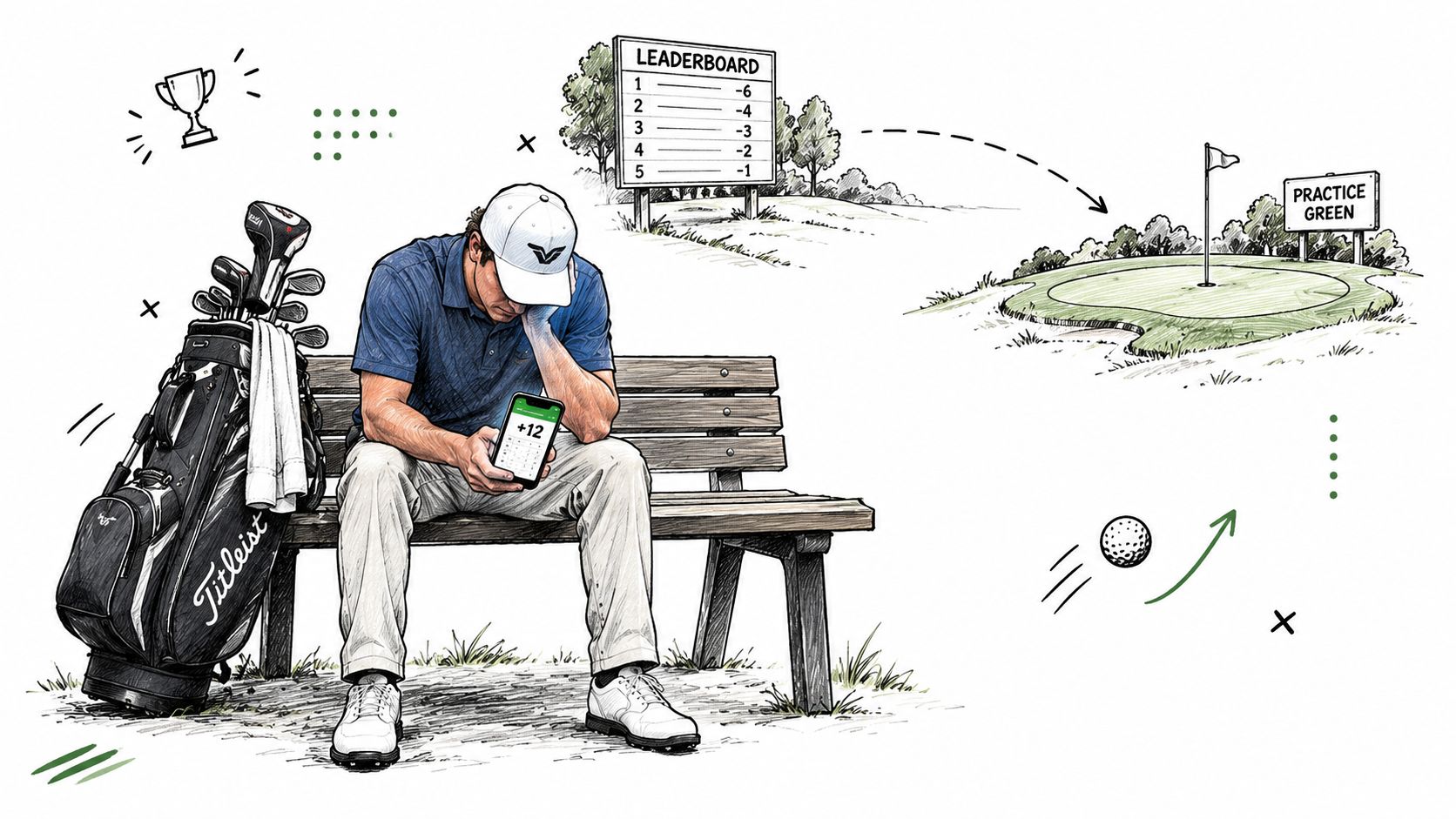
A golfer can leave the range with a full bucket gone and still have no idea what got better. That's the gap between logging activity and building a plan, and it's why so many practice sessions feel busy without becoming useful. The app says the work happened, but the body never got a clear job to repeat.
Raw data doesn't create direction
Launch monitors are excellent at telling a golfer what happened. They can show clubhead speed, face angle, impact position, ball speed, launch angle, and carry distance, but those numbers still need interpretation and a next step launch monitor feedback. Without that bridge, golfers end up chasing whatever shot looked worst in the moment instead of working on the one skill that would move scores.
Practical rule: if a session doesn't assign one clear goal before the first swing, it usually turns into entertainment.
That's why a practice plan app matters more than a scorecard-style app for players trying to improve. The app isn't there to celebrate activity, it's there to organize effort.
Habit matters more than hype
The broader app pattern supports that idea. In a study of physical-activity app users, 39.0% reported using their app 7 times per week, and use clustered around recurring weekly sessions study of repeated app use. That habit pattern is exactly what golf practice needs, because improvement comes from repeatable cadence, not occasional motivation.
A golfer who exports a session once and never returns to it doesn't have a practice system. A golfer who knows what to do on Monday, Wednesday, and Saturday does. For handicap-minded players, that difference is the entire game, and it's why the handicap calculation guide matters as a baseline reference point rather than a vanity number.
Essential Features to Evaluate in a Practice Plan App
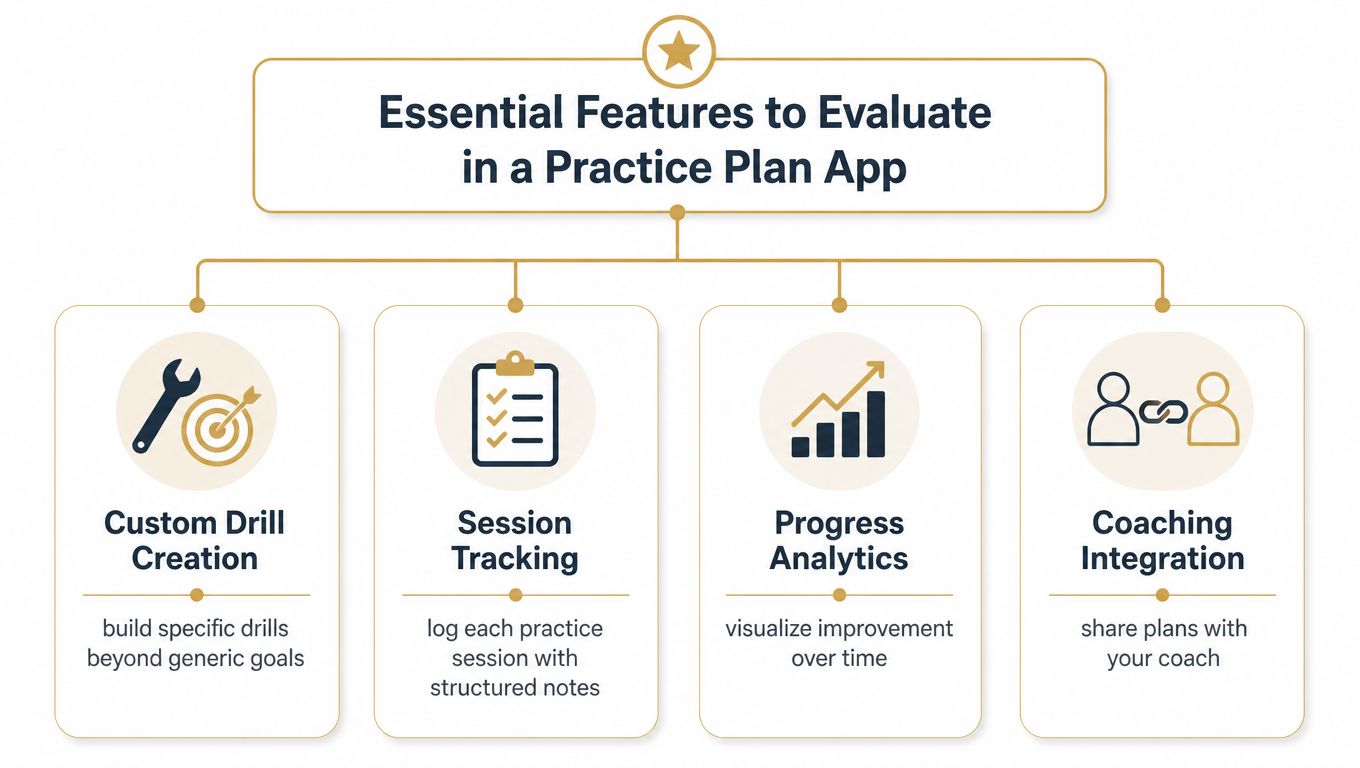
A serious practice app should turn launch monitor output into a repeatable weekly routine. It needs to help a golfer choose the next skill to train, record whether the work happened, and show whether the shot pattern is changing. Planning, tracking, and accountability matter as much as storing raw history.
Custom work beats generic targets
A useful practice plan app lets a golfer build drills around a specific miss. A right miss, weak strike, and poor start line call for different tasks, and a generic instruction to hit more balls rarely addresses the cause. Drill creation should connect a measurable launch monitor pattern to a repeatable exercise, then place that exercise into the week.
Tracking has to show change, not just activity
Session logs earn their place when they reveal a trend. Compare this week's dispersion, strike quality, or start-line pattern with earlier sessions, and the golfer can test whether a new feel is reducing misses. Without that comparison, the app records activity while giving little guidance about what deserves the next practice block.
One completed export followed by weeks of silence is a record, not a system. A plan that makes Monday, Wednesday, and Saturday sessions clear gives practice a useful cadence.
Integration prevents the hardware dead end
Launch monitor support should accommodate range, garage, and other training environments without forcing every session into one device. Live pairing is useful for immediate feedback, while CSV import preserves older sessions, mixed-device histories, and coach-delivered data. Our launch monitor app guide explains how live pairing and imported records can work together.
A practical workflow needs both options. Start with a live session, then add records from other formats without rebuilding the history. The CSV import guide shows how imported data can keep a long-term record together.
Preset plans reduce friction
Not every golfer wants to design drills from zero. Preset plans lower the first barrier to action for players who understand the problem but need help organizing the fix. They also provide a starting structure that can be adjusted once new launch monitor evidence appears.
A useful practice app should remove decisions from the session.
If setup takes longer than the practice itself, the product has missed its purpose. The best feature set makes the next task clear before the first ball is struck.
Why Cross-Platform Data Integration Changes Everything
The hardest part of improvement tracking isn't collecting data, it's making different sources speak the same language. One range session lives in a manufacturer app, another is buried in simulator software, and the fitting notes sit somewhere else entirely. When those records stay separate, the golfer loses the ability to see a full pattern.
Modern launch monitors can capture 16 or more shot data points per session cross-platform launch monitor data. That volume is useful only if the record stays usable across environments. A shot hit on a real range, a shot hit indoors, and a ball test during a fitting should all be comparable in one history, or the player ends up comparing fragments instead of progress.
Single-device thinking creates blind spots
A single-device app is fine for a one-off session. It becomes limiting when the golfer wants to understand how a change carries across the range, simulator, and fitting bay. That's where a unified record changes the conversation from “what happened here?” to “what holds up everywhere?”
The benefit is simple. The golfer can compare clubs, balls, and swing changes without rewriting notes every time the setting changes. Cross-platform records also make coaching easier because the same session language can follow the player from one environment to another.
Consistency is the real advantage
The best practice workflows don't chase more dashboards. They reduce friction around one record of truth. That record should hold session notes, drill intent, and the numbers that matter, then make it easy to look backward before planning the next session.
Garmin's own support confirms that driving range session data from the Approach R10 or R50 can be exported as CSV from the Garmin Golf app, which makes downstream analysis possible Garmin CSV export support. Once the golfer can move data out cleanly, the next question becomes how to turn it into a plan instead of a pile.
How Dialed Golf Structures Practice and Coaching Workflows
Dialed Golf is organized around one golfer record and one Pro plan, with three connected products built for different parts of the workflow. The consumer app acts as a pocket caddy for on-course decisions, the desktop experience handles launch-monitor practice at the range or in a garage sim, and Dialed Academy serves memberships and front desk needs for ranges and clubs.
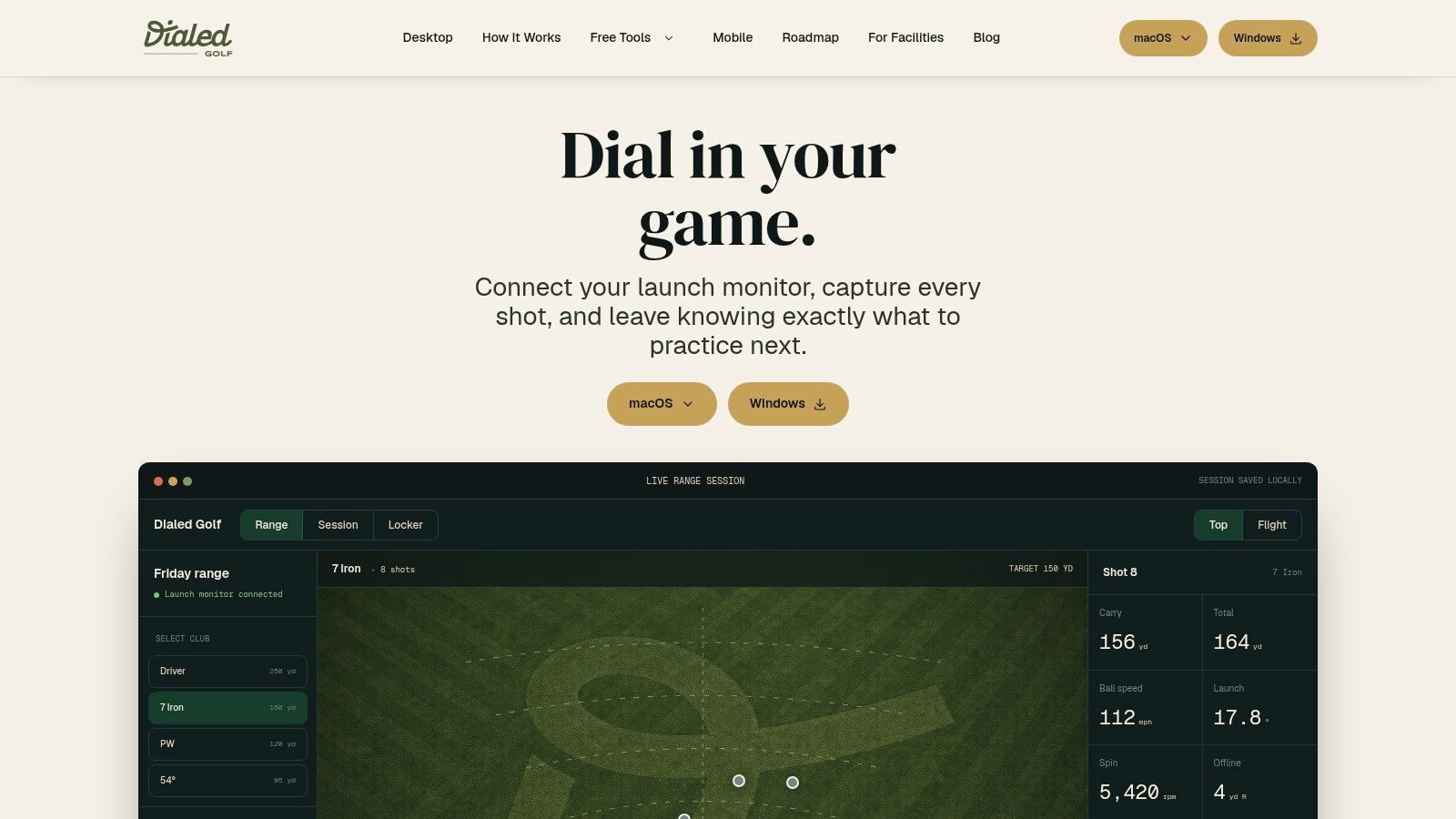
The practical value is in the handoff between those pieces. A golfer can keep free web tools at the top of the funnel, use Pro across app and desktop when the workflow needs more structure, and let the same record follow the practice journey instead of starting over in a new app.
Practice is better when the plan is short and repeatable
Motor-learning research on golf putting supports distributed practice across multiple short sessions per week, especially block and errorless practice, over long, undirected range sessions motor-learning research on golf putting. That lines up with the way a practice plan app should work in real life. The golfer needs a small number of focused reps, clear feedback, and a clean note on what changed.
A good desktop workflow follows that logic. Pair the monitor, define the issue, capture the session, then assign the next drill. The app shouldn't force a golfer to become a spreadsheet analyst just to get better.
The same principle matters for coaches and club staff. If a lesson, range session, and follow-up plan all live in one record, accountability becomes much easier to maintain. That's also why a membership and front desk layer belongs with the practice platform rather than being treated as a separate business problem.
A plan only works if the next step is obvious
The best software doesn't just store history, it tells the golfer what to do next. That's the difference between passive data collection and active improvement. Dialed Golf's structure is built around that idea, with live pairing first on desktop and mobile live pair coming later, so the main workflow stays centered on practice rather than on noise.
Choosing the Right Practice Tool for Your Goals
The right tool depends on what's blocking improvement. A golfer who only wants better yardage awareness needs a different setup from a player trying to fix start lines, and neither one needs more clutter than necessary. The first job is to match the software to the bottleneck.
If the goal is course management
A simple course-focused app can make sense for golfers who mostly need better decision-making on the tee box and around the greens. That kind of tool helps during the round, but it won't build a training loop by itself. It's support, not a development system.
If the goal is swing change
A golfer trying to lower scores through technical improvement needs a structured practice environment. That means drill design, session history, and a way to compare one week against the next. Without those pieces, the player may feel busy while the swing stays the same.
If the goal is coaching or club workflow
Coaches need communication and repeatability more than novelty. A useful platform should keep plans, notes, and player records together so a lesson doesn't vanish after the student leaves the bay. Club operators should look for systems that connect practice data with operations instead of treating them as separate worlds.
If the goal is long-term data clarity
Interoperability matters most when the golfer already owns multiple devices or moves between range, simulator, and fitting sessions. A platform that accepts mixed imports and maintains one timeline avoids the common problem of duplicated effort. The player gets a clearer view of progress, and the coach gets a cleaner picture of what changed.
The decision is less about features on a homepage and more about whether the app can support the golfer's actual routine. If the app fits the routine, practice becomes repeatable. If it doesn't, the player usually abandons it after the novelty wears off.
Turning Raw Metrics Into Repeatable Improvement
Raw shot data becomes useful only when it turns into a training loop. The sequence is simple, but most golfers skip steps. They collect numbers, glance at the highlights, and go back to random reps without deciding what changed.
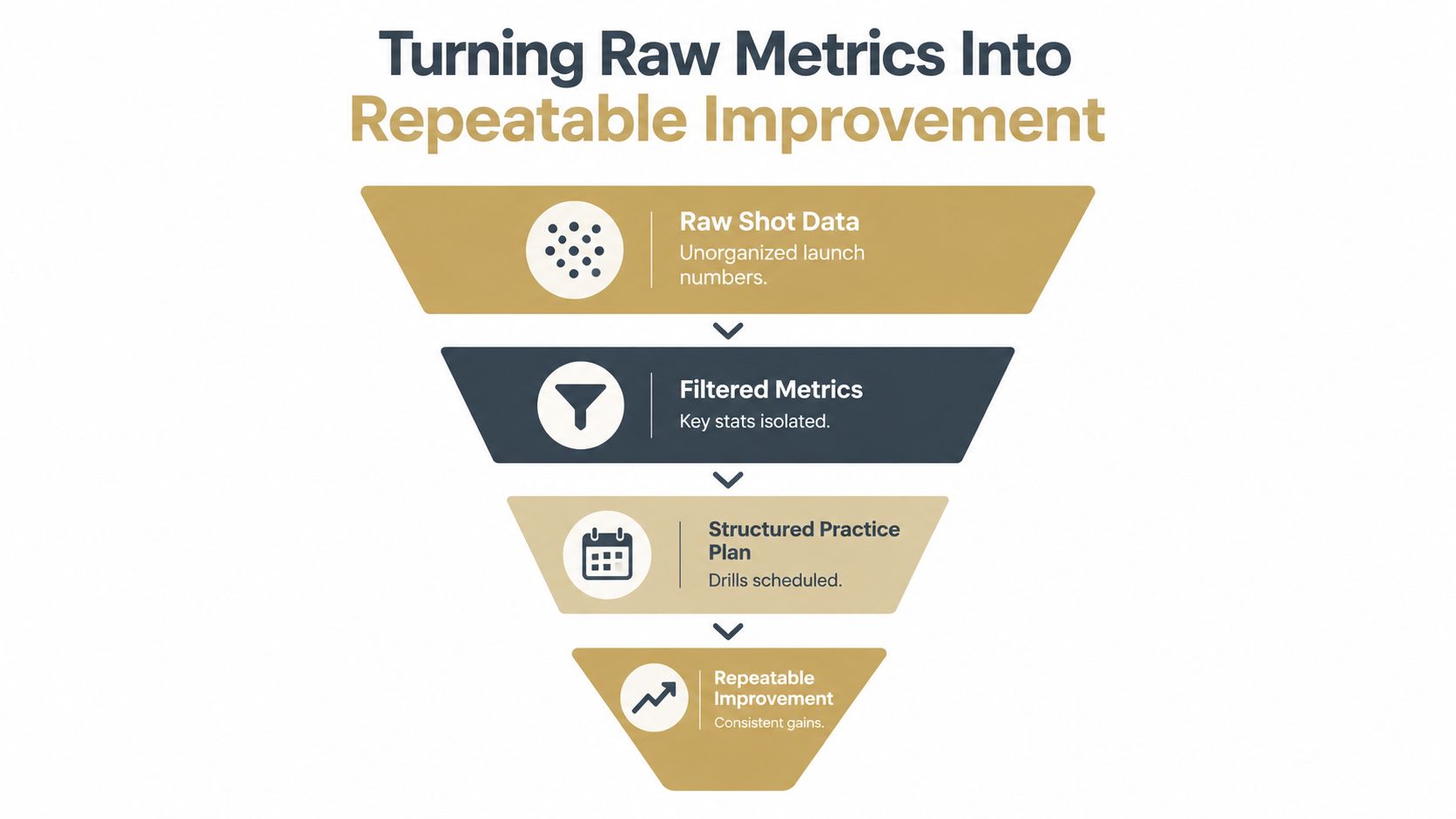
The better path is to isolate the metric that matters, schedule a drill around it, and review the result in the next session. That's what makes a practice plan app different from a stat app. One records what happened, the other creates the next rep.
A golfer who trains this way stops asking whether a good session was just luck. The session history shows whether the same weakness keeps shrinking, whether the new feel survives under pressure, and whether the plan needs to change. That's real progress, and it's built on structure rather than volume.
Dialed Golf gives golfers, coaches, and club operators a way to connect launch monitor data, practice plans, and one shared record without splitting the workflow across disconnected tools. For anyone trying to make range time matter, Dialed Golf is built around that job, from free web tools to Pro workflows and Academy support.