

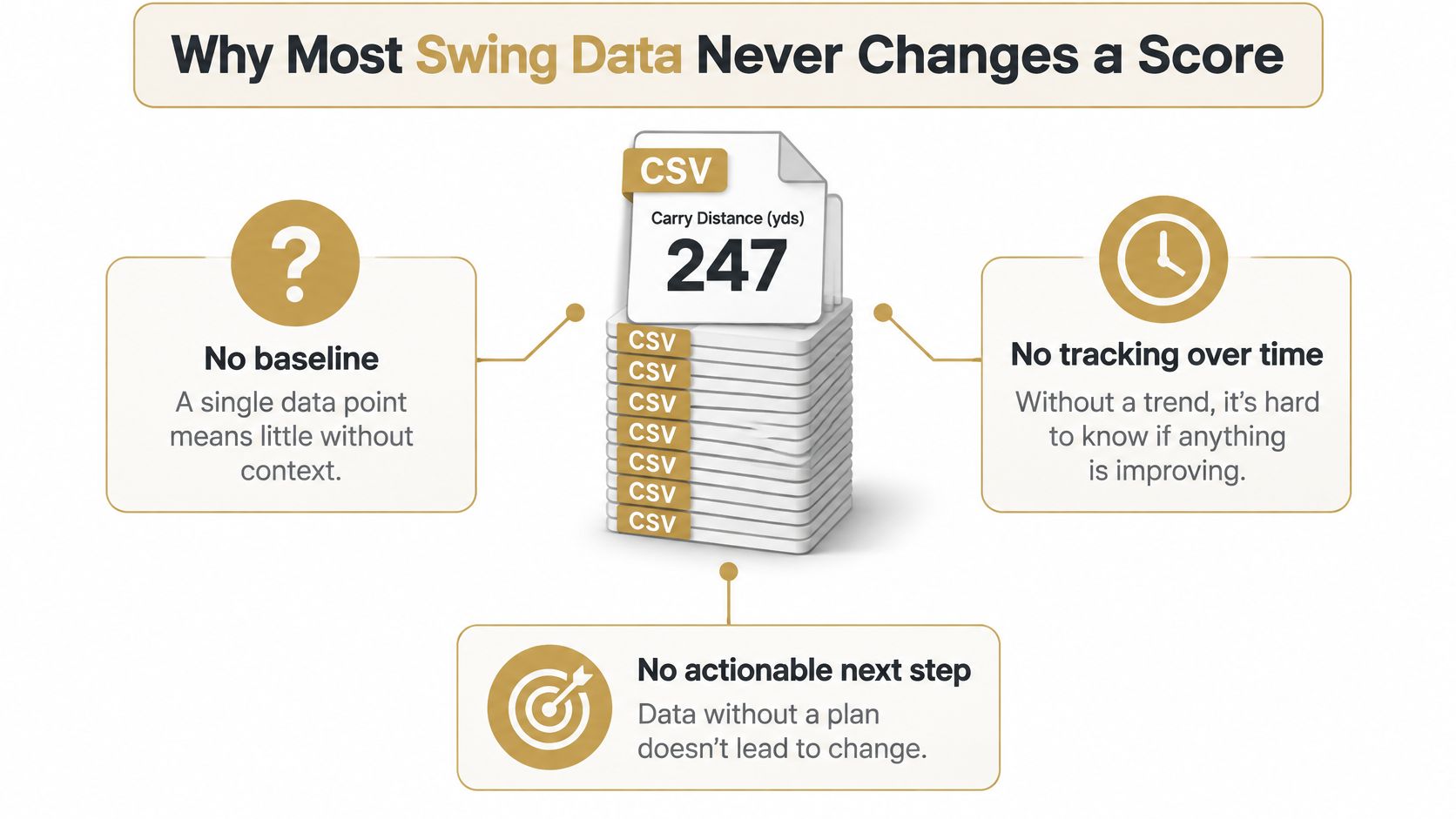
A golfer finishes a range session with a folder full of shot data and one number that seems to matter: carry distance. The latest session looks three yards longer than the last. But was the swing better, or did one unusually clean strike pull up the average? Without a baseline, a consistent capture routine, and a way to check whether practice carries onto the course, the number doesn't answer much.
Useful golf swing data analysis isn't about collecting every metric or chasing the longest shot. It's about deciding what the measurements can support, identifying a pattern worth addressing, and testing whether a practice change holds up under different conditions.
Table of Contents
- Why Most Swing Data Never Changes a Score
- The Metrics That Matter and the Ones to Ignore
- Getting Clean Data Into Dialed Golf
- Turning Shots Into Distributions You Can Trust
- Diagnosing Common Swing Issues from the Numbers
- Building a Practice Plan That Survives the Course
- A Four-Week Data-Driven Practice Plan
Why Most Swing Data Never Changes a Score
A golfer opens a launch-monitor export and sees a three-yard change in average carry. It's tempting to treat that as proof of progress. But a few different factors can shift the number: contact quality, fatigue, the environment, or ordinary variation between shots. If the capture conditions weren't consistent, the comparison may say more about the sessions than the swing.
A number needs a measurement routine
A launch monitor is a measurement system, not ground truth. An independent review concluded that available evidence supported coaching and club-fitting decisions, while clubhead parameters weren't reliable enough for scientific research. It also noted that independent reliability verification was limited, with strong scientific evidence available for only two popular high-end monitors (review of launch-monitor effects on golf performance).
That distinction matters in everyday practice. A small change in a derived club metric might fall within measurement error, especially if the golfer has changed devices, settings, or environment. Treating it as a confirmed swing change can send the next session in the wrong direction.
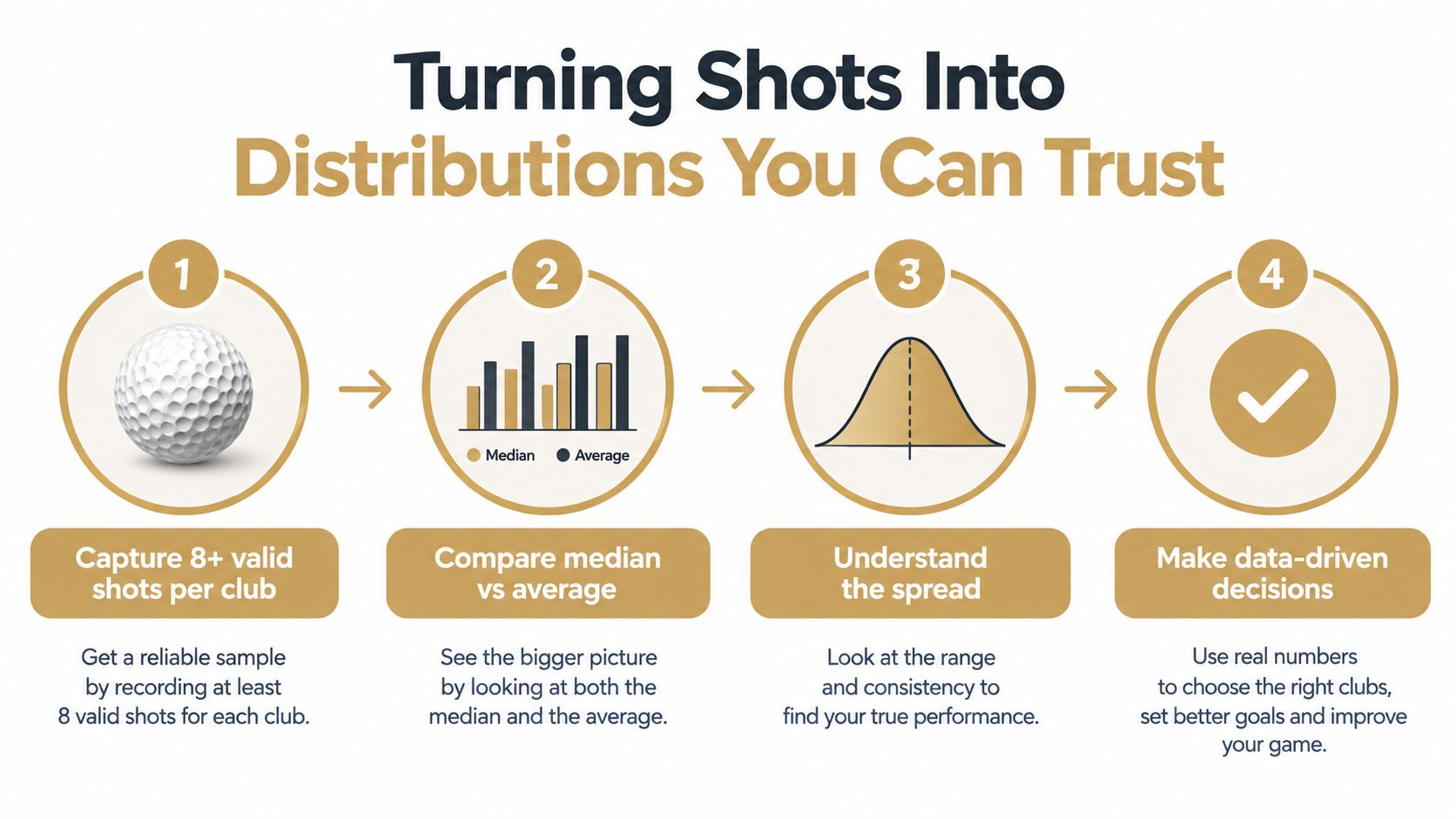
The same principle applies to sample size. In a motion-capture and force-platform study of recreational golfers, sequential averaging suggested as many as twelve swings, while ICC- and SEM-based estimates required four; after accounting for variability and trade-offs, the researchers recommended collecting eight swings for biomechanical analysis and using SEM to determine sample size (study of golf-swing measurement reliability). That supports a practical minimum of eight valid shots per club or condition, not a claim that eight shots eliminate uncertainty.
One golfer record, connected practice
Dialed Golf brings a golfer's practice and on-course activity together through three products: a consumer app designed as a pocket caddy on the course, currently available through TestFlight rather than general App Store release; desktop software for launch-monitor practice at a range or garage simulator; and Dialed Academy, which gives ranges and clubs membership and front-desk tools while the club keeps its dues. The products share one golfer record, so practice data and course activity can inform the same review.
A stack of exports becomes useful only when the golfer can compare like with like, see variation as well as averages, and choose a next step. A single best shot may be satisfying, but it doesn't establish a dependable change.
The Metrics That Matter and the Ones to Ignore
Launch monitors can report a long list of values, but each one describes a different part of the shot. Clubhead speed measures clubhead motion before impact; ball speed measures the ball's speed just after separation. Smash factor relates ball speed to clubhead speed. Attack angle describes whether the club is moving up or down at impact, while club path describes its horizontal direction.
The ball-flight fields answer different questions. Launch angle is the ball's vertical takeoff angle, spin rate is its rotation in revolutions per minute, and spin axis describes the tilt associated with curvature. Carry distance is the flight distance to the point where the ball returns to launch elevation; total distance includes what happens after landing. These definitions are useful when reviewing exported fields because labels and conventions can vary (study defining golf launch-monitor variables).
Metric Reliability at a Glance
| Metric | Within-session reliability | How to use it | Cautions |
|---|---|---|---|
| Clubhead speed | Reliable in a study of 21 golfers | Track speed trends under consistent conditions | Device and setup differences can affect comparisons |
| Ball speed | Reliable in the same within-session study | Assess ball output alongside clubhead speed | Strong correlation between devices doesn't guarantee identical readings |
| Carry distance | Reliable in the same within-session study | Review repeatable distance and gapping | Don't substitute the longest shot for a session summary |
| Total distance | Reliable in the same within-session study | Consider expected rollout where relevant | Landing conditions influence the result |
| Smash factor | No equivalent reliability finding cited here | Use as a clue about energy transfer and contact | Don't treat it as a standalone swing grade |
| Attack angle | No equivalent reliability finding cited here | Review the vertical delivery pattern | Confirm sign conventions in the export |
| Club path and face angle | Use cautiously for small differences | Guide a coaching or practice question | Derived values may not support scientific-grade conclusions |
| Launch angle, spin rate, spin axis | Interpret with the full shot pattern | Connect launch conditions with flight and dispersion | Check device definitions and consistency |
In a study involving 21 golfers, clubhead speed, ball speed, carry distance, and total distance were reliable within sessions for both a six-iron and driver, with coefficients of variation no higher than 5.8% and intraclass-correlation coefficients of at least 0.87 (within- and between-session reliability study). Those results support tracking individual shots and summaries, not reducing a swing to one composite score.
A separate device comparison found significant differences across all six driver metrics tested among 13 NCAA Division I golfers. Ball speed correlated strongly across devices, but that did not make the readings identical; spin rate showed the weakest agreement, with mean biases ranging from 73.67 to 641.90 rpm (comparison of three launch-monitor devices). The practical takeaway is to trust the metrics a device measures consistently and treat the rest as directional, especially when small differences are driving an equipment decision.
For a focused look at driver ball speed, see this driver ball speed chart.
Getting Clean Data Into Dialed Golf
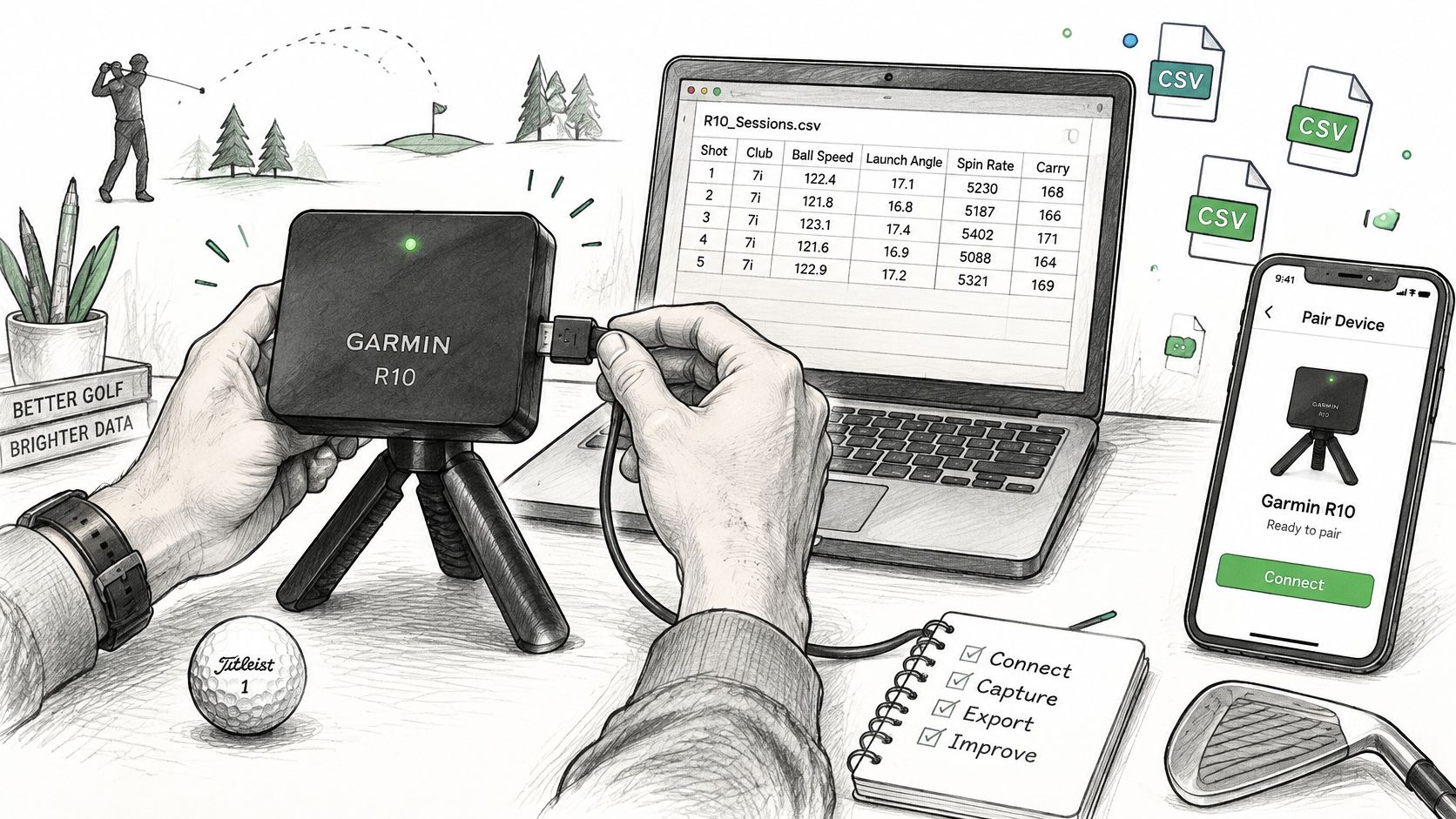
Good analysis starts before the first shot. A golfer comparing sessions needs a repeatable setup and a record of what changed. Dialed Golf's desktop workflow is live-pair first, beginning with Garmin R10 support and expanding from there. CSV import is also available for Garmin, Rapsodo, SkyTrak, FlightScope, Uneekor, GSPro, Awesome Golf, and more.
Capture and import with the same standards
Start by choosing the session conditions. Keep the ball, club, tee, target alignment, device setup, and firmware consistent when the goal is to compare one session with another. If the golfer moves between an indoor simulator and an outdoor range, label that difference rather than assuming the readings are interchangeable.
For a live session, pair the monitor with Dialed Golf on desktop. For a saved session, use the CSV import workflow to bring in the file. Then inspect the field mapping before submitting: check that each column means what its label suggests, that units are recognized correctly, and that values land in the expected fields. A firmware update can change an export's structure, so a previously accepted file shouldn't be treated as permanently validated. The CSV import guide covers the practical import path.
Decide what counts before reviewing results
Write a mishit rule before collecting data. For example, a coach and player might agree to exclude only shots that clearly meet a defined contact or capture-failure criterion. Don't remove an awkward result after seeing that it lowers the average. Keep the shot count visible and record exclusions consistently.
That discipline prevents a common trap: cleaning a session until it confirms the preferred story. It also helps when a golfer divides practice between a garage simulator and an outdoor range. A combined session view can make trends easier to follow, but the environment and device still matter. Standardize first, validate fields and units, then compare.
Live pairing is desktop-first. The consumer app is for on-course use, while mobile live pairing is planned for later. That division keeps the workflow clear: launch-monitor practice goes through desktop; course activity goes through the app. The point isn't to merge every number indiscriminately, but to keep one golfer record while retaining the context each session needs.
Turning Shots Into Distributions You Can Trust
A session average can hide two very different patterns. One golfer might hit a tight cluster of similar shots; another might alternate between excellent contact and large misses. Both could end with the same average carry, yet only the first pattern suggests predictable performance. Shot-level storage is what exposes the difference.
Keep the shots, then summarize them
Collect enough valid shots per club or condition to stabilize the estimate, following the sample-size guidance covered earlier, then store the individual shots rather than only the summary. Report the mean, standard deviation, and shot count together. The mean describes the session's center. The standard deviation shows how widely shots varied, and a wide spread with an unchanged mean is itself a finding: the typical shot stayed put while the misses grew. Keeping the raw shots also lets a golfer re-slice a session later, filtering by club or contact quality without re-collecting data.
Distance reporting benefits from an explicit rule too. In a USGA study of 627 recreational golfers, each participant hit seven shots with a driver, seven-iron, and pitching wedge. The USGA defined ability as the median of the seven shots and capability as the average of the two longest (USGA golfer performance measurement study). Those are distinct views: the median represents typical output, while the top-two average estimates attainable potential. A dashboard should label them clearly rather than presenting either as the golfer's one true distance.
Compare change against the baseline
For a session-to-baseline comparison, calculate normalized change as Δ = (session mean − baseline mean) / baseline mean. That expresses the difference relative to the golfer's own baseline, rather than comparing raw changes across clubs or metrics with different scales. Then consider measurement error. If the observed change is smaller than the error for that metric and setup, mark it inconclusive instead of calling it improvement.
Practice rule: Collect enough shots, show the spread, and only then compare sessions.
Here's a visual summary of that process:
This approach doesn't make every range session definitive. It makes the uncertainty visible, which is what lets a golfer decide whether to keep watching a trend or change the practice plan.
Diagnosing Common Swing Issues from the Numbers
A metric should prompt a useful question, not dictate a swing change. When a pattern repeats, the golfer can use the relevant fields to narrow the diagnosis, then test one practice adjustment at a time.
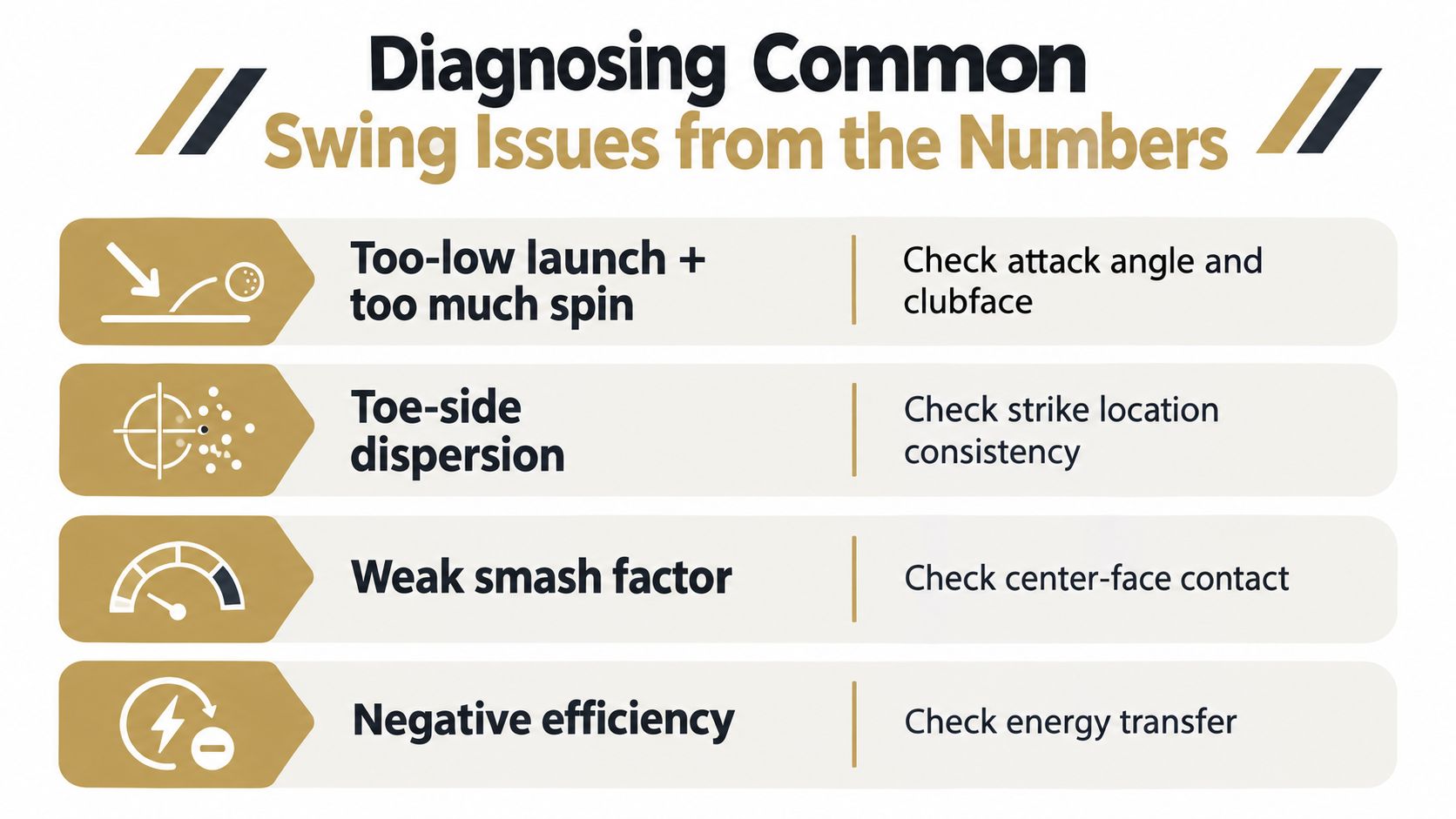
Read the pattern before choosing a drill
- Too-low launch with excess spin: Review launch angle, spin rate, and attack angle together. The pattern can point to delivery or contact conditions worth checking, but it doesn't identify a single cause by itself. Use a controlled set of shots to test a setup or delivery adjustment, then compare the distribution.
- Toe-side dispersion: Look for a repeated directional pattern and review strike-location information if the session includes it. Work on center-face contact with a target-based drill, then check whether both strike pattern and dispersion tighten.
- Weak smash factor: Compare ball speed with clubhead speed across the session, not on one shot. A weak relationship can flag inefficient contact; a centered-contact drill is a more sensible first test than chasing extra speed.
- Path or face changes: Treat club-path and face-angle values as coaching clues, especially when the differences are small. Check whether the shot's start direction and curvature match the pattern, then let the golfer or coach choose which delivery variable to test.
Use Dialed as a review, not a verdict
Inside a Dialed session review, the useful view is the one that puts the relevant shot fields and their variation together. If a player is investigating launch, compare launch angle and spin across repeated shots. If the concern is distance, look at ball speed, carry, and contact consistency. The screen should help the golfer identify what changed without pretending that every displayed value has equal reliability.
For example, a single low-launch shot may be an outlier. If the same pattern appears across a session, it becomes a better reason to investigate. The distinction keeps a practice plan focused and reduces the chance of changing several swing elements in response to one noisy result.
Building a Practice Plan That Survives the Course
Showing a golfer a number isn't the same as teaching them to use it. Technology-based feedback improved swing direction during training, retention, and a final feedback session in an experimental study with 10 participants, but the study found no significant improvement in smash factor (study of technology-based feedback in golf). That's a useful reminder: feedback can move one variable without automatically improving impact efficiency or scoring.
Train the skill, then test it under pressure
A Dialed Desktop session can be organized around three different demands:
- Block practice: Repeat a focused drill for the diagnosed issue. Keep the target and intent clear, and monitor the metric that prompted the drill.
- Variable practice: Change targets or shot intentions so the golfer has to adapt rather than repeat one exact delivery.
- Pressure round: Add a consequence or scoring goal that makes each shot matter. Review whether the targeted pattern holds when attention shifts from mechanics to outcome.
Then compare the practice trend with on-course dispersion and scoring in the Dialed app. The course is the validation step: a cleaner practice number matters only if it helps the golfer make more dependable decisions and execute shots under playing conditions.
A range or club can extend that loop with Dialed Academy, which provides memberships and front-desk tools at $99.99 per month or $999.99 per year, while the club keeps its dues. The goal is to connect structured practice with the facility's golfer relationship, not to replace coaching with a dashboard. For distance gapping, use a consistent set of clubs and a defined sample, as outlined in this guide to doing a gap analysis.
A Four-Week Data-Driven Practice Plan
A plan works when each session answers a question and the course provides a final check. This four-week sequence gives an amateur golfer a simple way to build that habit.
- Week one, establish the baseline. Choose a club and condition, follow the eight-valid-shot protocol, and save the individual shots with the mean, standard deviation, and count. Keep setup consistent.
- Week two, investigate one issue. Choose a repeated pattern, run a focused practice block, and compare normalized change with the baseline. If the observed difference is smaller than measurement error, keep monitoring rather than declaring a fix.
- Week three, add variability and pressure. Change targets and shot intentions, then include a scored challenge. Keep the original metric in view, but don't let it crowd out shot selection.
- Week four, validate on the course. Use the Dialed app to review whether the practice change appears in dispersion and scoring. If it doesn't, revisit the diagnosis and practice design.
Common questions
Can sessions from different launch monitors be compared directly? Not safely by default. Device comparisons have found meaningful differences in measured values, so prioritize within-device baselines and retain the device and setup context when reviewing imported sessions.
Which Pro plan fits the desktop workflow? Golfer Pro is available across the app and desktop for $9.99 per week, $29.99 per month, $149.99 for six months, or $249.99 per year. Free web tools remain free and serve as an entry point, while Pro provides the paid app and desktop workflow.
Dialed Golf connects launch-monitor practice on desktop with an on-course pocket caddy in the consumer app, using one golfer record to keep the work in context. Explore the workflow and choose the next step for your practice at Dialed Golf.