

A golfer stands on a range mat with three nearly identical balls, a Garmin R10 behind the hitting area, and a familiar problem. Wedges are flying toward the same target, but the golfer is watching only driver carry. One ball feels softer, another appears to launch higher, and a third produces a convincing longest shot. Without a repeatable test, the “winner” is usually just the ball paired with the best swing.
A golf ball fitter treats that session differently. The task isn't to find the ball with the most impressive single number. It's to connect greenside response, iron flight, driver efficiency, dispersion, and personal feel to a repeatable choice. A portable launch monitor can support that process, provided the test controls its variables and the golfer records enough useful shots to separate a real pattern from noisy data.
Table of Contents
- Why Ball Fitting Beats Brand Loyalty
- Prep Your Bay Balls and Launch Monitor for Clean Data
- Design a Repeatable Multi Club Test That Holds Up
- Read Ball Speed Launch Spin and Carry Without Fooling Yourself
- Choose Your Lane From Gapping Feel and Control
- Log Analyze and Retest With Dialed Golf Tools
Why Ball Fitting Beats Brand Loyalty
Golfers often choose a ball because a playing partner recommends it, a professional uses it, or a familiar logo has earned their trust. Those shortcuts are understandable, but they ignore the fact that a ball interacts with the golfer's launch conditions. A model that suits one player's speed and delivery can produce a very different flight for another player.
Modern golf ball fitting became a formal, data-driven consumer practice when Bridgestone says it launched its fitting model in 2006, and by 2026 the company said it had fit more than 4.5 million golfers. That history shows how ball selection moved from brand loyalty and tour imitation toward measurable optimization of launch, spin, speed, and trajectory, as documented in this research on golf equipment fitting.
The ball is part of the scoring system
A ball affects more than tee-shot distance. Golfers are balancing launch, backspin, approach behavior, greenside response, and impact feel at the same time. In one consumer survey, 74% of respondents said they buy a specific ball model, while the leading reasons were soft feel at impact at 28%, iron and approach spin at 26%, and driver distance at 17%, according to Golf Digest's ball-fitting coverage.
Those preferences explain why balls aren't interchangeable. A golfer may accept slightly less driver carry if a different ball produces a more predictable pitch-shot release. Another golfer may need a lower-spin flight to keep a high-speed driver from ballooning. The correct choice depends on the trade-off that improves the golfer's actual pattern, not on a universal ranking.
Practical rule: A ball change helps scoring only when its performance advantage survives across the shots that matter on the course.
Why greenside testing comes first
The most useful fitting sequence starts near the green and works backward to the tee. Independent fitting coverage recommends verifying greenside spin in the 15 to 35 yard range before chasing distance gains, as explained in this golf ball fitting framework.
That order prevents a common mistake. A golfer can find a ball that carries well with the driver, then discover that partial wedges release too far or that short pitches don't produce a familiar response. A golf ball fitter should first identify whether the golfer needs more control, a more stable flight, a softer sensation, or a lower-spin carry profile. Driver numbers then become part of the decision rather than the entire decision.
A Garmin R10 can help reveal useful differences, but it can't prove everything by itself. Portable data is most valuable when the setup stays consistent, the shot sample is broad, and the golfer checks the visible flight instead of trusting a single reading. The protocol below is designed around that limitation.
Prep Your Bay Balls and Launch Monitor for Clean Data
Clean comparisons begin before the first shot. A portable monitor doesn't know whether it has been moved, whether the hitting line is misaligned, or whether a candidate ball has been mixed into the wrong group. Those small errors can make a ball look better or worse without changing the ball at all.
Set the environment before the test
Place the Garmin R10 in the same position for the full session, then verify its alignment against the target line. Indoor users should check the distance to the net or screen, the hitting area, and the background behind the ball. Outdoor users need a stable target, consistent wind awareness, and enough space to observe whether the reported flight matches what the eye sees.
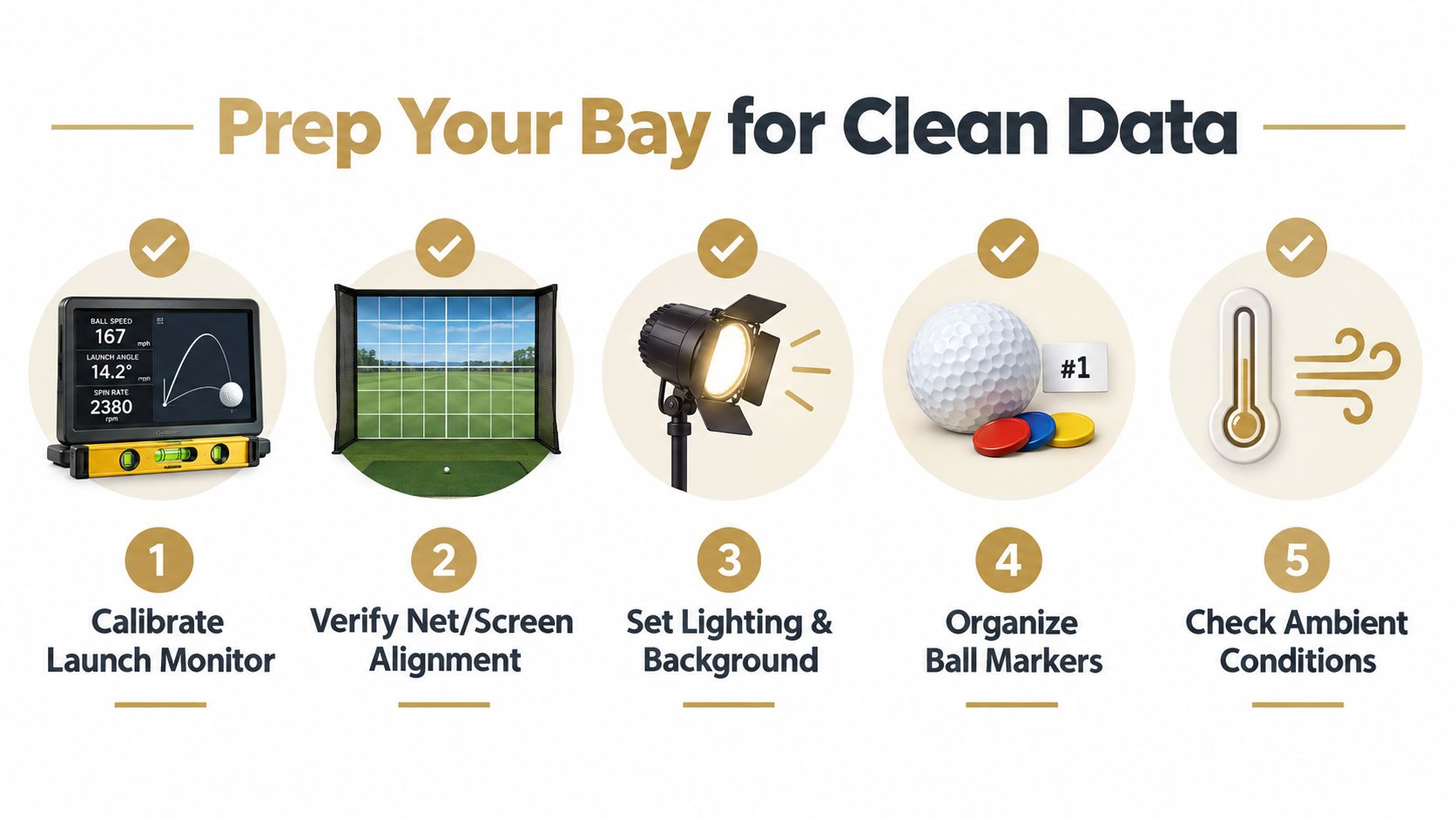
Use this readiness checklist:
- Calibrate the launch monitor: Confirm the device is level, charged, connected, and using the intended session settings.
- Verify the hitting line: Align the monitor, ball, clubface, and target so a small setup error doesn't become a false ball comparison.
- Control the background: Keep lighting and background conditions stable, especially indoors where reflections or visual clutter can affect camera-based measurements.
- Separate the balls: Put each candidate in its own marked group. Use a visible identifying mark that won't be confused after a fat or topped shot.
- Record the conditions: Note the club, target, surface, wind, temperature, and any change in the bay before hitting.
Build a session that can be logged
Start with the golfer's current ball as the baseline. Record the ball's identifying mark, club sequence, target, and any unusual interruptions. A test that changes targets, tee height, or warm-up state halfway through is difficult to interpret later.
Garmin R10 users can export session data through the Garmin Golf app as CSV. A documented export flow includes fields such as club, ball speed, launch angle, spin rate, carry, total distance, and smash factor, which makes the data portable for later comparison in a launch-monitor app workflow.
The log should also include observations that a CSV won't capture cleanly. Note whether the ball felt firm or soft, whether a wedge checked or released, and whether the visible flight matched the monitor. Those comments matter because a fitting decision combines measurable output with the player's ability to predict what happens after impact.
Don't polish the test by removing every imperfect shot. Mark obvious mishits, but keep playable swings in the sample. Removing every poor result creates a highlight reel, not a fitting record.
Design a Repeatable Multi Club Test That Holds Up
A credible ball test needs more structure than “hit a few drivers and pick the longest one.” Titleist's fitting workflow uses 12 representative shots each with a half-wedge, full-swing pitching wedge, 7-iron, and driver, demonstrating why ball selection should be multi-club and repeatable, as described in Titleist's golf ball fitting app announcement.
The exact protocol can be adapted for a range bay or garage simulator, but the principle should remain fixed. Each ball needs exposure to the same clubs, the same targets, and a similar number of representative swings.
Use a greenside-to-driver sequence
Begin with a partial wedge, then a full wedge, then a mid-iron, and finish with the driver. This sequence gives the golfer a chance to evaluate touch and control before fatigue and excitement turn the test into a driver contest.
A practical portable-monitor sample uses five shots per ball per club. The sample is large enough to reveal a pattern while remaining manageable for a normal practice session. Record the current ball first, then rotate candidates rather than hitting every shot with one ball before moving to the next.
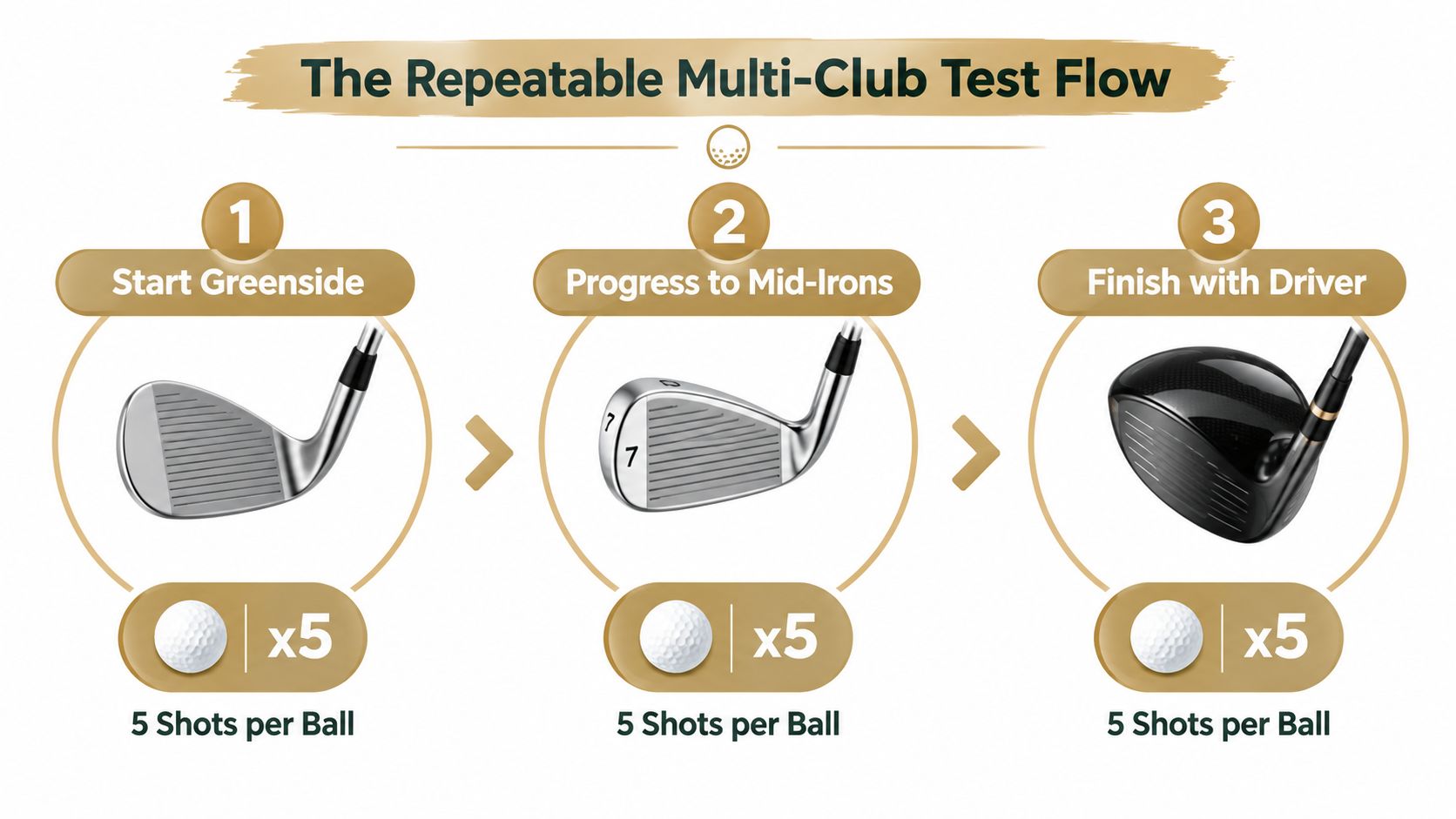
The rotation can look like this:
- Partial wedge: Use a controlled target and watch launch, carry, landing behavior, and visible release.
- Full pitching wedge: Compare carry consistency, peak flight, and whether the ball feels predictable through the strike.
- 7-iron: Look for usable launch, carry gapping, descent behavior, and dispersion.
- Driver: Evaluate ball speed, launch, spin, carry, total distance, and the width of the shot pattern.
Rotate candidates to reduce fatigue bias
A golfer's swing changes during a session. The first driver sequence may contain fresh swings, while the final sequence may contain tired swings or rushed tempo. Alternating the balls reduces the chance that one candidate receives all the best swings.
A simple order is current ball, Candidate A, Candidate B, then Candidate B, current ball, Candidate A. The exact order isn't sacred. What matters is that no ball always appears first, last, or immediately after a long break.
Allow enough time between shots to reset the target and routine. The golfer should use the same tee height, ball position, pre-shot routine, and intended shot shape. A ball test isn't the place to change the swing in search of a better number.
Handle mishits without cherry-picking
Classify every shot as representative, questionable, or obvious mishit. A shank, severe top, or ball struck far outside the intended face area shouldn't decide the fit, but it also shouldn't be deleted without explanation. The log should show why a shot was excluded.
A representative shot still counts if it isn't perfect. A ball that performs only when the golfer flushes it may not be the right practical choice. Dispersion and playable carry often tell more than the longest strike.
A repeatable test doesn't eliminate variation. It gives variation a fair place in the decision.
The final record should preserve the baseline and each candidate's club-by-club results. Dialed Golf Desktop can receive data through a live pair first, with Garmin R10 support expanding, or through CSV and other imports. That creates a history that can be revisited instead of forcing the golfer to remember which ball “felt best” weeks later.
Read Ball Speed Launch Spin and Carry Without Fooling Yourself
A ball that produces the longest driver carry in one swing is not automatically the better fit. Start greenside, then work back through wedge, 7-iron, and driver. Ball speed, launch angle, and backspin provide the core measurements, but each number needs a repeatable sample and visible flight context. Research on launch-monitor technology indicates that these systems can improve repeatability and precision, while measurement error and interpretation still affect the conclusion, as shown in this launch-monitor performance research.
Read windows, not highlights
Compare the middle of each candidate's representative shots first. Then examine the spread. A single long carry may come from a better strike, a favorable launch and spin combination, or a reading that does not represent the wider pattern.
The driver needs extra caution. Distance is highly sensitive to spin at the ball speeds produced by that club. A candidate with slightly higher ball speed is not automatically better if its launch and spin create a wider or less playable result. For broader context on how ball speed relates to driver distance, use this driver ball speed chart alongside the actual shots in your bay.
Use this comparison table during review:
| Metric Window | Current Ball | Candidate A | Candidate B |
|---|---|---|---|
| Wedge carry and release | Baseline pattern | Similar, shorter, or longer | Similar, shorter, or longer |
| Wedge feel and greenside response | Player's reference | Softer, firmer, more or less predictable | Softer, firmer, more or less predictable |
| 7-iron ball speed and launch | Baseline window | Compare center and spread | Compare center and spread |
| 7-iron spin and carry | Baseline window | Check gapping and stopping behavior | Check gapping and stopping behavior |
| Driver launch and backspin | Baseline window | Look for a playable window | Look for a playable window |
| Driver carry and dispersion | Baseline pattern | Compare consistency, not best shot | Compare consistency, not best shot |
Treat spin as evidence, not a verdict
A raw spin number can look alarming while the flight remains useful. If the ball starts on the intended line, reaches an appropriate peak, descends usefully, and finishes within the golfer's normal pattern, judge the reading with the complete shot rather than alone.
Measurement precision also limits how much meaning to assign to a small gap. Research-grade thresholds cited for fitting and biomechanical analysis are about ±1 mph for speed, ±1 degree for angular parameters, and ±50 rpm for spin. One review reported that launch-monitor readings were over 80% within ±50 rpm and underestimated spin by roughly 50 rpm on average. Treat those figures as a reason to look for repeated separation, not as permission to crown a ball from one swing.
The practical test is simple. Log several representative shots for each ball, then ask whether the difference survives ordinary strike variation and appears in the visible flight.
Use the monitor and the golfer together
A golf ball fitter should ask four questions after each club:
- Did the candidate produce a useful launch and spin window?
- Did carry remain consistent rather than relying on one maximum?
- Did dispersion improve, hold steady, or widen?
- Did the golfer understand and trust the ball's response?
For a USGA reduced-flight-ball test, the reported mean carry distance was 220.6 yards, as documented in the USGA testing report. That result shows why carry belongs in the review, but carry alone cannot settle a ball decision. A fitter's conclusion should combine the greenside response, club-by-club windows, dispersion, and the player's confidence in the shot.
Choose Your Lane From Gapping Feel and Control
Ball fitting is often reduced to compression and swing speed. Speed matters, but it doesn't finish the job. Golfers in the same speed bracket can need different flight outcomes, depending on whether the priority is low-spin carry, higher-spin control, softer feel, tighter dispersion, or predictable short-game behavior.
A useful decision starts with the golfer's scoring problem. If approach shots already stop reliably but the driver climbs and loses forward momentum, a lower-spin carry lane may deserve attention. If the driver is acceptable but pitches release unpredictably, a higher-spin control lane may offer more value.
Compare carry and control lanes
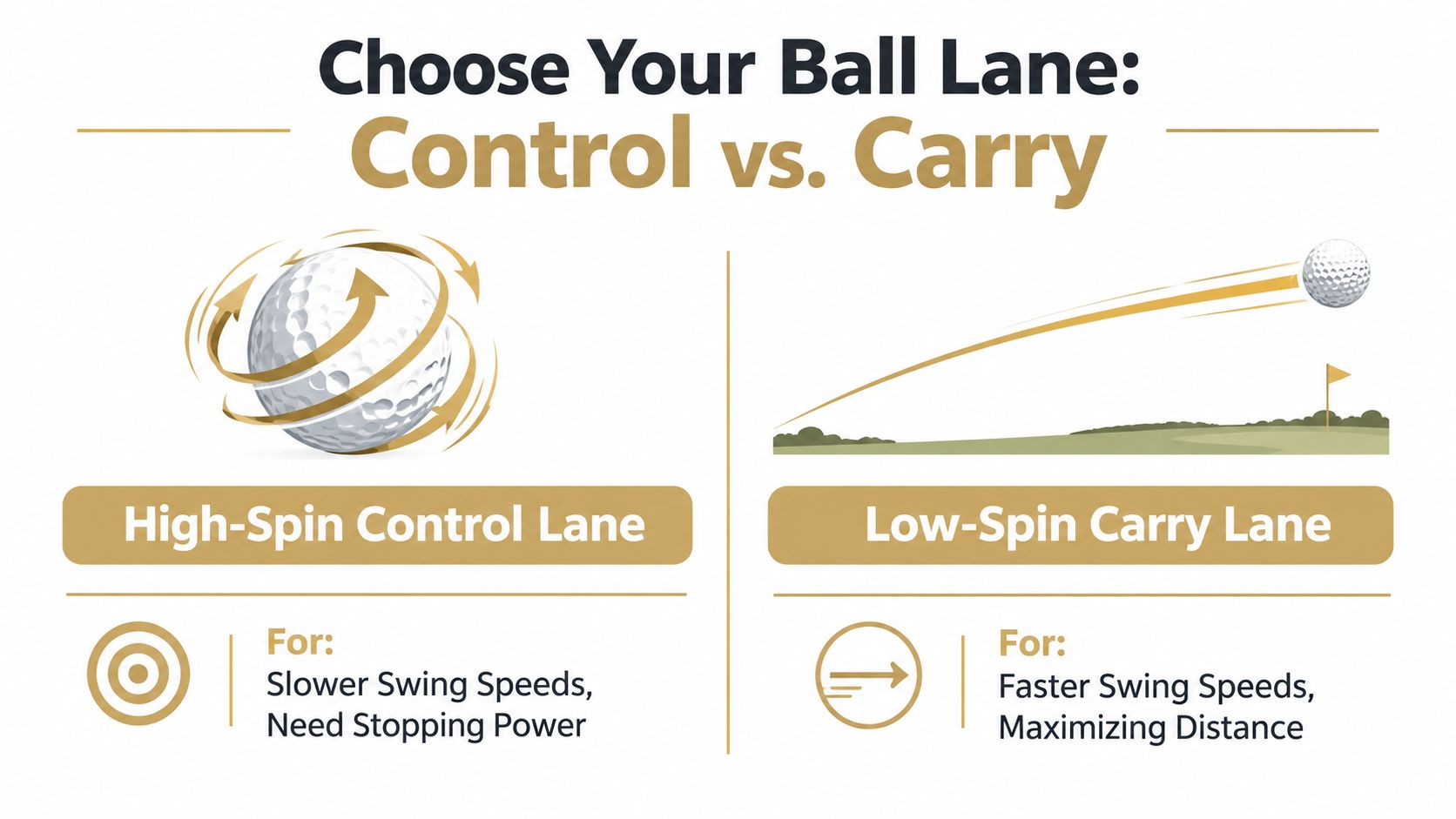
The high-spin control lane favors golfers who want stopping power and more responsive scoring shots. The low-spin carry lane favors golfers who want efficient driver flight and reduced spin when excessive spin costs carry. Neither lane is automatically superior.
A fitting guide maps driver-spin targets to swing-speed bands, including about 2,400 to 2,800 rpm for 75 to 85 mph and 2,200 to 2,700 rpm for 85 to 95 mph, as shown in this golf ball fitting guide. These are reference ranges, not commands. Launch angle, strike quality, delivery, course conditions, and the golfer's preferred shot shape still determine whether a result is useful.
The choice should be tested across the bag:
- Control lane: Favor a ball that produces repeatable wedge response and approach stopping behavior, even if driver carry isn't the maximum.
- Carry lane: Favor a ball that keeps driver launch and spin in a playable window without creating unacceptable gaps or weak short-game feedback.
- Balanced lane: Choose the candidate that gives the golfer enough tee-shot efficiency and enough greenside predictability to avoid compensations.
Validate gapping after the ball change
A new ball can alter more than one club's carry. Check the pitching wedge and 7-iron relationship, then compare the driver pattern with the golfer's normal course shot. A ball that creates an awkward overlap may require a club or loft review rather than immediate rejection.
Loft is one measurable lever in the wider launch picture. A PING driver-fitting study cited by MyGolfSpy reports that each 1-degree increase in driver loft produces about a 0.7-degree increase in launch angle and roughly 220 rpm more spin, according to the driver fitting study. That means a ball comparison shouldn't blame the ball for every launch change. Club loft, strike location, and delivery can shift the result too.
Feel remains a legitimate filter. If two candidates produce comparable patterns, the golfer can choose the one that gives clearer feedback and more confidence around the green. The fitter's role isn't to force a numerical winner. It's to identify the lane that supports the golfer's decisions under normal playing conditions.
Distance is a result. Control is a skill you can use on the next shot.
Log Analyze and Retest With Dialed Golf Tools
A ball fit becomes more valuable when it turns into a record rather than a one-off opinion. The golfer should save the current-ball baseline, candidate results, club context, and short-game observations together. That history makes later retesting faster and helps reveal whether a change was real or caused by a different swing day.
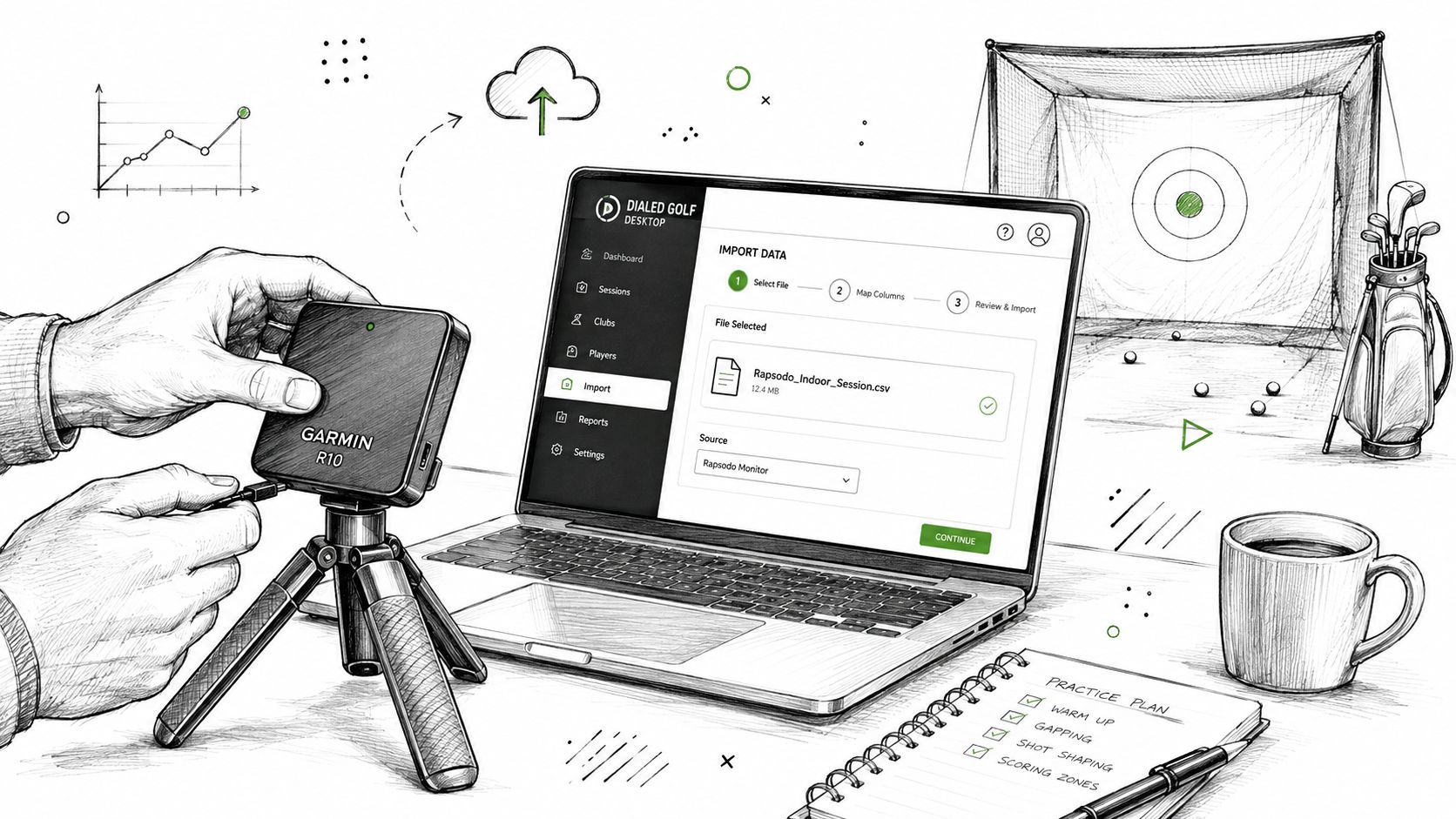
Dialed Golf is three products, one golfer record, and one Pro plan. Its desktop experience is built around launch-monitor practice at a range or garage simulator, with live pairing first for Garmin R10 and expanding, plus CSV and import support from Garmin, Rapsodo, SkyTrak, FlightScope, Uneekor, GSPro, Awesome Golf, and more. The consumer app works as a pocket caddy on the course, with TestFlight access now rather than general App Store availability, while Dialed Academy provides memberships and front-desk tools for ranges and clubs at $99.99 per month or $999.99 per year, with the club keeping its dues.
The CSV import workflow is useful when the golfer already has sessions stored outside the desktop pairing flow. Free web tools remain free and serve as the top of the funnel, rather than acting as a disguised replacement for the Pro plan. Golfer Pro is available across the app and desktop at $9.99 per week, $29.99 per month, $149.99 for six months, or $249.99 per year.
Retest when the golfer changes equipment, changes the regular ball, sees a course pattern that conflicts with the indoor result, or notices a meaningful shift in delivery. The final verification belongs on the course. Watch wedge release, approach stopping, driver dispersion, and whether the golfer can predict the ball's behavior under pressure.
A portable-monitor-first protocol doesn't promise perfect data. It provides something more useful, a consistent way to collect imperfect data, compare it, and preserve the result for the next decision.
Set up a repeatable ball test with Garmin R10 data, compare greenside control through driver performance, and keep the results attached to one golfer record with Dialed Golf. Visit Dialed Golf to use the free tools, explore the desktop workflow, and turn the next range session into a fitting record you can trust.