


Unpacking a Garmin R10 usually creates the same first question: can a small radar unit really replace the guesswork that happens during a crowded range session? The answer depends less on the size of the box than on how the golfer uses its numbers. A careless session produces a screen full of questionable spin and shot-shape data. A disciplined session can reveal useful carry windows, speed patterns, and repeatable practice priorities.
The Garmin R10 launch monitor works best as a practice instrument, not as an unquestionable measurement authority. It gives golfers more information than a traditional range bucket, but the information needs context. Ball type, alignment, hitting height, indoor space, and shot quality all influence what the device can report confidently.
Table of Contents
- The Reality of Sub-Thousand Dollar Radar Data
- Decoding R10 Specs and Accuracy Tolerances
- Range Practice Versus Home Simulator Use
- Optimizing Your Setup for Reliable Reads
- Pairing the R10 with Dialed Golf Desktop
- Building a Trustworthy Carry Distance Chart
- When to Trust the Data and When to Upgrade
The Reality of Sub-Thousand Dollar Radar Data
A golfer can place the R10 behind a ball, open the app, and immediately see launch, speed, distance, and direction data. The first mistake is treating the longest carry as the new truth. One flushed shot can distort a distance chart, especially when the session includes inconsistent contact, different balls, or a changing target line. The R10 earns its place when each shot is treated as evidence that must be checked against a repeatable pattern.
Garmin announced the Approach R10 on August 10, 2021, presenting it as a compact radar-based device with more than a dozen real-time metrics, including club head speed, ball speed, swing tempo, ball spin, and launch angle. The device also supports shot analysis, video recording, simulated play, and connection with the Garmin Golf app, as described in Garmin's launch announcement. That combination made multi-metric practice available to golfers who previously had to rely on visual feedback or specialist facilities.
The useful mindset
The R10 changes a range session from “that one felt good” into a record of what happened. For regular practice, that distinction matters. Memory favors the best strike, while a useful gapping session needs the pattern across a manageable group of shots.
Use the R10 to find a carry window, not to announce a single exact number. For wedge practice, record the shots that represent normal contact and remove obvious mishits before building a chart. A repeatable group of carries is more useful than an impressive outlier. Dialed Golf can then provide a place to organize those distances by club, shot type, and practice session, so the chart reflects usable range performance rather than one lucky swing.
Practical rule: Use the R10 to identify repeatable patterns, not to defend one unusually long or short shot.
Start with one club and a consistent ball. Check the alignment before hitting, keep the target line stable, and record what appears repeatedly. The goal is not to chase a perfect number. It is to learn whether the same setup produces a stable picture, particularly for carry distance and launch.
Why the range still matters
Portability gives the R10 practical value beyond a single practice location. The same unit can be used at home or on the range, allowing a golfer to compare sessions and build a more useful record than memory alone provides.
The limits are practical too. Radar output does not deserve equal confidence for every metric or every strike. Carry and launch information can guide club gapping, while spin-dependent shot shape requires more skepticism. Treat the R10 as a structured practice instrument, then verify whether its numbers remain consistent before using them to make wedge or club-selection decisions.
Decoding R10 Specs and Accuracy Tolerances
A range session exposes the R10 to movement, uneven surfaces, changing weather, and repeated setup. Its physical design supports that use. Garmin lists dimensions of 3.5 x 2.8 x 1 inches, a weight of 5.22 ounces, or 148 grams, without the tripod, IPX7 waterproofing, and battery life of up to 10 hours. The unit operates from -10ºC to 55ºC, or 14ºF to 131ºF, according to Garmin's published specifications.
Those details matter during practical use. The monitor must be carried, positioned, charged, and kept in a consistent relationship with the ball and target line. Its compact body makes relocation easy, but it does not remove the need for careful alignment. A small change in position can affect the radar's view of the shot.
What Garmin actually publishes
Garmin publishes specific tolerances for the R10's primary measurements. Club head speed is rated at plus or minus 5 mph, ball speed at plus or minus 1 mph, launch angle at plus or minus 1 degree, launch direction at plus or minus 1 degree, and carry distance at plus or minus 5 yards, according to the published product specifications.
| Metric | Accuracy tolerance | Data source type |
|---|---|---|
| Club head speed | +/- 5 mph | Published Garmin specification |
| Ball speed | +/- 1 mph | Published Garmin specification |
| Launch angle | +/- 1 degree | Published Garmin specification |
| Launch direction | +/- 1 degree | Published Garmin specification |
| Carry distance | +/- 5 yards | Published Garmin specification |
These figures suggest a useful order of confidence. Ball speed and launch angle can help compare swings when the ball and setup remain consistent. Carry distance can support a practical distance window rather than a single fixed number. Club head speed has the widest stated tolerance, so it should not be the sole basis for changing equipment or rebuilding a swing.
Use the R10 to compare repeatable shots under the same conditions. That is more useful than treating every displayed value as equally precise.
Measured launch versus calculated flight
The R10 reports club face angle, club path, spin, apex, smash factor, carry distance, total distance, and deviation. Some of these values are measured more directly than others. Spin and resulting shot shape depend heavily on radar observations and algorithmic estimates, so they deserve more scrutiny than launch and ball-speed comparisons.
A believable ball speed and carry result can appear beside a questionable wedge-spin figure or curve. That does not make the entire session unusable. It means the spin number should guide practice questions, not serve as laboratory-grade proof.
A seven-iron session can show whether contact produces a consistent launch and whether carry results form a usable group. A single wedge shot with an uncertain spin estimate cannot support a precise equipment decision. Record the stable measurements, flag the estimates that vary sharply, and organize the usable results in Dialed Golf so later gapping decisions rely on patterns rather than isolated readings.
Range Practice Versus Home Simulator Use
The R10 is often treated as a budget simulator that happens to travel. For many golfers, that reverses its most useful role. Outdoor practice gives the radar more room to observe the ball, and the golfer can work through real clubs, real targets, and real shot routines instead of hitting every ball into a net.
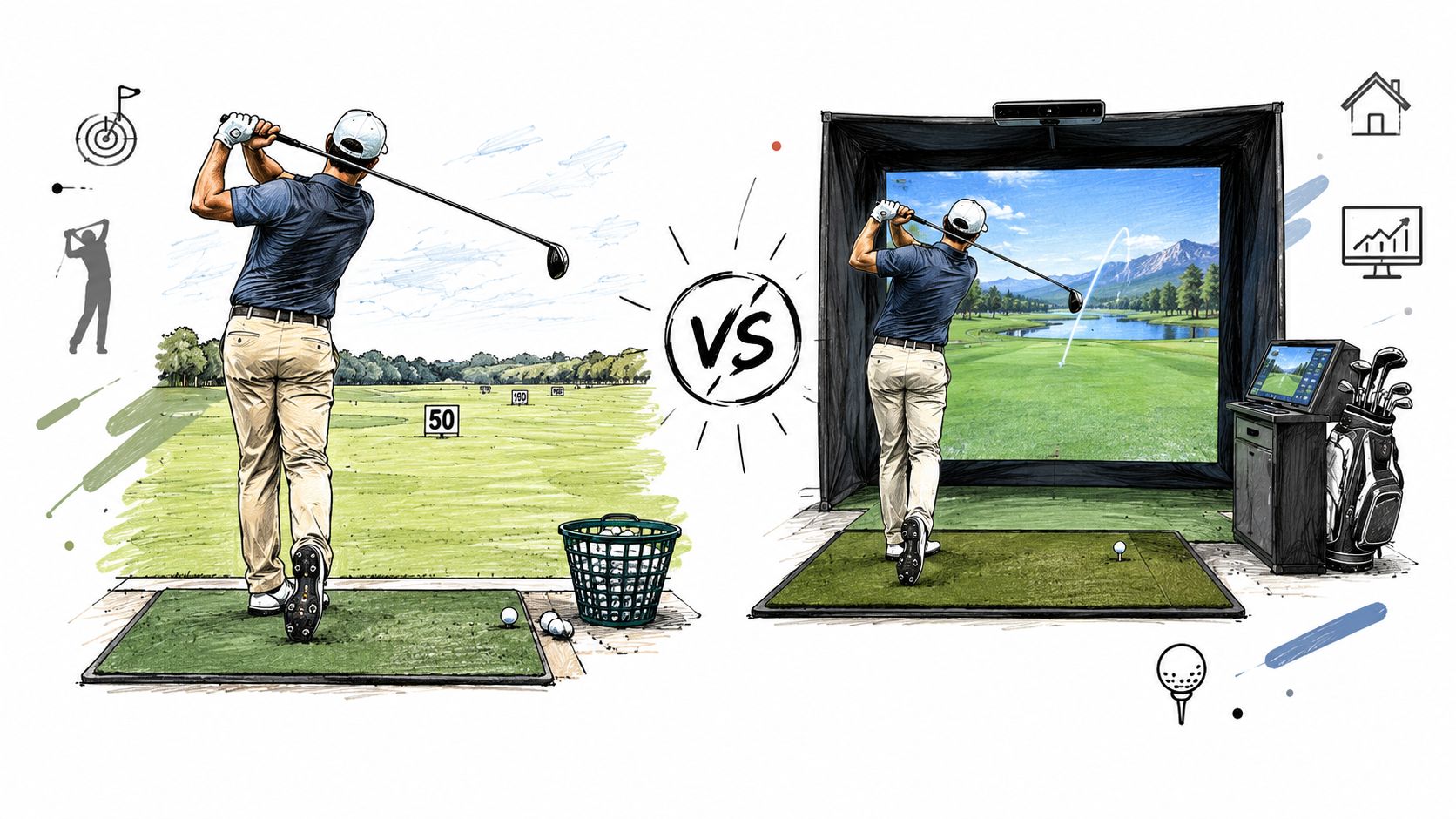
The outdoor advantage doesn't make every range number trustworthy. A major unresolved issue is how the R10 performs for range-based practice with mixed balls and variable setups, because range balls and the absence of ball normalization can distort carry and gapping data, as discussed in this range-focused Garmin R10 review.
Why range balls create bad decisions
Range balls vary in age, construction, wear, and condition. A golfer may hit one ball that flies normally, another that has lost some performance, and another that has a damaged cover. The R10 records what happens, but it can't turn inconsistent ball behavior into a clean club-distance chart.
That makes range balls acceptable for some questions and poor for others.
- Swing feedback: Launch direction, contact quality, and broad speed patterns can still guide practice.
- Carry gapping: Mixed or worn balls make exact distance comparisons less dependable.
- Shot shape: A damaged ball can exaggerate or disguise curvature, which complicates interpretation of spin-dependent outputs.
- Club selection: A single unusually long result shouldn't determine the number carried onto the course.
For serious gapping, a consistent premium ball is the better choice whenever the range permits it. If the facility supplies only mixed balls, the session should be labeled accordingly and used for relative feedback rather than treated as a final yardage test.
A productive outdoor session
A useful range routine starts with one club and one question. A golfer might test whether a stock seven-iron produces a repeatable carry window, or whether three-quarter wedge swings create a usable ladder. The golfer should keep the target, ball type, and pre-shot routine as consistent as possible.
A practical session can follow this pattern:
- Warm up without recording decisions. Get the body moving and avoid treating early shots as representative.
- Choose one club and one stock motion. Don't mix full swings, punch shots, and intentional fades in the same data group.
- Review the middle of the group. The center of a consistent set is more useful than the longest shot.
- Mark obvious mishits. A heavy strike or thin contact shouldn't define the club's expected carry.
- Save the session with context. Record the ball type, surface, and practice goal alongside the shot data.
A structured range workflow is also useful when deciding whether a launch monitor belongs outdoors, indoors, or in both environments. The driving range launch monitor guide provides a useful reference point for evaluating that type of practice.
Home use offers more control over the ball and environment, but it introduces its own demands. A tight room can reduce the available flight window, and a raised mat can put the monitor at the wrong height unless the unit is raised to match. A simulator session can be excellent for repeatability, but it shouldn't automatically be considered more accurate than a carefully managed outdoor session.
Optimizing Your Setup for Reliable Reads
Most R10 complaints begin before the swing. The monitor is slightly misaligned, the tripod sits on an uneven surface, the ball is positioned at an inconsistent height, or the indoor setup leaves too little room for a useful radar return. Fixing those variables won't transform the device into a different class of monitor, but it can remove avoidable noise.
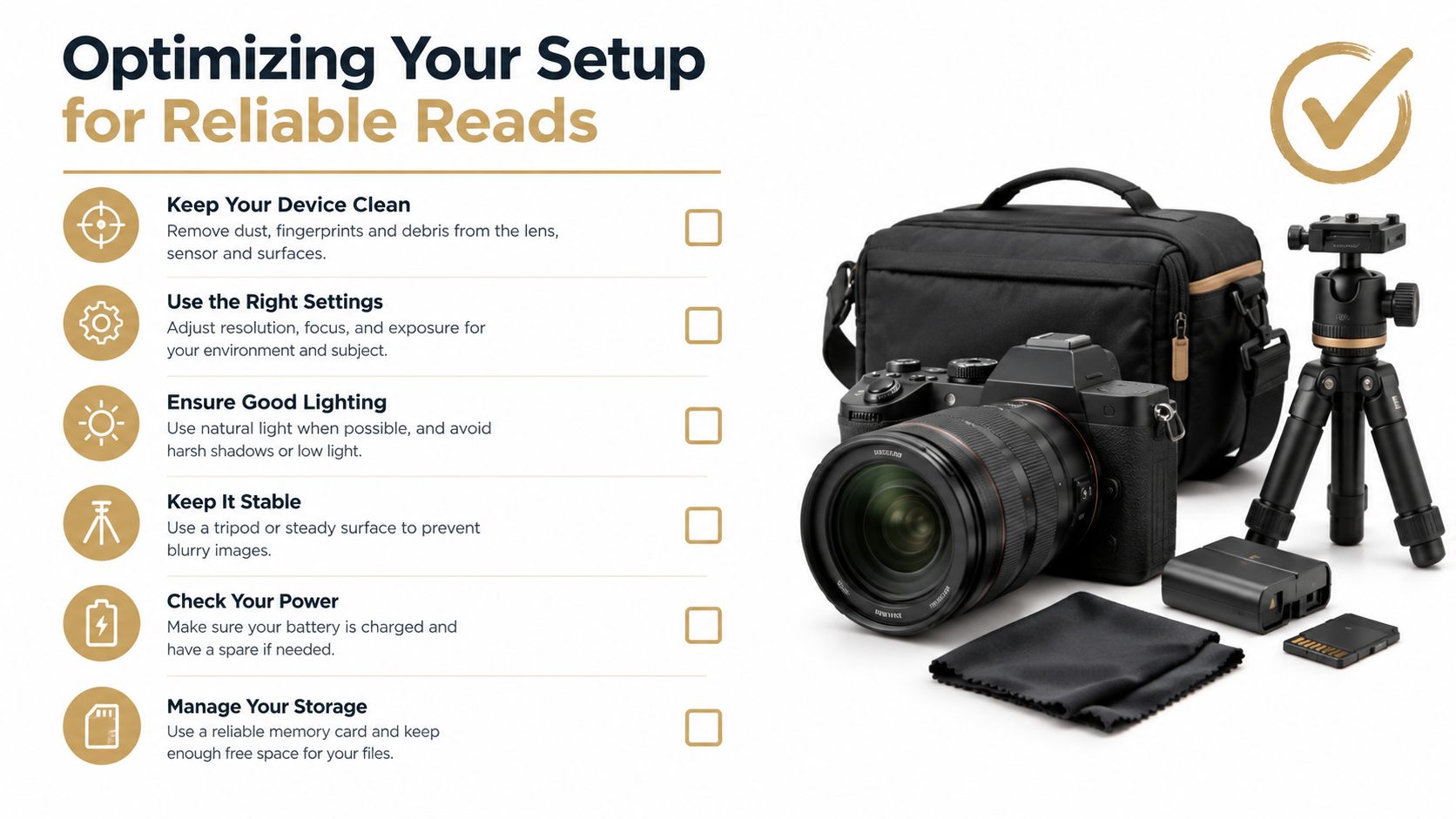
Start with alignment and height
Place the R10 directly behind the ball on the target line, with the unit facing the intended starting direction. On a range, use an alignment rod or club on the ground to check the relationship between the device, ball, and target. Eyeballing the target line is quick, but small errors can affect launch direction and reported deviation.
The monitor and ball should also sit on compatible levels. If an indoor mat raises the ball above the surrounding floor, raise the R10 so its radar perspective matches the hitting surface. A stable tripod is preferable to a soft bag or an improvised support because movement can change the relationship between shots.
For each environment:
- Outdoor tee: Choose level ground, clear the area immediately in front of the monitor, and align with a visible target.
- Indoor mat: Match the R10's height to the ball, keep the unit stable, and confirm that the hitting line is not angled toward the screen.
- Changing targets: Recheck alignment whenever the target changes. Don't assume the previous aim remains correct.
Control the variables that affect spin
Spin and shot shape are the R10's most practical weak points, especially with wedges, mishits, and indoor setups. Independent review coverage identifies the same issue, noting that output quality depends heavily on setup, ball type, and shot conditions, as explained in this review of R10 spin and launch behavior.
That doesn't mean every spin reading should be discarded. It means the golfer should look for repeated patterns under consistent conditions. A wedge that produces wildly different spin results on similar strikes deserves a note of caution. A recurring launch and carry pattern across clean shots may still be useful for practice.
Use a repeatable pre-shot routine
The best setup fix is consistency. The golfer should place the ball in the same general area, keep the monitor in the same position, and avoid moving the tripod during a session. Indoors, lighting and surrounding movement should be kept as stable as the room allows, while outdoor users should avoid placing the unit where people or equipment frequently cross the radar path.
Setup discipline: If the physical relationship changes, treat the next group as a new session instead of blending it with earlier shots.
Pairing the R10 with Dialed Golf Desktop
A launch monitor creates rows of data, but rows alone don't create a practice plan. The desktop workflow connected to Dialed Golf is designed for launch-monitor practice at the range or in a garage simulator. Live pairing starts with the Garmin R10, while broader device support expands over time, and the workflow also supports CSV or import-based data from Garmin, Rapsodo, SkyTrak, FlightScope, Uneekor, GSPro, Awesome Golf, and additional sources, as described in the R10 desktop practice workflow.
The distinction between desktop and mobile matters. The consumer iOS experience is a pocket caddy currently in TestFlight, not general App Store availability. Live launch-monitor capture is desktop-first, while mobile live pairing is later. That keeps the practice workflow separate from the on-course caddy experience.
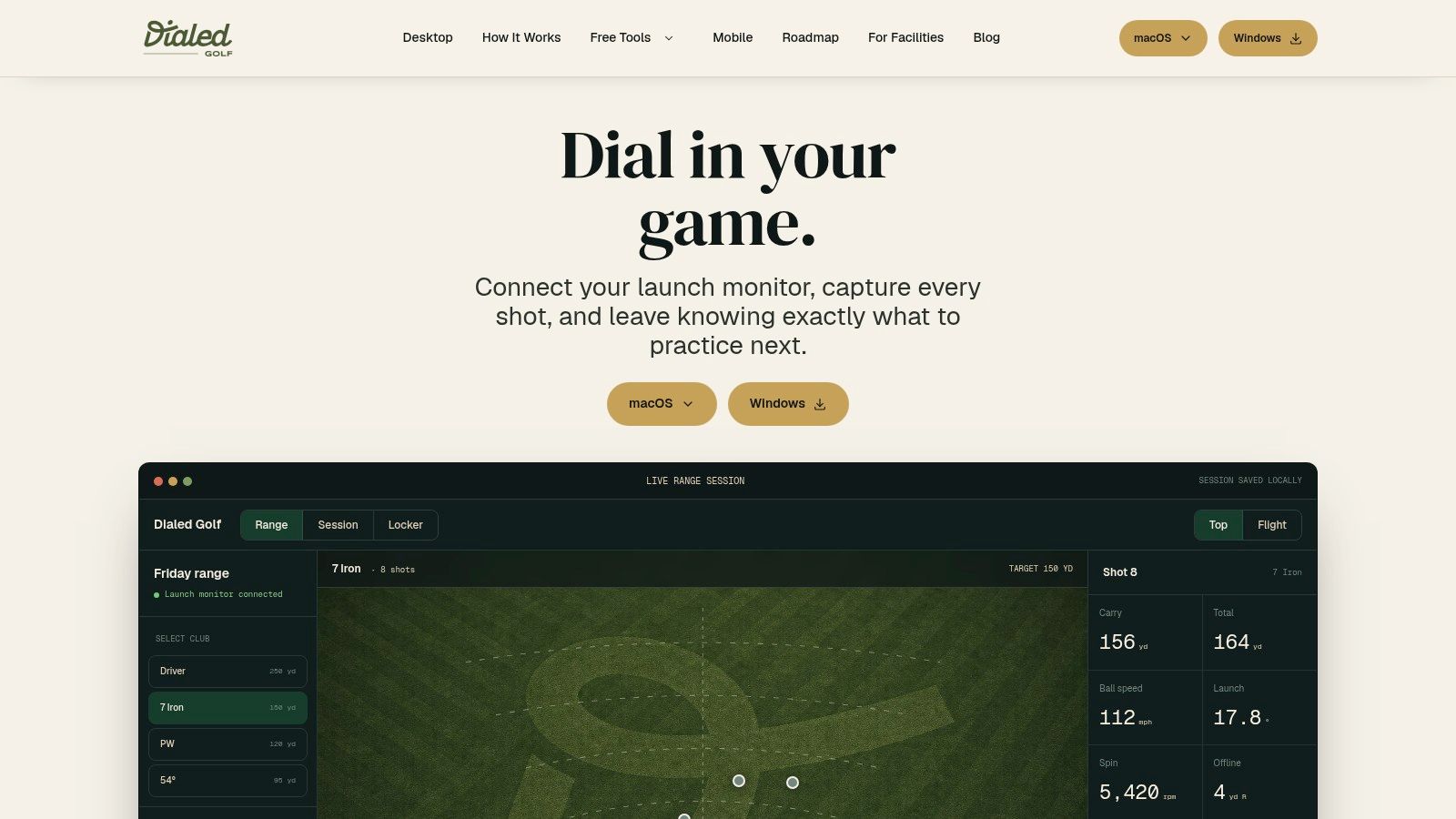
Live pairing workflow
The cleanest process is to prepare the R10 before opening the practice workspace.
- Power the R10 and confirm the physical setup. Pairing can't rescue a poor target line or unstable tripod.
- Open the desktop practice workflow. Start with the live pairing option for the R10.
- Allow the device connection to establish. Keep the monitor close enough for a stable connection without moving it from the intended hitting position.
- Create a clearly named practice session. Include the club and purpose, such as stock seven-iron or partial wedge control.
- Hit a short test group. Check that the displayed shots correspond to the actual ball flight before recording a full set.
- Keep the session coherent. Don't mix club changes and setup changes without marking them.
The naming step prevents a common data problem. A file labeled only with a date becomes difficult to interpret later. A file labeled with club, ball, and intention can become part of a useful history.
Importing existing sessions
A golfer who already has Garmin records doesn't need to rebuild the entire history manually. CSV or import-based handling allows existing sessions to enter the same broader record, which is useful when the golfer wants to compare recent practice with earlier sessions.
The import process should preserve the original context wherever possible. Keep the club, ball, environment, and session goal associated with the rows. The CSV import workflow is especially relevant when a golfer has accumulated separate files or has practiced with different launch-monitor sources.
The software's value comes from organization rather than from making uncertain data look precise. A clean history can show that a carry window has remained stable, that a club has an overlap problem, or that one environment produces more questionable spin readings. It can't validate a poor input, so setup notes remain part of the practice record.
Building a Trustworthy Carry Distance Chart
A useful carry chart shouldn't show the longest ball each club has ever produced. It should show the distance a golfer can reasonably plan around when contact and swing intent are normal. The R10 can contribute to that chart, but the golfer has to filter out mishits, inconsistent balls, setup changes, and suspicious spin outputs before turning the data into course strategy.
Start with a clean group
The first requirement is consistency. Use one club, one ball type, one target, and one swing intention within each group. If the golfer changes from a full swing to a flighted shot, that is a different category even if the club stays the same.
A simple review process works well:
- Remove obvious mishits. A heavy or thin strike doesn't describe the stock shot.
- Separate deliberate shapes. A planned fade shouldn't be blended with straight-ball carry data.
- Flag questionable spin. A strange spin or curve result should be reviewed against the visible ball flight.
- Keep the environment attached. Indoor and outdoor sessions can be compared cautiously, but they shouldn't be blended without context.
- Use the central pattern. The practical number is a carry window, not a personal record.
The goal is not statistical theater. The goal is a number that helps a golfer choose the right club when the shot matters.
Find overlaps and gaps
Once sessions are organized, compare adjacent clubs rather than reviewing each club in isolation. A gap exists when two clubs produce similar usable carries. A dead zone exists when no club reliably covers a particular distance. Those findings can shape practice before they trigger an equipment change.
For example, if a stronger club occasionally reaches a target but usually falls into the same window as the next club, the issue may be strike consistency rather than loft. If a wedge group contains a wide range of carries and inconsistent spin, the next practice priority may be contact and distance control instead of a new wedge.
A carry chart should therefore include more than one number. Useful fields include:
- expected carry window
- common strike pattern
- launch consistency
- confidence in spin and shape
- environment and ball type
- last session date
That record makes uncertainty visible. A golfer can trust a stable carry window while marking the shot-shape field as provisional.
Use the software to preserve judgment
A structured history helps the golfer see repeated behavior across sessions. The desktop workflow can hold imported and live-captured data in a searchable practice record, but the golfer still decides whether a shot belongs in the representative group.
The gap analysis guide provides a practical framework for turning those groups into a club-by-club view. The strongest result isn't a chart with false precision. It's a chart that clearly separates dependable carry information from data that needs another controlled session.
Distance-chart rule: A believable range of normal shots is more valuable than a perfect-looking number built from one exceptional strike.
When to Trust the Data and When to Upgrade
The Garmin R10 has done its job when a golfer needs repeatable practice feedback, a portable range workflow, and a practical view of launch and carry. It can help identify whether a club is launching consistently, whether speed changes are producing useful distance, and whether the bag contains an obvious overlap or gap.
The R10 becomes less suitable when the decision depends heavily on precise spin, exact curvature, or highly reliable wedge behavior. Coaches making detailed delivery decisions, fitters separating small equipment differences, and golfers who need confident shot-shape measurement may eventually require a system that measures more of the ball flight directly.
That isn't a failure of the R10. It's a boundary between a portable consumer radar device and more advanced camera or Doppler systems. The upgrade question should come after the golfer has extracted the value from disciplined practice, not after one strange reading.
A sound decision process asks three questions:
- Does the R10 answer the current practice question?
- Are the setup and ball consistent enough to support the decision?
- Is the uncertainty in spin or shape now blocking a coaching or fitting choice?
If the first answer is yes and the second is controlled, keep practicing. If the third becomes decisive, an upgrade may be justified. Until then, better session design will usually produce more value than chasing a new device.
Dialed Golf brings the R10 workflow into a single golfer record through desktop live pairing and CSV or import-based practice history, while its consumer app remains a TestFlight pocket caddy and free web tools stay free. Golfer Pro is $9.99 per week, $29.99 per month, $149.99 for six months, or $249.99 per year, and Dialed Academy offers range and club memberships with a front desk at $99.99 per month or $999.99 per year, with the club keeping its dues. Visit Dialed Golf to organize R10 sessions, preserve the context behind each shot, and turn range data into a carry chart that can guide real practice.